Setting the franking imprint
37
5.1.4 Setting the weight manually (not in all countries)
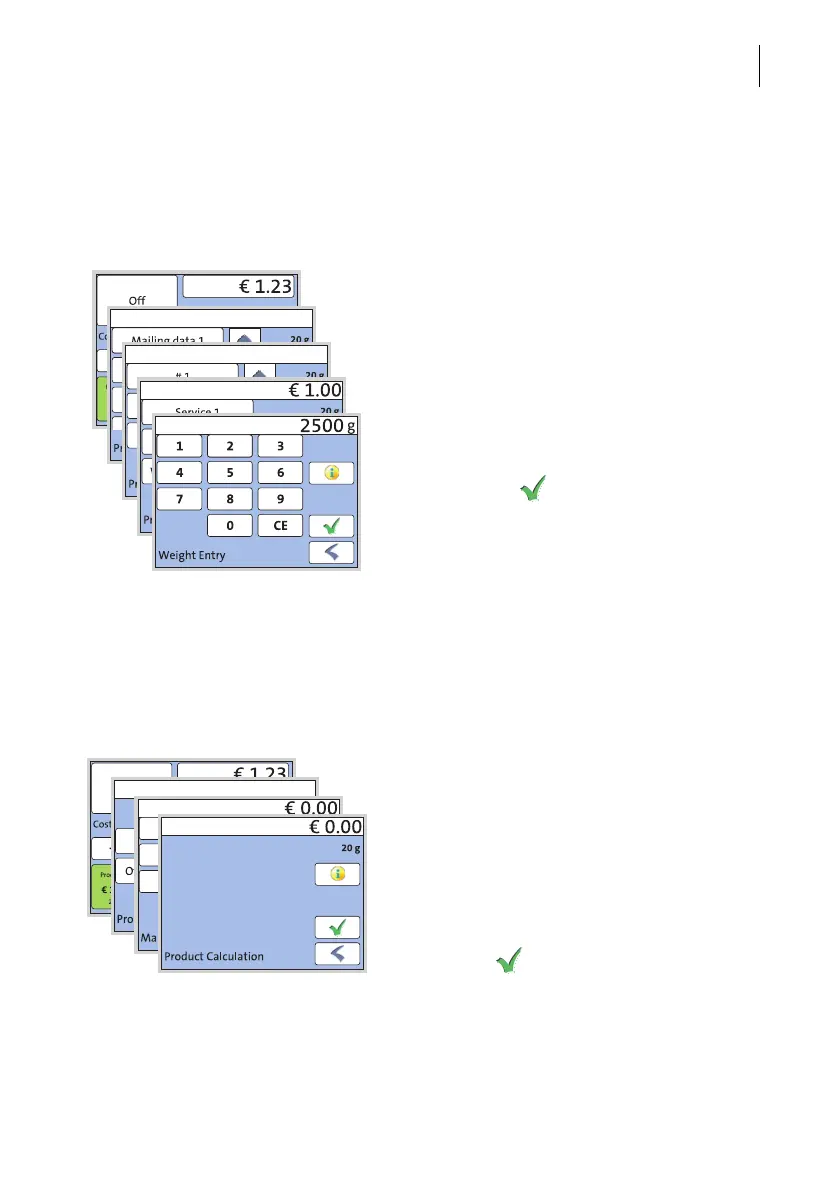
For certain products, the PostBase Mini offers the possibility to enter the weight man-
ually. This feature is necessary for mail pieces that exceed the scale’s weighing range
(>2 kg / >5 lb).
• Call up the Product calculation menu.
• Select the desired mailing data as usual.
• Press the button which offers the ‘Weight
Entry’ option.
PostBase Mini opens an adjustment menu
where you can set the weight.
• Enter the weight.
• Confirm with .
PostBase Mini uses the set weight to
calculate the postage.
5.1.5 Setting the postage manually (not in all countries)
There may be particular cases where PostBase Mini does not offer the desired
mailing data and thus cannot calculate the postage. In such a case, PostBase Mini
offers the possibility to enter the postage value manually.
• Call up the Product calculation menu.
• Select appropriate option(s) from the list
(country-specific).
It may be called ‘Other’ for example.
PostBase Mini opens an adjustment menu
where you can set the postage.
• Enter the desired postage and confirm.
• Press the button to accept the dis-
played product setting and to return to
the Home screen.



 To Next Page