Installation and commissioning
13
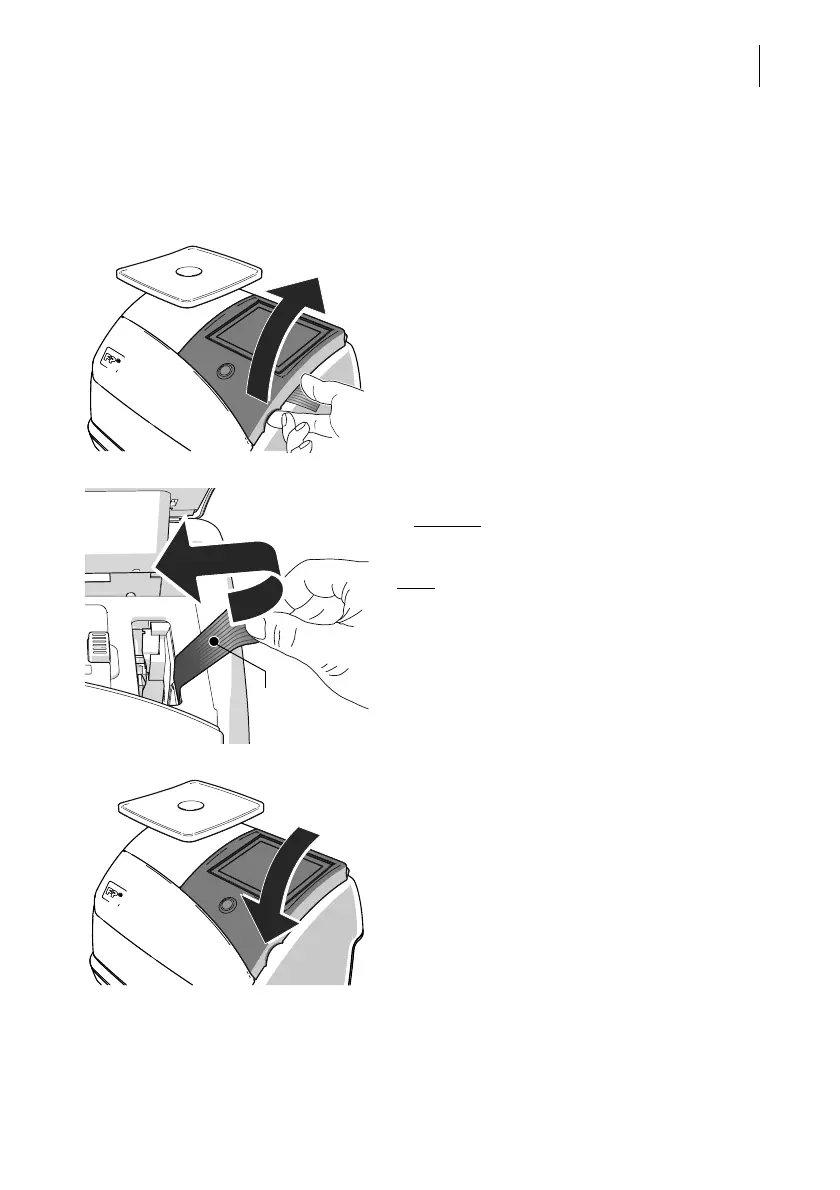
Step 3: Removing the transport fixture
To protect the print system, the ink cartridge
holder is secured with tape (transport fixture).
Remove the transport fixture:
• Lift up the operating panel as far as it goes.
It snaps in this position.
• Loosen the tape from the housing and
carefully
pull it to the left, peeling it off the
ink cartridge holder.
Note
: Do not insert the ink cartridge until later
in the installation process (step 6)!
• Lower the operating panel back into
position.



 To Next Page