PostBase Mini
14
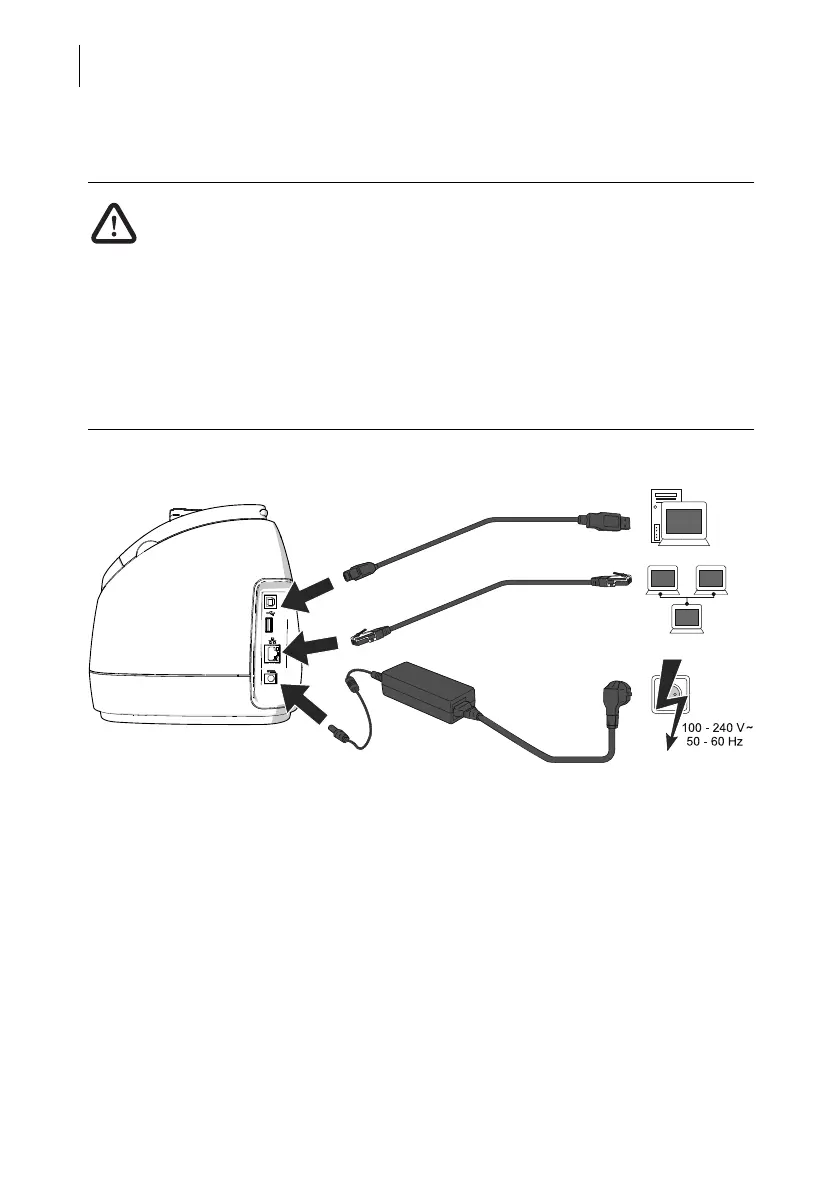
Step 4: Connecting PostBase Mini
Warning! Only use one of the power supply units specified in the appendix
“Technical Data”. Make sure that the power supply unit is not damaged.
Use the cables provided with the PostBase Mini or approved by Francotyp-
Postalia. Make sure that cables are not damaged.
Connect PostBase Mini only to a grounded single-phase power socket. Make
sure your office power supply conforms to the power requirements indicated
on the power supply unit’s serial number plate.
Make sure the socket for connecting PostBase Mini is close by and easily
accessible at all times.
• Connect the franking machine to a local
area network (LAN).
• Connect the franking machine to a PC
(optional).
• Plug the mains plug of the power supply
unit into the power connection of the frank-
ing machine. Connect the power cable to
the power connection of the power supply
unit. Only then, plug the power cable into
the power socket.



 To Next Page