PostBase Mini
26
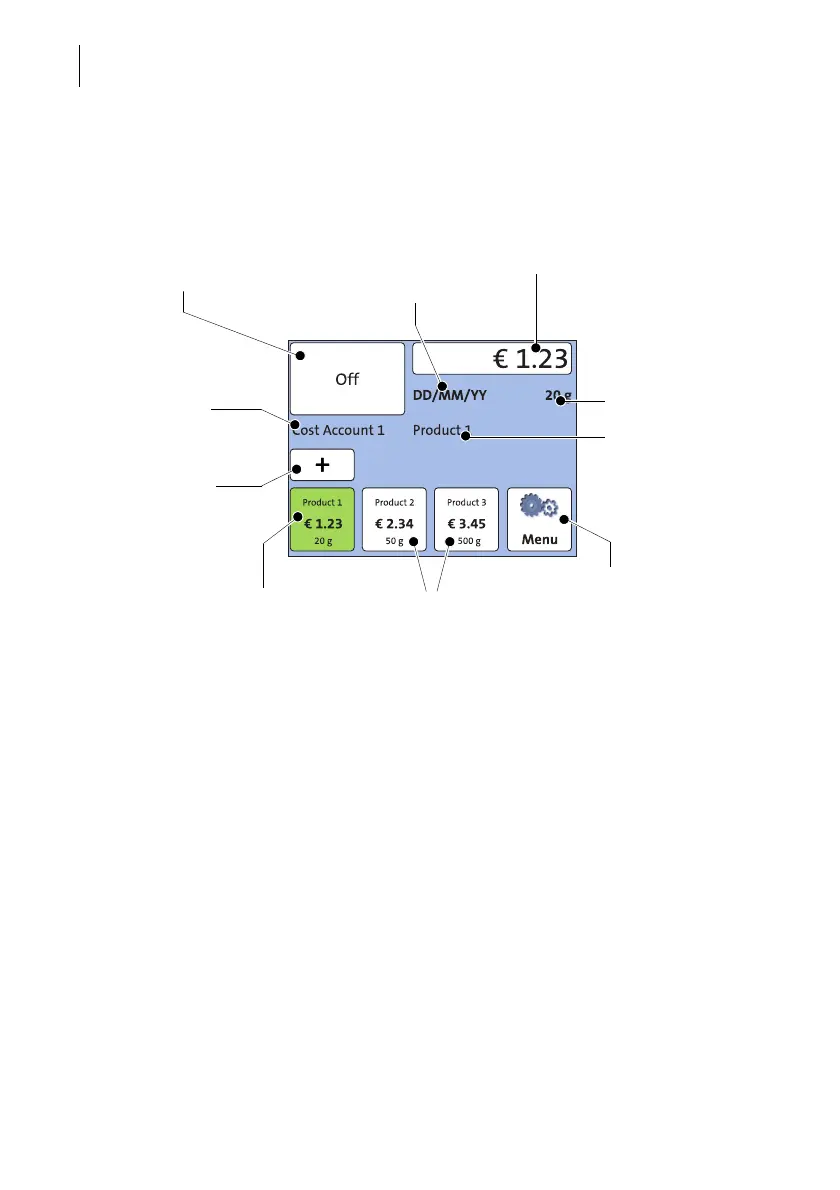
4.3.2 The Home screen
The Home screen appears after the machine was turned on and the start routine has
been successfully completed. It shows the current franking settings at a glance.
Functions In the Home screen
– you have access to all franking imprint
settings
– you frank your mail pieces
– you can weigh your mail pieces
– you can open the Menu
– current settings are displayed.
Operation philosophy A function can be edited or selected by
simply touching its button. Depending on the
respective function, the PostBase Mini opens
a list, an adjustment menu or a menu offering
further options. In the chapters to follow, you
will be introduced to each of the menu and
window types and their operation.
Advertising imprint:
Advert / SMS text (optional)
Postage (price of the product)
Weight
Mailing data
Current account
Shortcut
(selected)
Available
shortcuts
Further shortcuts
Open the Menu, access
– Special features
– Administration functions
– Basic settings
– Service function
Date



 To Next Page