Maintenance and care
77
12.8 Replacing the battery
The PostBase Mini monitors the charging state of the battery. An appropriate mes-
sage appears in the display when it is time to replace the battery.
Caution! The used battery has a special rated voltage of 3.6 V. There is a
risk of severely damaging the machine when inserting the wrong battery.
We recommend to use only a battery 90.4701.8004.00 provided by Franco-
typ-Postalia. The manufacturer FP has established reliability, safety and
applicability.
Warning! Observe the instructions enclosed with the battery for correct use
and disposal.
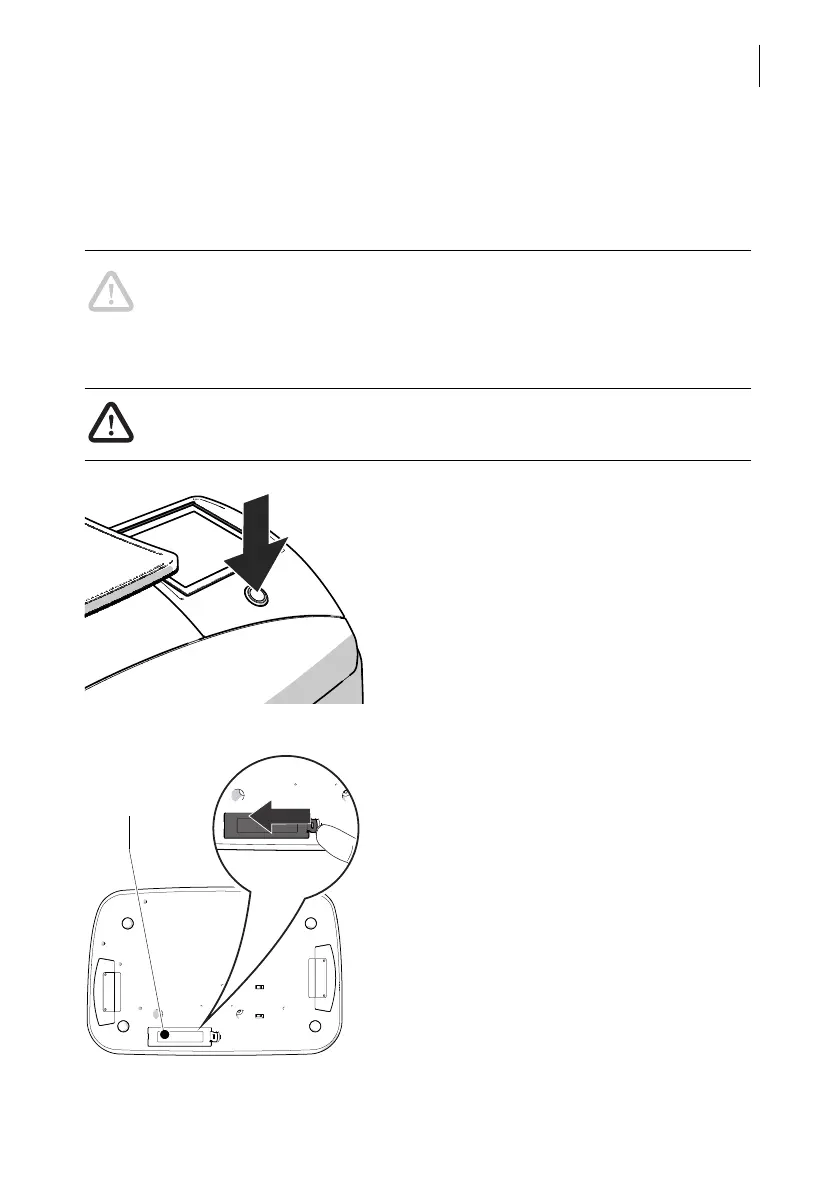
• Turn off the PostBase Mini.
• Unplug the mains plug of the power supply
unit from the socket.
Remove all cables from the PostBase Mini:
• Remove the mains plug.
• On the network connector, press the spring
and remove the Ethernet cable.
• If present: Remove the USB cable.
• Turn the PostBase Mini on its back.
You now have access to the battery compart-
ment on the bottom of the PostBase Mini.
• Press the clip catch in the direction of the
arrow and remove the battery compart-
ment cover.
• Remove the empty battery.



 To Next Page