Franking
41
6.2 Selecting / changing an account
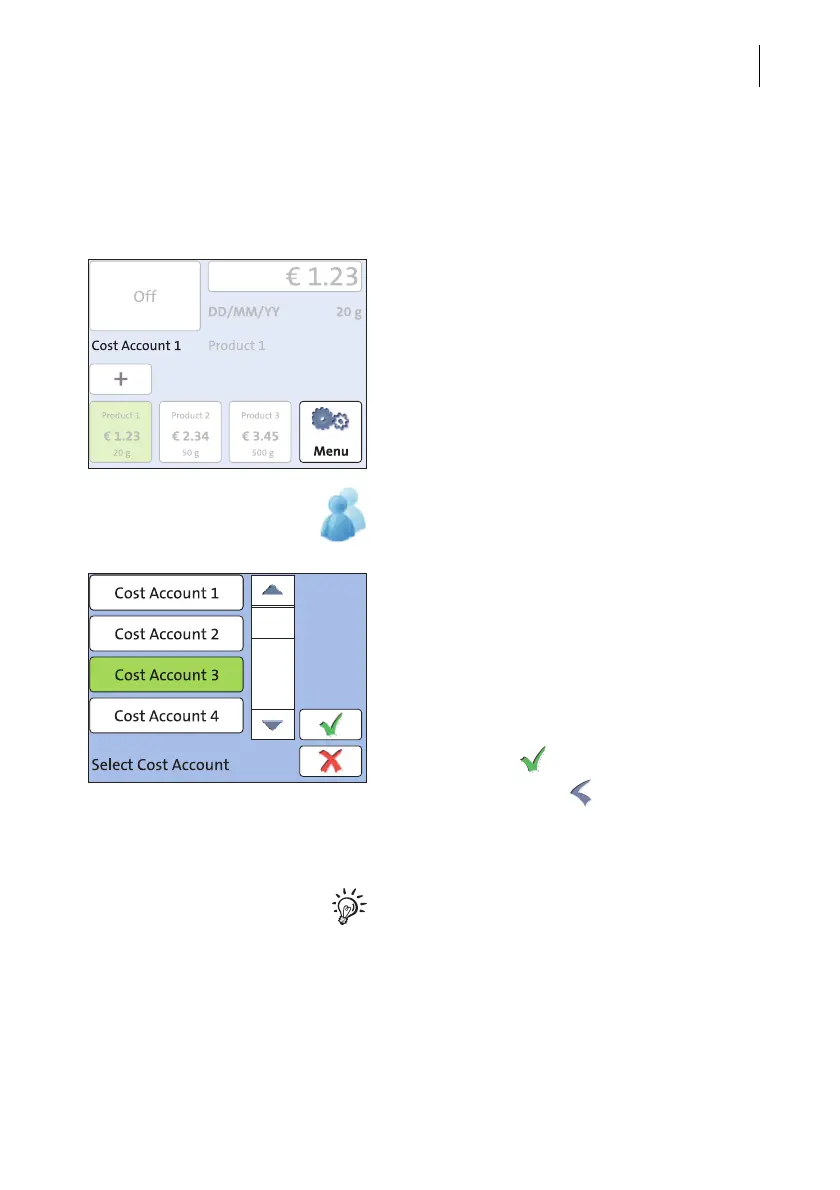
When the account function is active, PostBase Mini books all frankings to the cur-
rently set account. The currently set account is displayed in the Home screen.
Changing the account
• Open the M
ENU.
• Press the S
ELECT ACCOUNT button.
The PostBase Mini opens the S
ELECT COST
ACCOUNT adjustment menu. You see the
account names and numbers of the available
accounts. The currently set account is shown
with a green background.
• Press the button of the desired account.
The selected account is shown with a green
background. (In the example, this is
C
OST ACCOUNT 3.)
• Confirm with .
• In the M
ENU, press to return to the
Home screen.
The selected account is set for franking.
If users are enabled on your PostBase Mini,
only those accounts allocated to the currently
set user are available.



 To Next Page