PostBase Mini
20
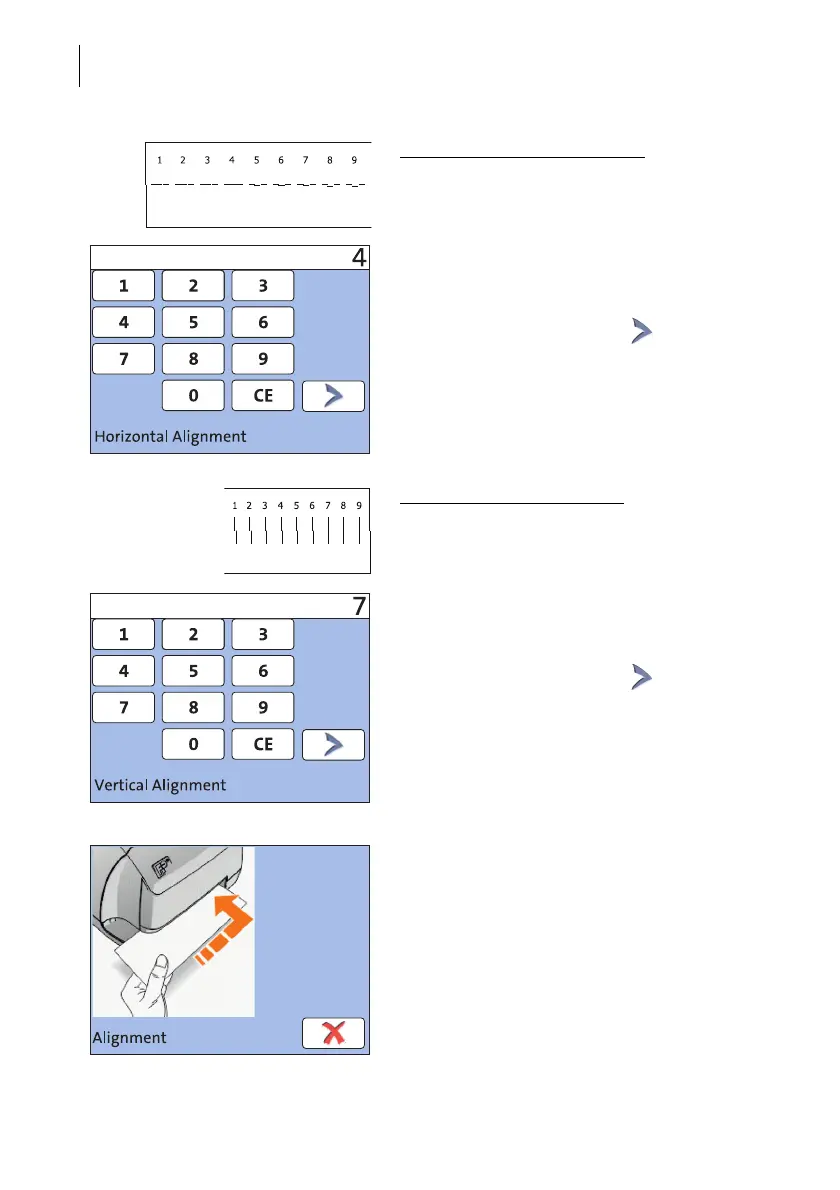
Adjust cartridge: horizontal line
• Type the number where the horizontal par-
tial lines are as exactly next to each other
as possible.
In the example, this is number ‘4’.
(If necessary: Press CE to clear the dis-
played number.)
• Confirm and continue with .
Adjust cartridge: vertical line
• Type the number where the vertical partial
lines are as exactly above each other as
possible.
In the example, this is number ‘7’.
(If necessary: Press CE to clear the dis-
played number.)
• Confirm and continue with .
• Place an empty envelope for another test
print.
• Assess the test print. If necessary, repeat
the alignment procedure until a correct
alignment has been obtained.



 To Next Page