PostBase Mini
28
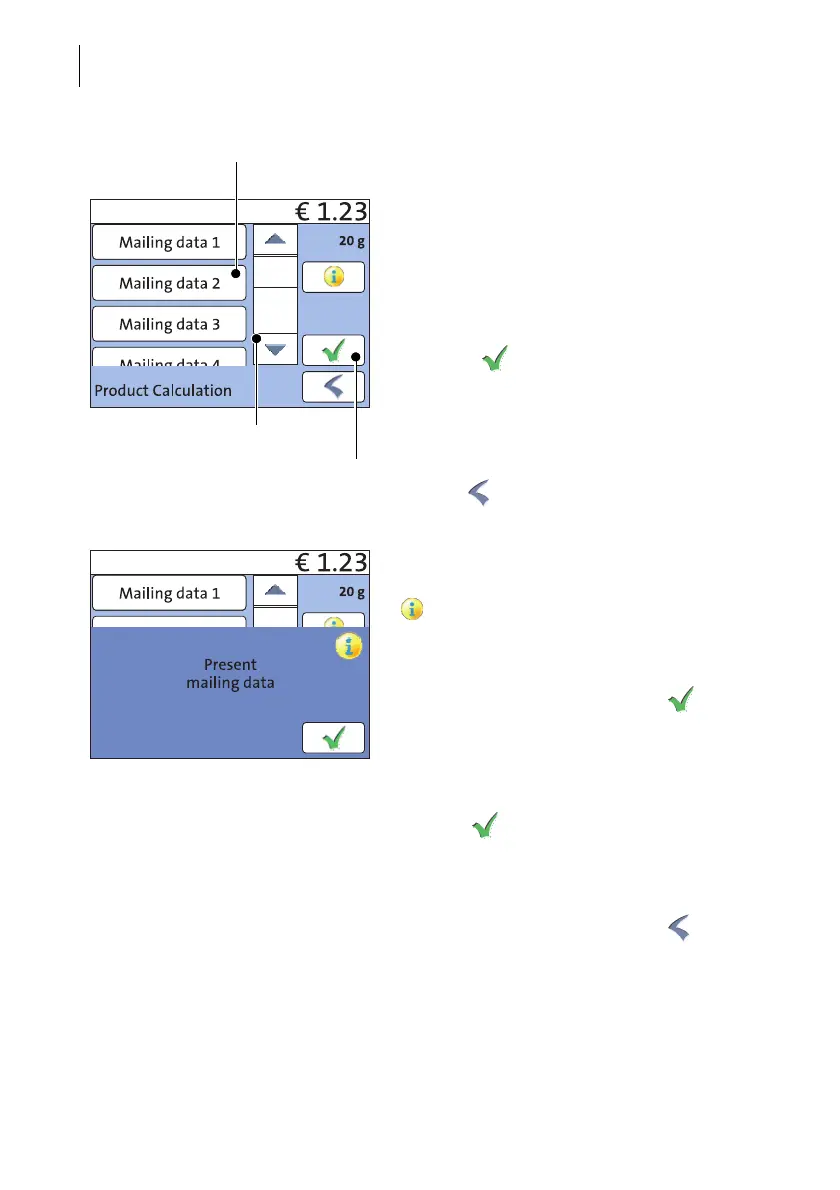
Selecting mailing data
You select the mailing data for a product by
pressing the button with the desired setting.
PostBase Mini applies your selection and
shows the next available mailing data to the
left in the display. PostBase Mini guides you
through the postage calculation process step
by step.
Press the button to accept the current
setting and to return to the Home screen.
Deselecting mailing data
You can erase the mailing data step by step
with the button.
Display current mailing data
To view the selected mailing data, press the
button.
PostBase Mini displays the current mailing
data in a pop-up window.
Close the pop-up window with the button.
Returning to the Home screen
Set product for franking With the button, you set the selected
product for franking and return to the Home
screen.
Cancel Product calculation menu Deselect all mailing data and cancel the
Product calculation menu with the button.
The product set last remains set in the Home
screen.
Press the desired setting
Scroll the list
Accept current setting
and return to Home screen



 To Next Page