PostBase Mini
50
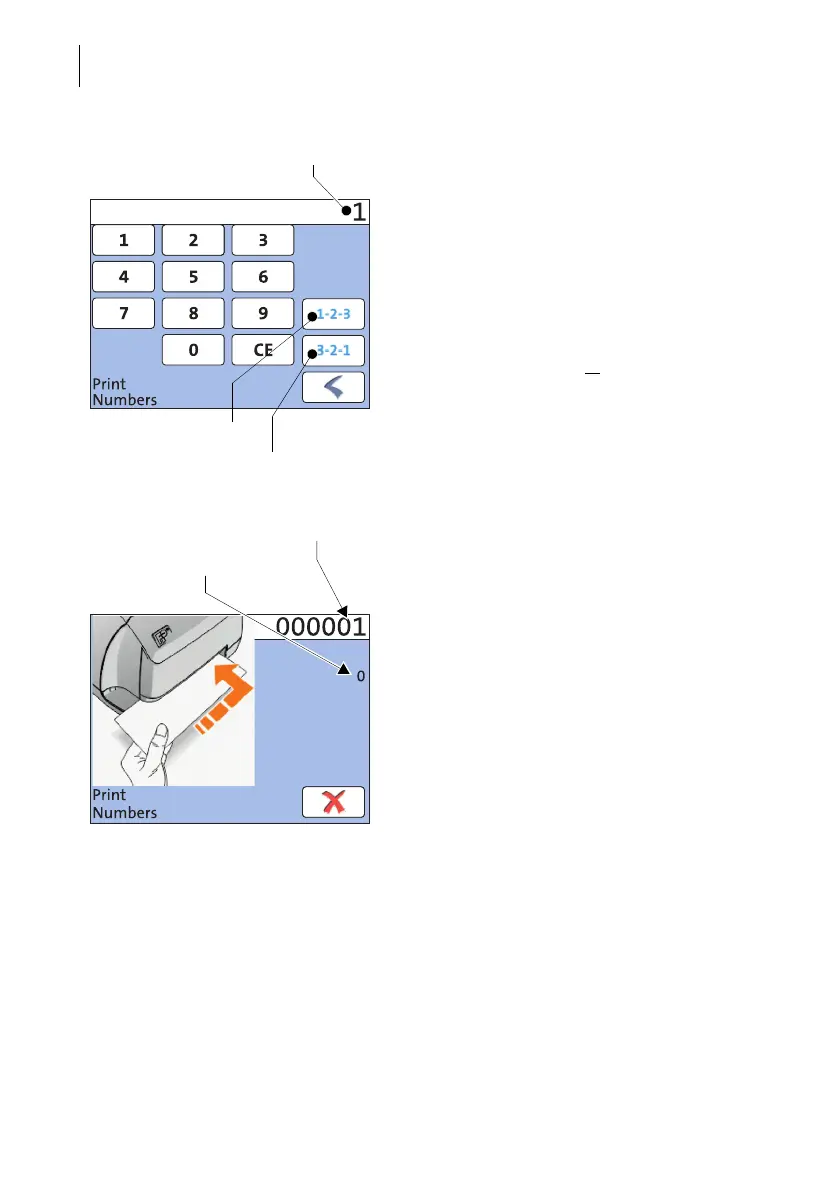
Setting the start number
• Enter the desired start number. You can
choose any number between 1 and
999999.
Setting the direction of counting
When the desired start number is displayed:
• Press the button for the desired direction of
counting (Ascending or
Descending).
PostBase Mini applies start number and
direction of counting. You can start printing
numbers.
• Insert an envelope or a label into the letter
slot.
For further information on ‘Positioning and
printing’ refer to chapter 6.3 on page 42.
The ‘Print Numbers’ special function has its
own counter. PostBase Mini shows the
number of imprints below the number to be
printed. When quitting the ‘Print Numbers’
function, the counter is reset to ‘0’.
Start number
Ascending
Descending
Counter
Number to be printed



 To Next Page