Maintenance and care
69
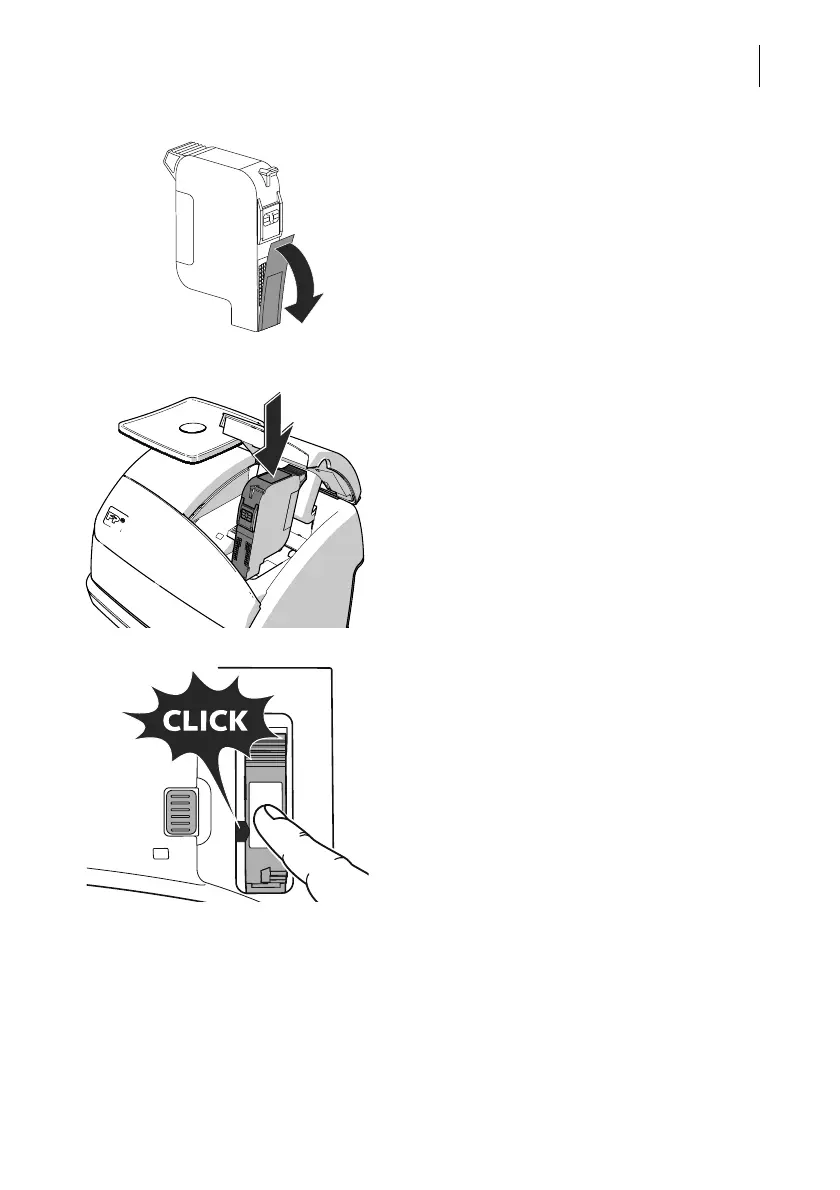
• Remove the protection strip (nozzle pro-
tection) from the ink cartridge.
• Hold the ink cartridge so the contacts are
facing to the front of the franking machine.
• Insert the ink cartridge into the cartridge
holder.
• Push the ink cartridge all the way down
until the little green latch locks it into place
with an audible click. While doing so, you
will have to overcome a slight spring
pressure.
The illustration on the left shows the
correct position of the latch.



 To Next Page