8
1 INTRODUCTION
LAYOUTS
The FM3 is based on our popular FC controllers. The central concept behind all these products is the footswitch
Layout. A layout is a set of 12 footswitch denitions. You can change the layout to change what the footswitches
do. All layouts and switches can be completely customized. The FM3 provides eight layouts in total, plus one
special “Master” layout (covered below). Layouts have both numbers and names to make them easier to manage.
There are multiple ways to change the layout on the FM3. The easiest is probably to turn knob E from the Home
page of the Home Menu. You wouldn’t be able to do this easily while you are playing, however, so we created the
Master Layout Menu and Layout Switches so you can select layouts with your feet.
THE MASTER LAYOUT MENU
Let’s look at the Master Layout Menu or “MLM” and how to use it:
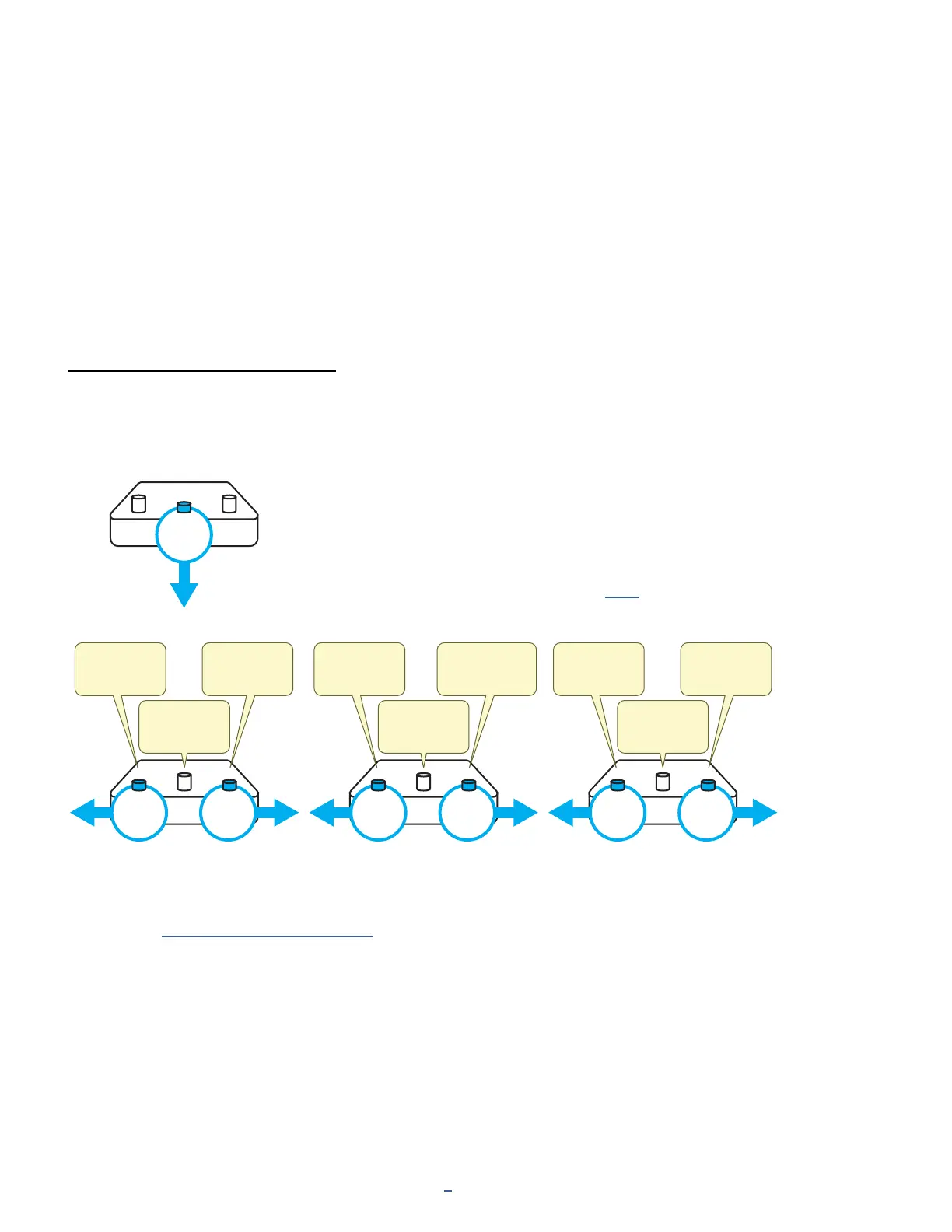
q
Press and hold footswitch 2 in any normal layout
to enter the Master Layout Menu (“MLM”).
w
TAP any footswitch on any MLM page to select a
new layout and exit the MLM.
e
While you’re in the MLM, hold the left or right switches to step through
three different “views” -- each with its own menu choices shown below.
The layouts themselves are detailed on p. 71.
Learn more in Section 10: Layouts & Switches.
PRESS
AND
HOLD
PRESS
AND
HOLD
PRESS
AND
HOLD
PRESS
AND
HOLD
PRESS
AND
HOLD
PRESS
AND
HOLD
PRESS
AND
HOLD
LAYOUT 1:
PRESETS
LAYOUT 4:
CHANNELS
LAYOUT 7:
PERFORM
LAYOUT 3:
EFFECTS
LAYOUT 6:
PER-PRESET
MLM1 MLM2 MLM3
MLM1MLM3
--
LAYOUT 2:
SCENES
LAYOUT 5:
LOOPER
LAYOUT 8:
UTILITIES



 To Next Page