103
14 ADDITIONAL TOPICS
FOOT CONTROL TUTORIAL
The following tutorial explores the factory default layout #7, named “Perform” because it is intended to show one
possible very simple way to use the FM3 while performing. This tutorial will use FM3-Edit but you could perform
all of these operations from the front panel just as easily.
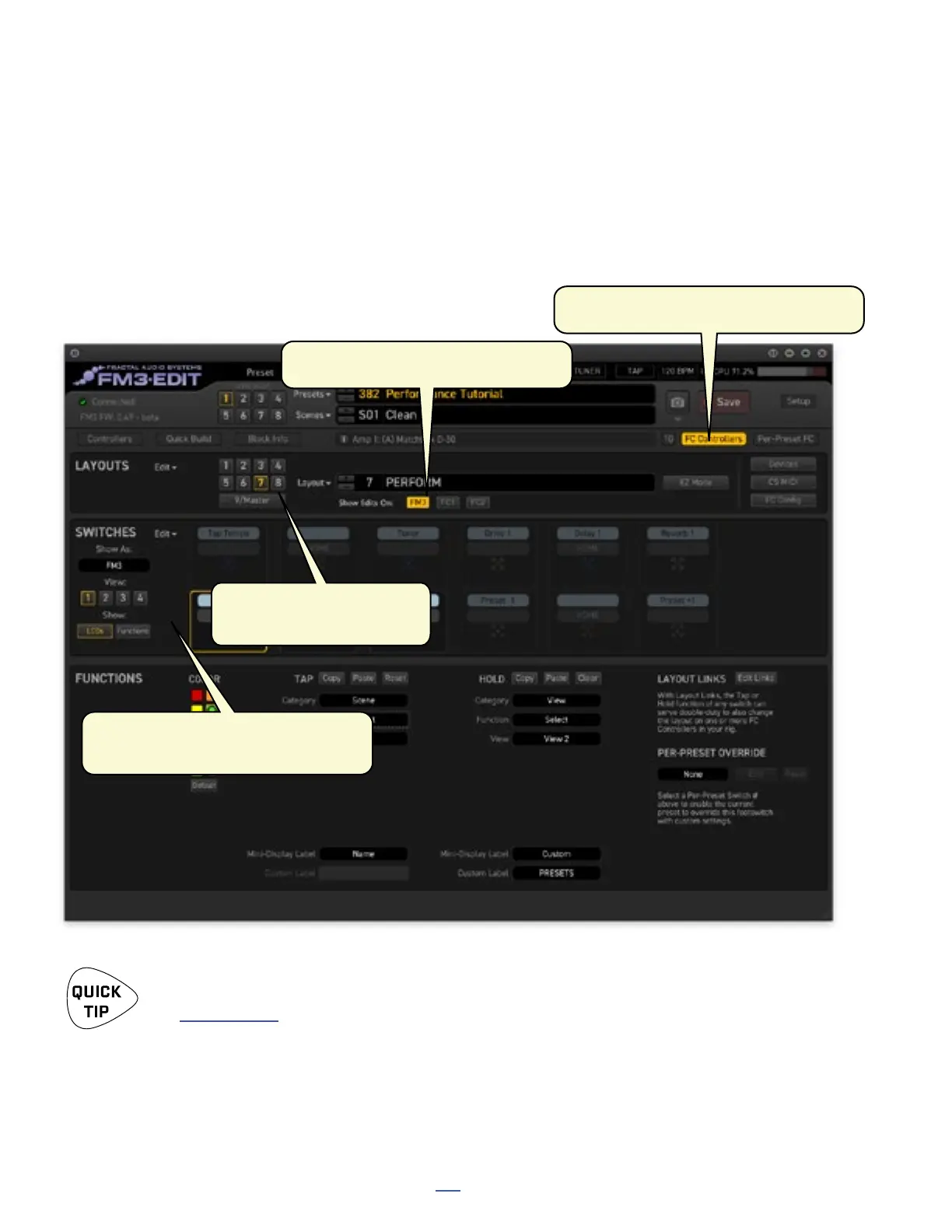
To begin, load preset 382: Performance Tutorial and set up FM3-Edit as shown below.
1) “FC Controllers” Edit mode is turned on.
2) “Show Edits on FM3” is enabled.
Remember that under Windows, you will need to install drivers before using FM3-Edit.
See Section 3: USB.
Continued on next page.
4) Show As “FM3” and select
“View 1” and “LCDs”
3) Select Layout 7: PERFORM



 To Next Page