56
7 LEVELING PRESETS
A METHOD FOR LEVELING
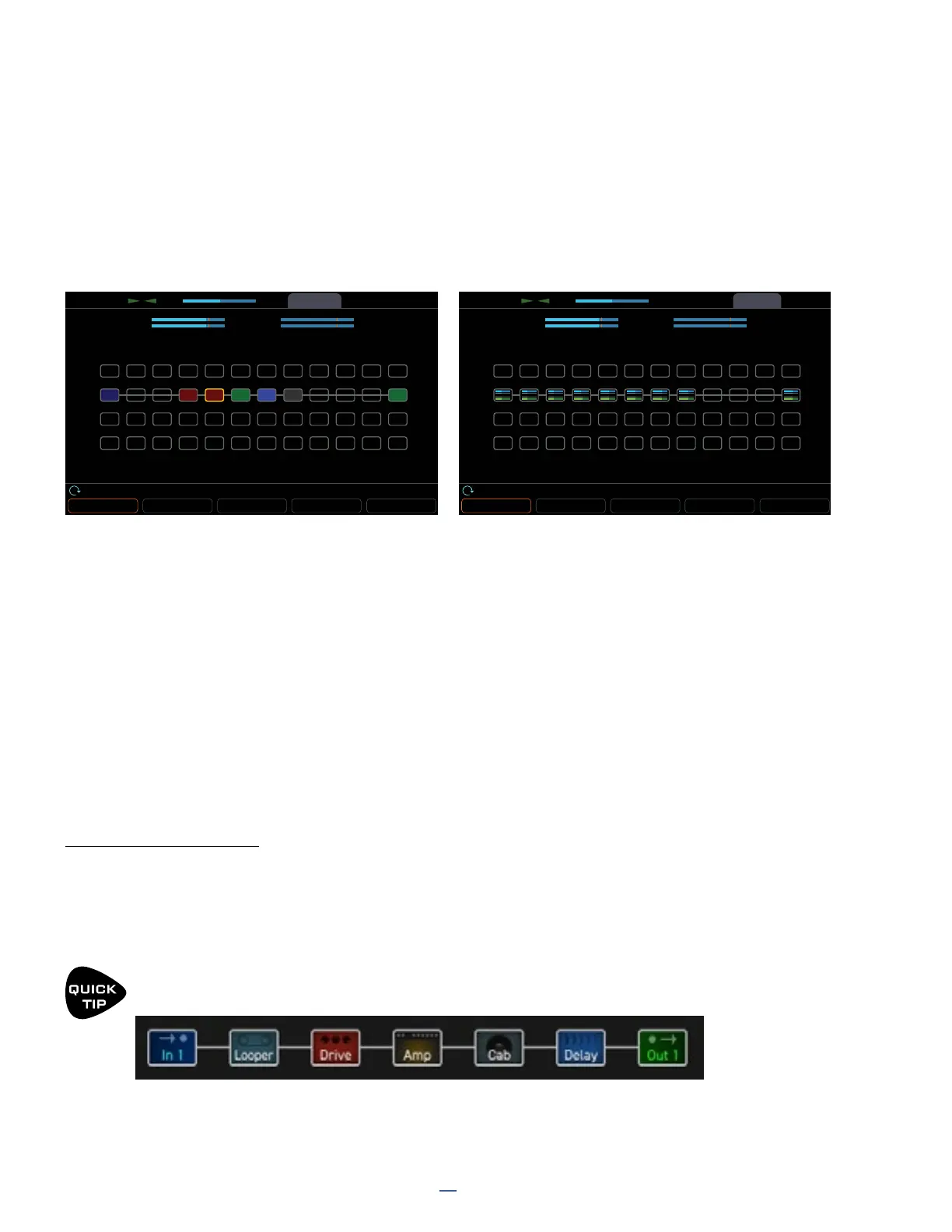
The Layout Grid grid provides an excellent environment for leveling presets, scenes, and channels. From the Home
page, press ENTER to open the layout menu. The page buttons change between Edit and Meters pages, allowing
you to see block names as well as block meters for input (blue) and output (green). when you press ZOOM (push
knob A) , you will see two VU meters for Outputs 1 and 2 at the top of the display. These meters are great for
setting levels with a scale from -20 to +10 dB and a red line at 0. (This is the internal level, NOT a dBu reading.)
To set levels, play your guitar and watch the VU meters. Adjust the output level of the Amp block by selecting it on
the mini grid and turning the Block Level knob (C) until the level hovers at or below the red line. Different types of
playing and different amp models and settings will excite the meter in different ways. Play chords and “chugs” as
their bassy content may push the meters harder, and it is potentially OK to see some red when you do this. If you
want to compare the levels of two presets/scenes/channels, play the same type of material while watching the
meters. Remember that whenever you adjust Drive, Master or other amp tone settings, you will need to revisit this
process.
The Layout view allows you to change Scenes (knob A) and Channels (knob B), so you can compare and adjust
everything all within a single page.
Remember this common sense principle: you must also use your ears. When you use the meters, a punchy clean
amp may end up sounding louder overall than an overdriven amp with a ton of low end.
LEAD/LOUD SOUNDS
You now know how to normalize level across Presets, Scenes, and Channels, but what if you specically want
some sounds to be louder or quieter than others? A good approach is to begin with the loudest sound and make
the other sounds quieter. This helps ensure that you will have plenty of headroom and avoid clipping. It’s OK for
certain tones to be very quiet: Fractal Audio products have an extremely low noise floor and do not easily suffer
internally from the kinds of problems which plague analog gear at lower than “optimal” levels.
Make it easier to adjust levels by using the Looper block to “play” while you operate the level controls.
Place the looper between the input and your rst block.
ToolsMeters
Layout
CPU 47.5 %
ZOOM BYPASS
DELETE
CABLE CONTROLLERS
Scene: 1 Channel Block LevelRow Column
EditToolsMeters
Layout
CPU
OUT 1L
OUT 1R
OUT 2L-2.00 dB
-2.00 dB
-30.00 dB
-30.00 dBOUT 2R
OUT 1L
OUT 1R
OUT 2L-2.00 dB
-2.00 dB
-30.00 dB
-30.00 dBOUT 2R
47.5%
ZOOM BYPASS
DELETE
CABLE CONTROLLERS
Scene: 1 Channel Block LevelRow Column
Edit
IN 1WAH PHRDRV AMP CAB DLYCHO OUT 1
The zoomed out grid shows VU meters atop the screen. Page right to the Meters page for block meters.



 To Next Page