31
4 SETTING UP
TRADITIONAL GUITAR POWER AMP & SPEAKERS
Global Settings: Modied (see below)
Presets: Factory or Custom
This setup uses traditional guitar speakers with a “non-neutral” power amp designed specically for use with a
traditional guitar preamp. This might be the power section of a head or combo, or a rackmount tube amp.
DISABLE POWER AMP MODELING
This setup uses a “non-neutral” power amp, which
contributes its own coloration and dynamic feel to
the overall sound. Modeling these same power amp
characteristics in the amp block of the FM3 would
therefore be redundant, so you will want to disable
power amp modeling. Some power amps, however, are
more subtle, and some players like to leave power amp
modeling in the FM3 turned on, even though their amp
has its own coloration and feel. Try it both ways and let
your ears be your guide.
You can disable power amp modeling manually in
the Amp blocks of your presets by setting the Supply
Sag parameter in each one to 0.0, or you can take
advantage of an easy global setting:
Navigate to SETUP: Global Settings: Cong.
Change Power Amp Modeling to “OFF”.
DISABLE SPEAKER CAB MODELING
This setup uses traditional guitar speakers, which
typically have strong tonal coloration. Using modeled
speakers at the same time would be redundant, so this
setup requires you to disable or remove the FM3 cab
block. You can do this manually in every preset, or take
advantage of an easy global setting:
Navigate to SETUP: Global Settings: Cong.
Change Cabinet Modeling to “BYPASSED”.
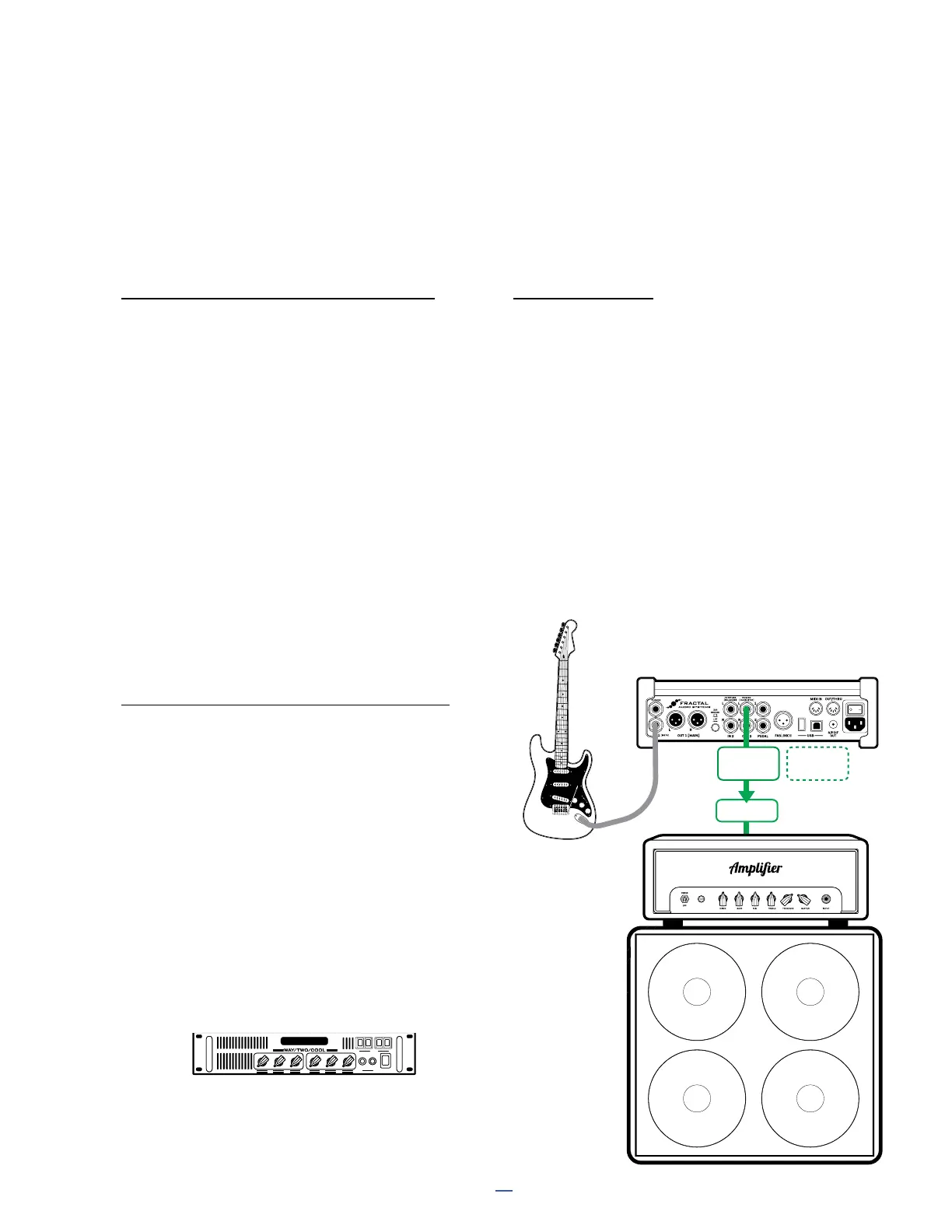
CONNECTIONS
Connect your guitar to FM3 Input 1 Instrument.
Connect the FM3 to the power amp input. You can
use FM3 Output 1 with an XLR-to-1/4"” cable, or
use FM3 Output 2 instead, which has the added
benet of Humbuster™ technology to combat
the hum of ground loops. To make the change,
add the Out 2 block manually in every preset,
or take advantage of an easy global setting:
Navigate to SETUP: I/O: Audio and change
Output 2/Copy Output 1 to “ON”. Output 2 will
now replicate the signal normally sent to Out 1.
Connect your power amp to a guitar speaker
cabinet as directed by the manufacturer. (If it’s
a combo, the speaker is already connected.)
Instead of the power section of a head or cab, you can
also use rackmount power amp designed for guitar.
FM3
HEAD OR
COMBO
WITH
POWER AMP IN
OR
FX RETURN
OUTPUT
2R
Optional for Stereo
to a second amp
OUTPUT
2L
Amplifier
Model 50
FX RETURN



 To Next Page