41
5 PRESETS
TO BYPASS OR ENGAGE A BLOCK ON THE GRID…
Use NAV buttons to select the block.
Press the BYPASS button (Push-knob B). Bypassed blocks are dimmed or “grayed out” on the grid.
RESETTING A BLOCK/CHANNEL
Blocks on the FM3 remember their last used settings, even as you place them on the grid. You may want a fresh
start before or after making changes. RESET takes only two button presses and can be performed at any time.
If it isn’t already open for editing, select the desired block on the grid and press EDIT.
Press the RESET button (Push-knob A). You are prompted to reset the current channel.
Press ENTER to conrm. You can reset other channels in a block as they are used.
SHUNTS
A shunt is a sonically transparent block—like a cable which carries signal from one point to another. Like grid
spaces, a shunt is stereo; you don’t need two for left/right. You can use shunts to span empty space in any preset.
TO INSERT A SHUNT…
NAV to the desired grid location and turn VALUE until “SHUNT” is displayed.
Press ENTER to conrm or EXIT to cancel changes.
INPUTS AND OUTPUTS
Input and Output blocks are required to get input signals to the grid or pass signal to output jacks. All factory
presets use Input 1 and Output 1. Other setups may require different Input and Output blocks.
See Section 4 on “Setups” for examples. See “The Fractal Audio Blocks Guide” for more information.
BLOCK DISPLAY TYPES
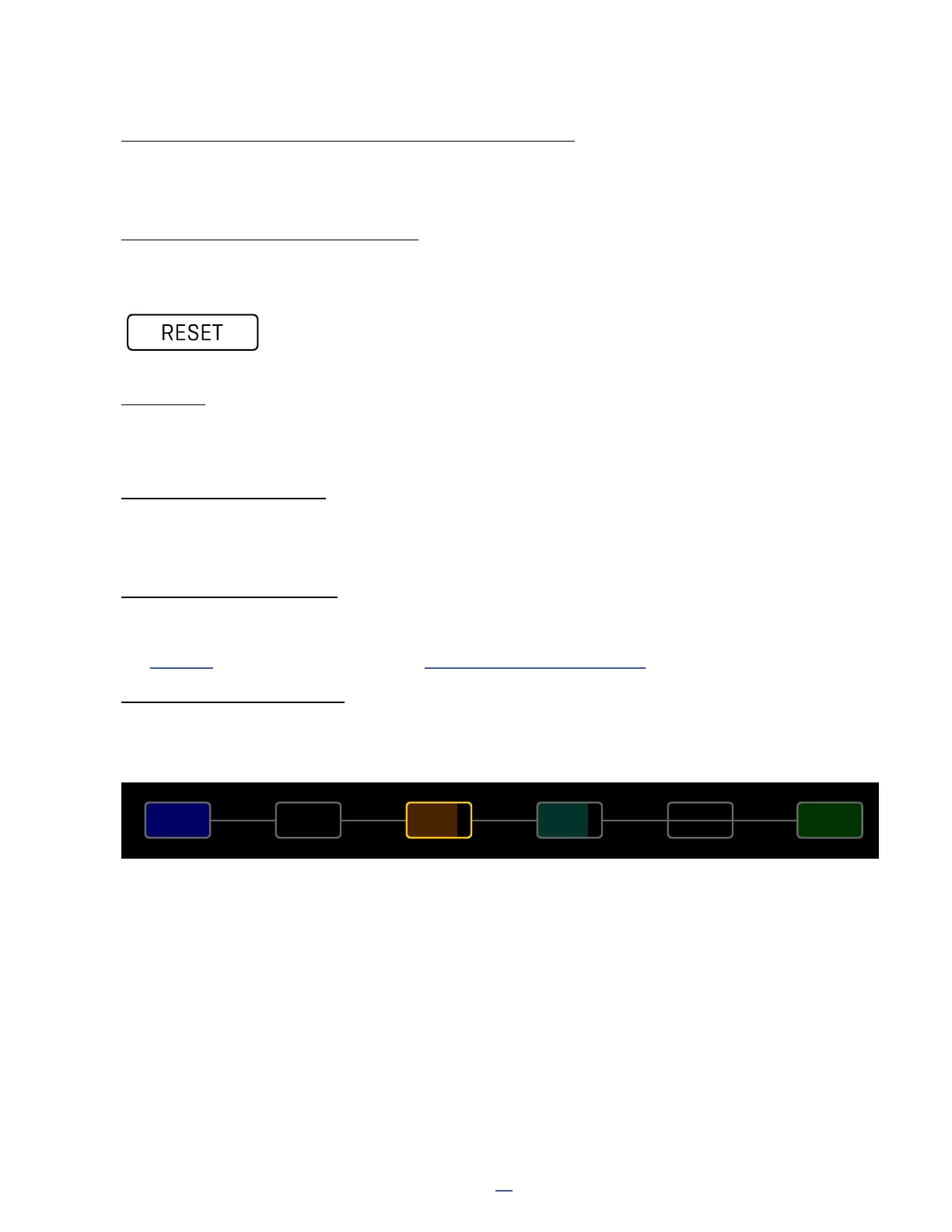
The color display of the FM3 shows different grid block states as follows. Several examples appear below. Notice
that the selected block has a bold yellow outline and the bypassed block is grayed out.
AMPIN 1
1
A
CABDRV
1
A
OUT 1
1
A
Bypassed Selected Normal Shunt OutputInput



 To Next Page