%
When youstopautomatic operation upon
opening thedoor,the door closes when you
press thebutton again.
%
In unfavorable operating conditions,e.g.
frost, ice or heavy soiling, youcan press and
hold thecorresponding button. The electric
sliding door moveswithincreased force.
Observe that, in suchcircumstances, the
object recognition is lesssensitive. To stop
themovement, release thebutton.
Opening/closing theelectric sliding door
withthe key
#
To unlock: brieflypress the 5 or 4
button on thekey.
#
To open: press and hold the 5 or 4
button on thekey forlonger than 0.5sec‐
onds.
Youwill hear twoacoustic signals and the
sliding door will open automatically.
#
To close: press and hold the 5 or 4
button on thekey forlonger than 0.5sec‐
onds.
Youwill hear twoacoustic signals and the
sliding door will close automatically.
#
To interrupt automatic operation: briefly
press the 5 or 4 button on thekey.
The sliding door stops moving.
%
When youstopautomatic operation upon
opening thedoor,the door closes when you
press thebutton again.
Opening/closing theelectric sliding door
withthe doorhandle
#
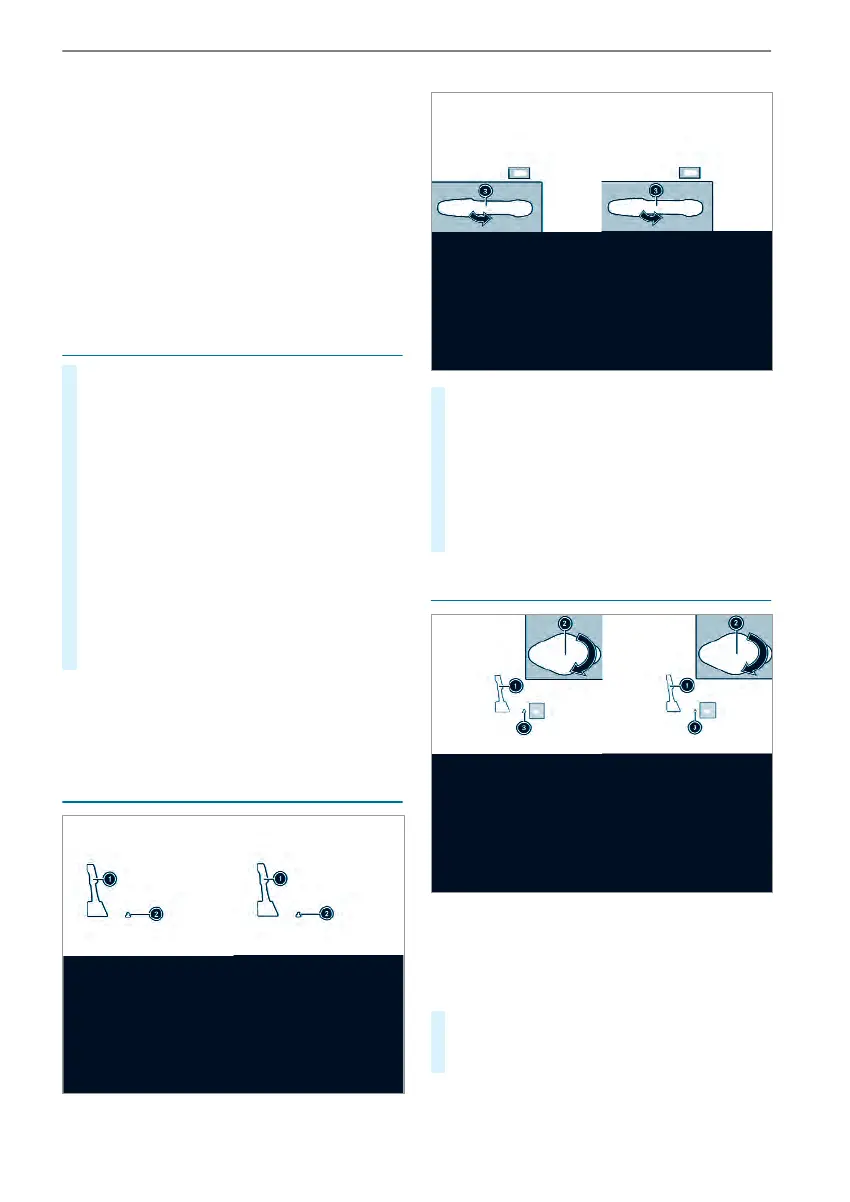
To unlock: pull locking pin 2 upwards man‐
ually or use thecentrallockingbutton to
unlock thesliding door (/ page46).
#
Press button 1 or pull outside handle 3.
The sliding door opens or closes.
#
Press button 1 again or pull outside handle
3.
The sliding door stops moving.
Unlocking theelectric sliding door manually
If therehas been amalfunction or if thebattery
has been disconnected, youcan use release
catch 2 to disconnect thesliding door from the
electric motor. Then, youcan open or close the
door manually.
#
Vehicles with complete sliding door trim:
remove thecover from release catch 2.
Service operationisaccessible.
Opening and closing
51



 To Next Page