75 PB
TROUBLESHOOTING
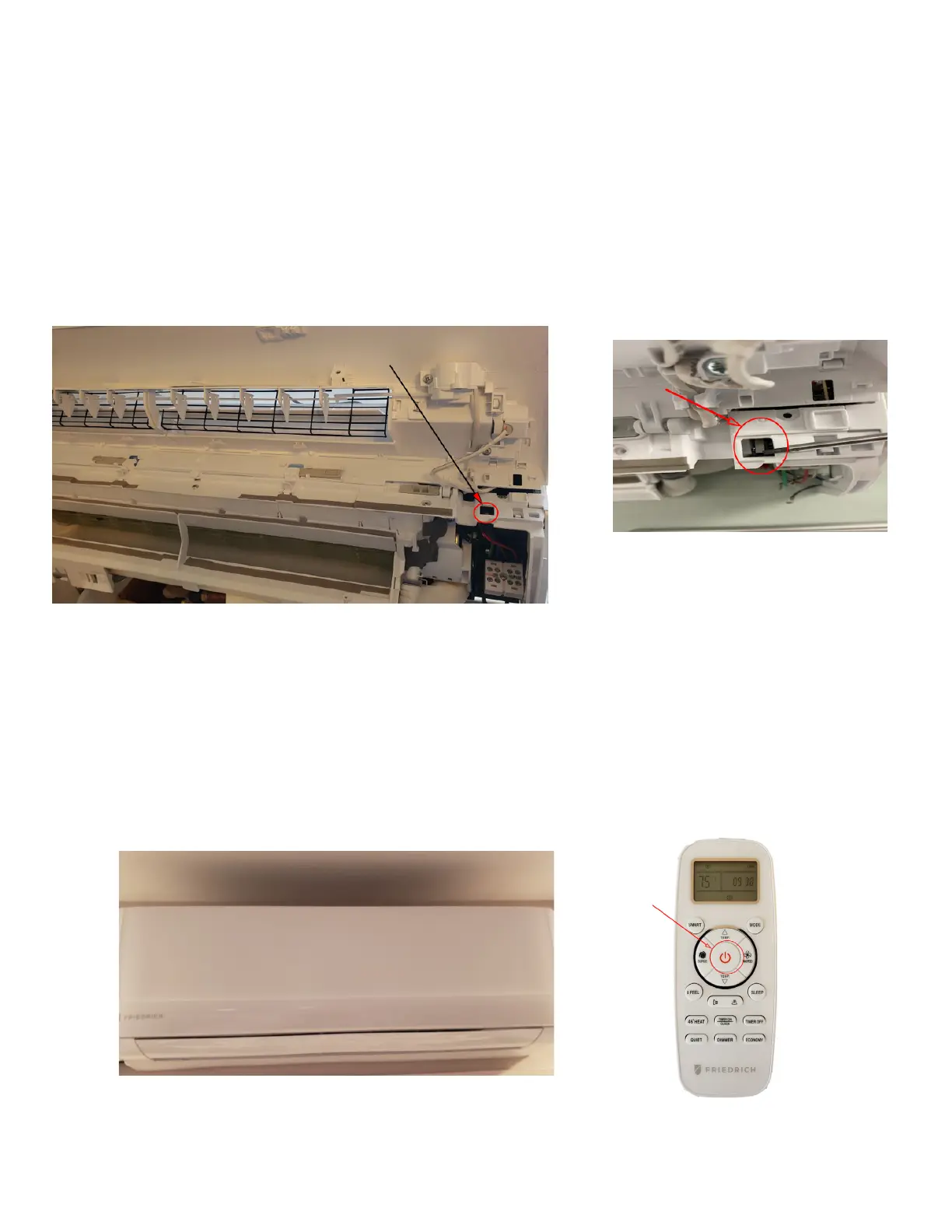
Blank Display/ Indoor Micro Switch
If the Display is blank, check to see if the door is properly closed.
If the door is properly closed, conrm that you have proper line voltage to the indoor unit.
If the indoor unit door is not properly closed, or if the door micro switch has malfunctioned the display may be blank. See Figure 717
When the micro-switch is not engaged, and the power button is depressed, there will be no display and the system will not operate or respond in
any way. See Figure 718.
When the Timer On/Clock button is pressed you will see a temperature on the display, but still no system operation. After a few seconds, the
display will drop the temperature leaving just the Wi-Fi and Timer icons. Still no indoor unit operation. See Figure 719.
Fig. 717 (Door Micro Switch)
Fig. 718 (Blank Display)



 To Next Page