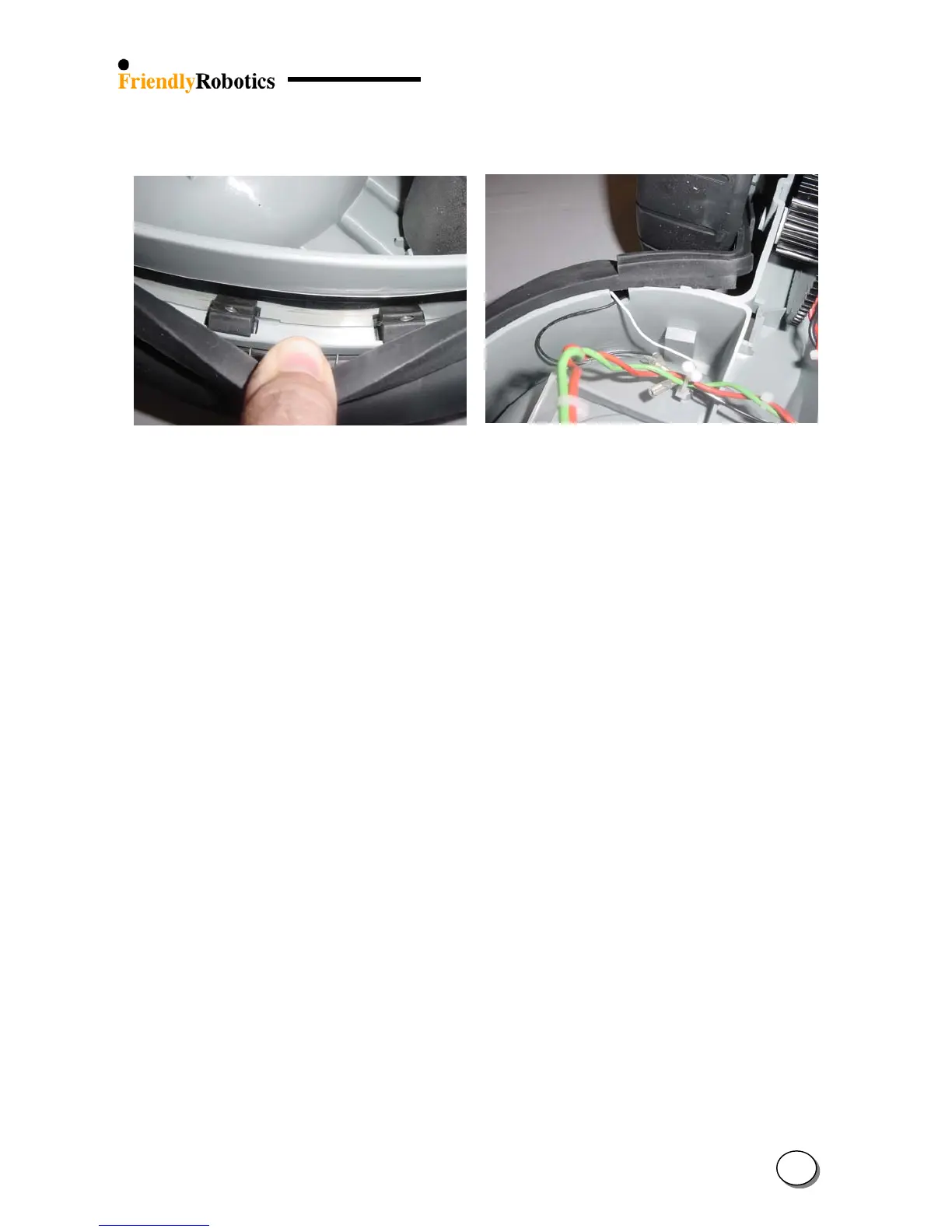
Q. Make sure the bumper cables are coming through the designated notch on both sides of the
bumper, as illustrated in Figure 4.2.10.13. Connect both (white or purple) wires.
Figure 4.2.10.12 Figure 4.2.10.13
Properly seated front bumper Properly routed front bumper cables
holding protrusions
R. Return the top edge of the bumper “ears” on the gray plastic base, as was illustrated in Figure
4.2.10.1.
S. Place the entire top bumper edge over the gray plastic base. Make sure the cables, on both
sides, are not pinched and well connected to their tabs.
T. Return the cover as outlined in section 4.2.2.
U. Perform ‘Bumper test’ under the ‘Safety test’ menu.
V. Complete the General Test as outlined in section 5.1.
4
43








 To Next Page