Address: Room 1705,Block A1, Longyuan Plaza, Longkouxi Road, Guangzhou, China, 510640 Website: http://www.arm9.net
Sales: +86-20-85201025 Tech Support: +86-13719442657 Fax: +86-20-85261505
Email for Business and Cooperation: capbily@163.com Email for Tech Support: dev_friendlyarm@163.com
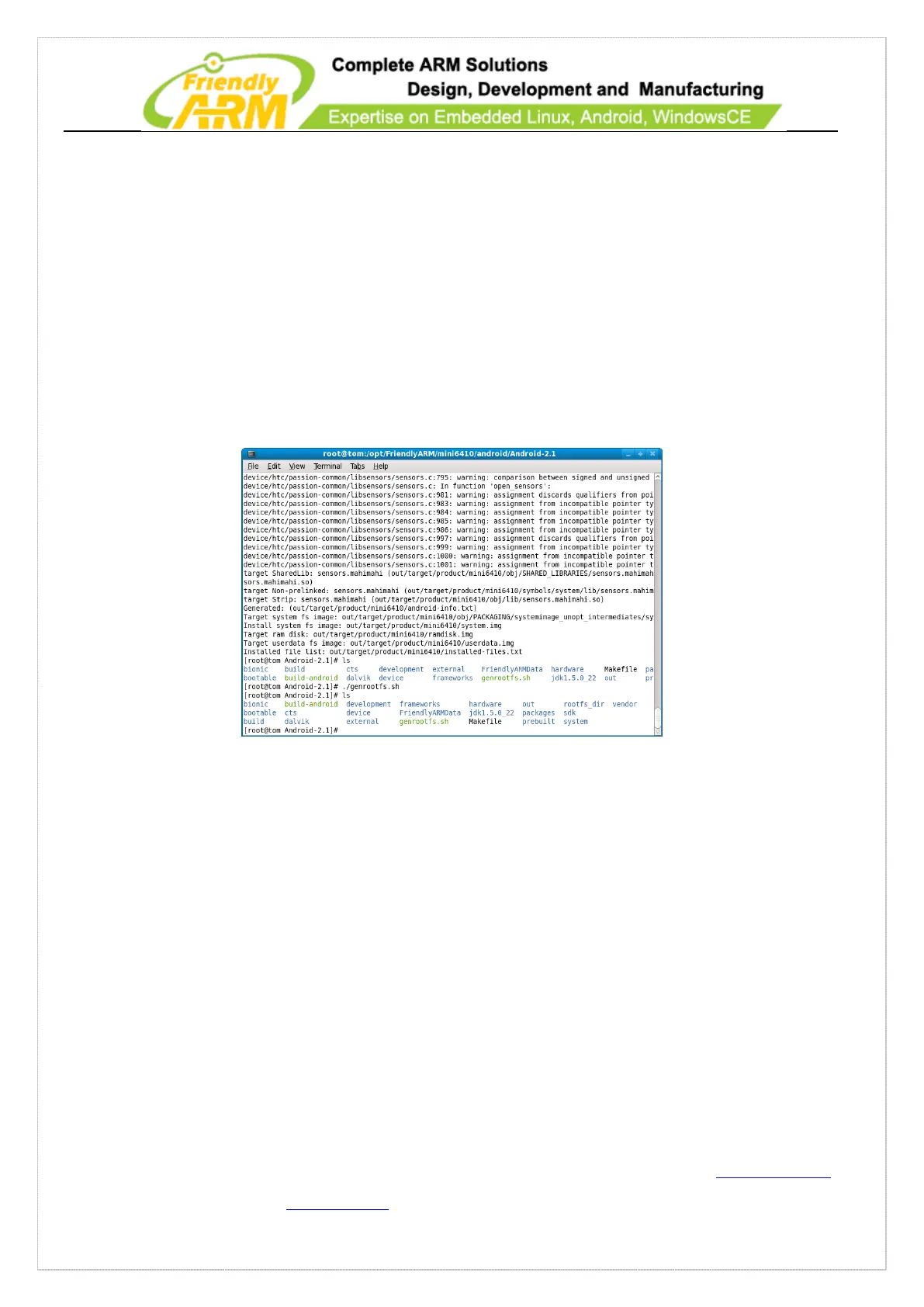
This will begin to compile Android-2.3.1. This process may take a while. We
recommend users to use a multi-core CPU and Linux instead of using a simulator.
After it is done, run the following script:
#./genrootfs.sh
This will create a target file system we need and a “rootfs_dir” directory. It is the
same as “rootfs_android”.
Run the command below to create a yaffs2 image file:
# mkyaffs2image-128M rootfs_dir rootfs_android.img
5.6 Create and Run File System
With the mkyaffs2image-128M utility, you can make a yaffs2 image. The Android
kernel by default supports this file system. Please run the commands below:
#cd /opt/FriendlyARM/mini210/android/Android-2.3.1
#mkyaffs2image-128M rootfs_dir rootfs_android.img



 To Next Page