Address: Room 1705,Block A1, Longyuan Plaza, Longkouxi Road, Guangzhou, China, 510640 Website: http://www.arm9.net
Sales: +86-20-85201025 Tech Support: +86-13719442657 Fax: +86-20-85261505
Email for Business and Cooperation: capbily@163.com Email for Tech Support: dev_friendlyarm@163.com
4 Getting Started
By default, all our systems have been preinstalled with Android 4.0 (located in the
shipped CDs’ directory /images/Android are superboot, zImage, root_android.img and
so on) therefore you can easily boot the board and play.
4.1 System Setup and Configurations
4.1.1 Boot Option
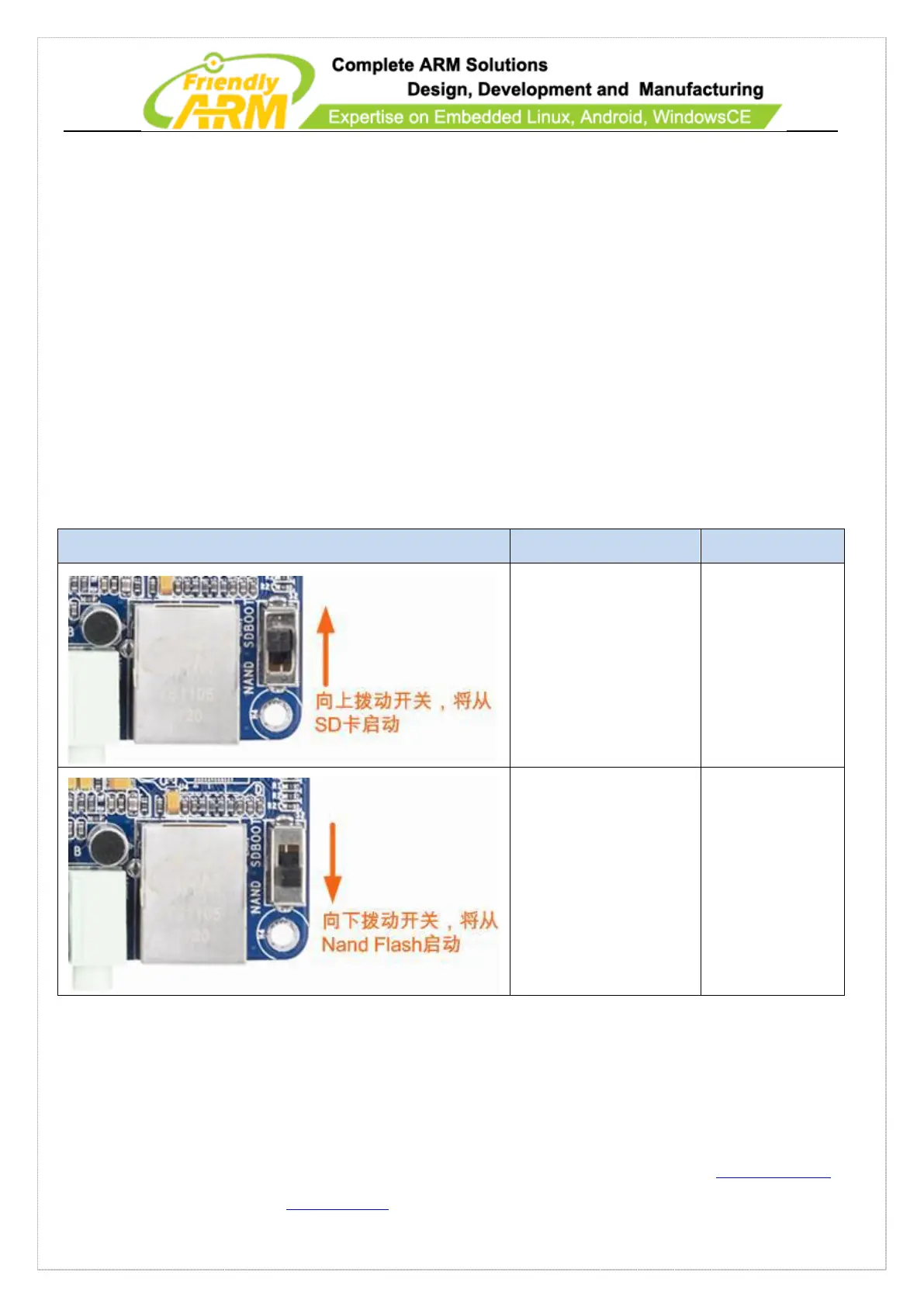
The 210 boards support booting from either SD card or Nand Flash. Users can switch
between by toggling the S2 switch:
Toggle S2 to
“SDBOOT” and the board
will boot from the SD
card
This is for system
booting or burning
Toggle S2 to “NAND”
and the board will boot
from the Nand Flash
Default and
Standard booting
Usually, S2 is switched to the Nand Flash side unless users need to boot from the SD
card or reflash the system.



 To Next Page