Address: Room 1705,Block A1, Longyuan Plaza, Longkouxi Road, Guangzhou, China, 510640 Website: http://www.arm9.net
Sales: +86-20-85201025 Tech Support: +86-13719442657 Fax: +86-20-85261505
Email for Business and Cooperation: capbily@163.com Email for Tech Support: dev_friendlyarm@163.com
6.1.7 Set up Android Simulator
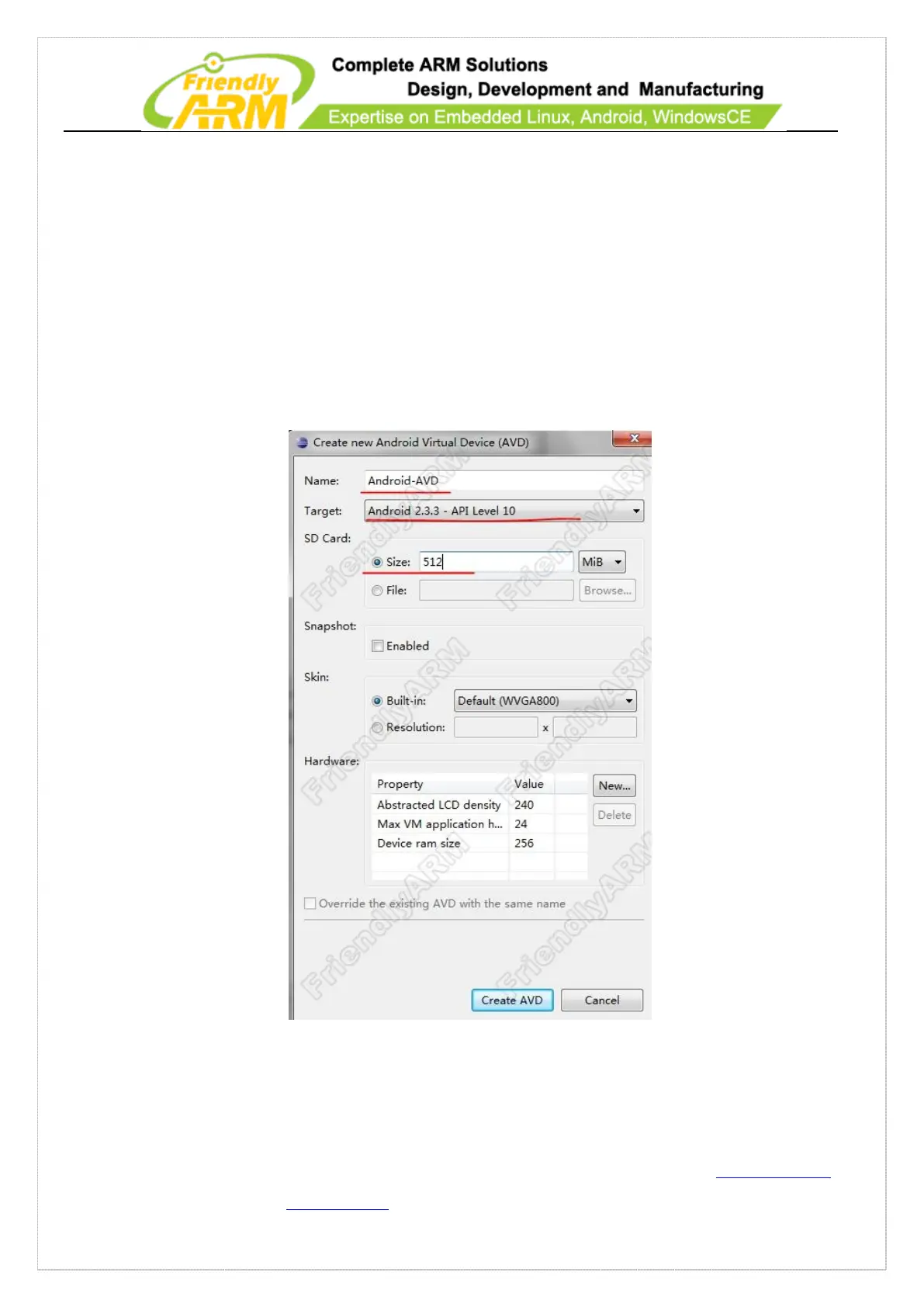
Move to “Android SDK Tools” in the start menu and click on “SDK Manager”. Click
on “New…” in the “Android SDK and AVD Manager” dialog and a “Create new
Android Virtual Device(AVD)” dialog will pop up. Input “Android-AVD” in the Name
field, select “Android 2.3.3 - API Level 10” in the “Target” field, input “512” in the “SD
Card” field, keep all the other settings with default options and click on “Create AVD”.
After the configuration is done a simulator will be listed as follows:



 To Next Page