Address: Room 1705,Block A1, Longyuan Plaza, Longkouxi Road, Guangzhou, China, 510640 Website: http://www.arm9.net
Sales: +86-20-85201025 Tech Support: +86-13719442657 Fax: +86-20-85261505
Email for Business and Cooperation: capbily@163.com Email for Tech Support: dev_friendlyarm@163.com
10.1.4 Install BSP and Examples
Note: the 6410’s WinCE development environment cannot co-exist with the 210’s. If
your PC is installed with the Tiny6410’s development environment you need to delete
the following directory before you install the Tiny210 BSP
C:\WINCE600\PLATFORM\COMMON\SRC\SOC\S3C6410_SEC_V1
If you do want to install both the Tiny6410 and Tiny210’s BSPs please try this way on
VMWare
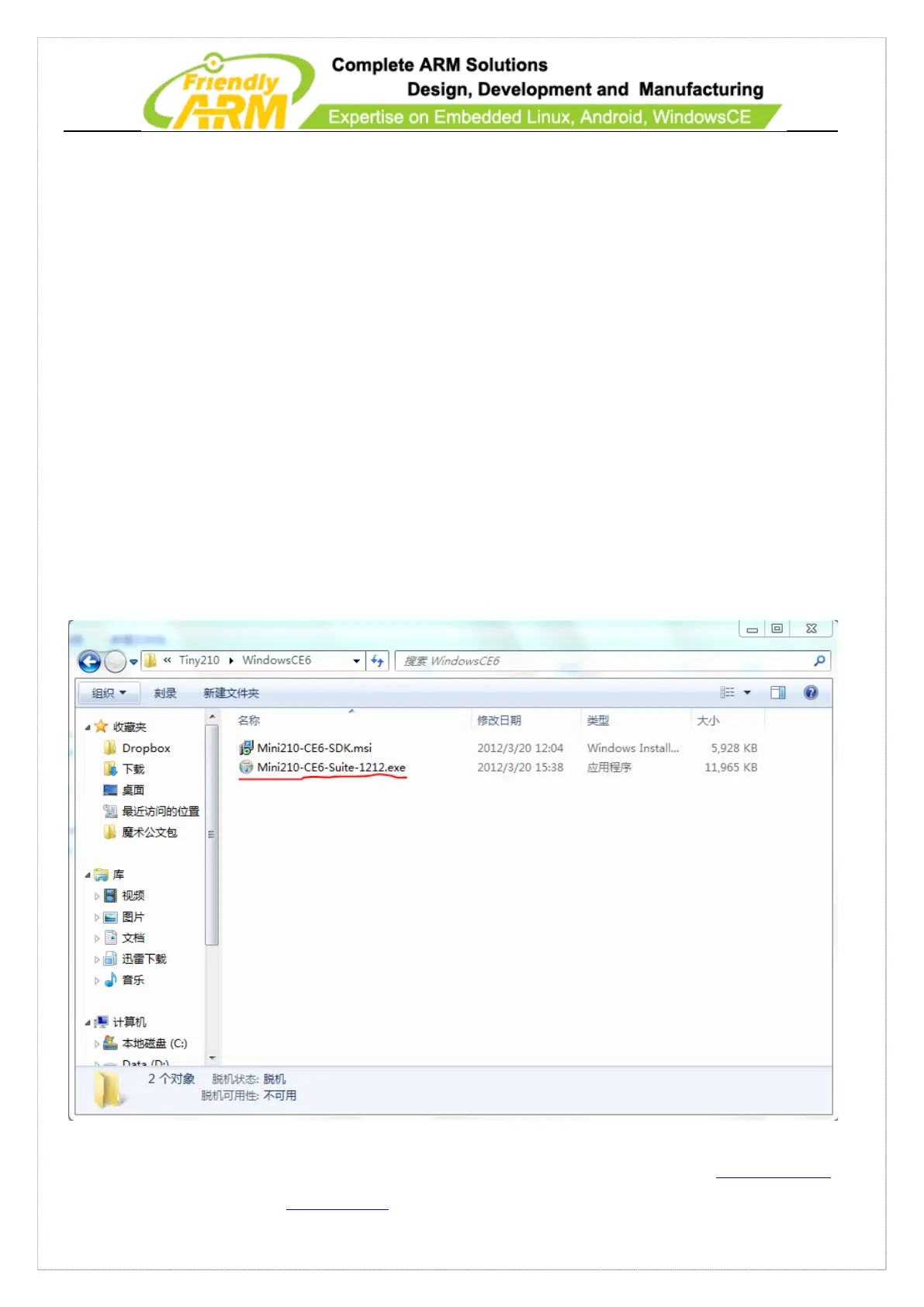
The Tiny210’s BSP has only one installation file Mini210-CE6-Suite-1212. Belwo are
the detailed installation steps:
Step 1: double click on “Mini210-CE6-Suite-1212.exe”



 To Next Page