Address: Room 1705,Block A1, Longyuan Plaza, Longkouxi Road, Guangzhou, China, 510640 Website: http://www.arm9.net
Sales: +86-20-85201025 Tech Support: +86-13719442657 Fax: +86-20-85261505
Email for Business and Cooperation: capbily@163.com Email for Tech Support: dev_friendlyarm@163.com
6.1.11.4 Test ADB
Check device status
Power on your 210 board and connect it to your PC via the mini USB cable. Please
type the command below in your DOS commandline utility
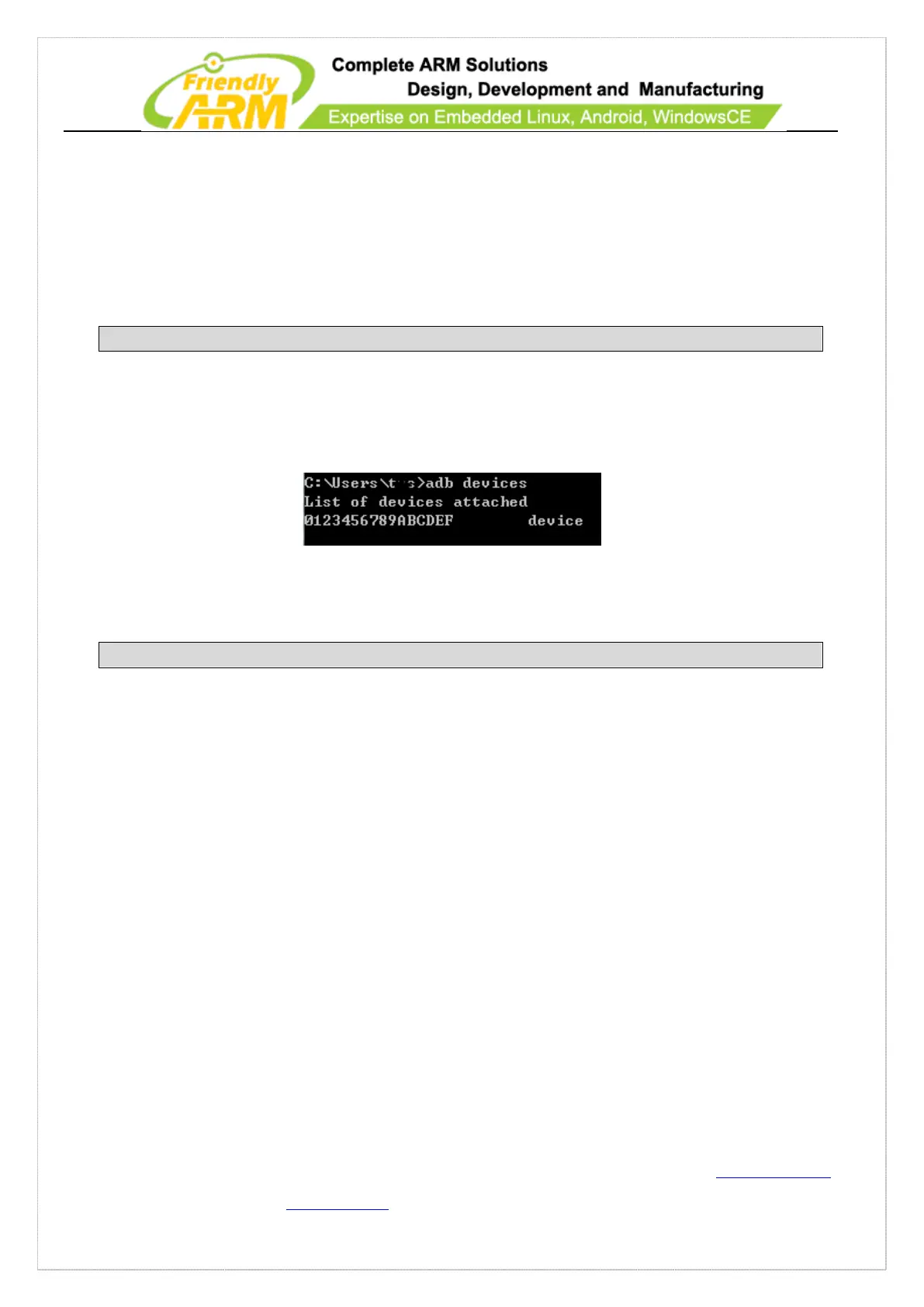
If you can see the following information it means your device is successfully
connected to your PC:
Enter the ADB Shell
Please run the command below to enter the terminal:
Type “exit” to return to DOS
Install Software with ADB
Let’s take “D:\sinaweibo_2.0.4.apk” as an example. Typing “adb install
D:\sinaweibo_2.0.4.apk” in the DOS commandline will install the package.
Other Functions
ADB is very powerful. Besides installation, debugging and Shell it can also transfer
files to the 210 board.



 To Next Page