Address: Room 1705,Block A1, Longyuan Plaza, Longkouxi Road, Guangzhou, China, 510640 Website: http://www.arm9.net
Sales: +86-20-85201025 Tech Support: +86-13719442657 Fax: +86-20-85261505
Email for Business and Cooperation: capbily@163.com Email for Tech Support: dev_friendlyarm@163.com
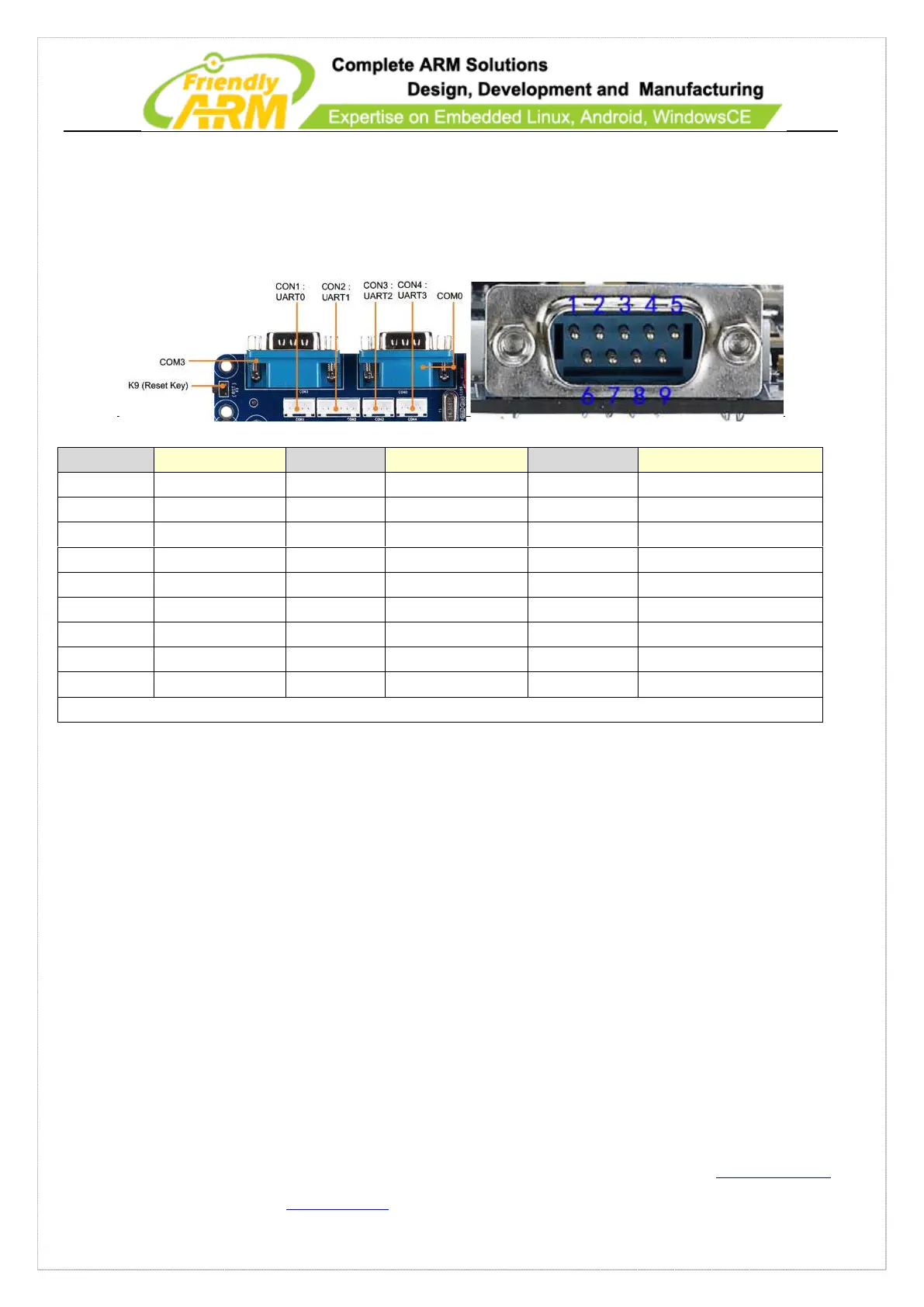
The UART0 and 3 are converted to RS232 (COM0 and COM3). You need to use the
shipped cross serial cable to connect the board to a PC.
Details of CON1,CON2,CON3, CON4 are as follows:
Note: NC means no connection
1.7.3 USB
This board has two types of USB interfaces: one USB Host (2.0) and one USB Slave
(2.0). The USB Host functions the same as on PC's. You can access USB camera, USB
keyboard, USB mouse, USB flash drives and other common USB peripherals. You can
also use USB Hub extensions. Each OS has native USB Hub drivers. The USB Slave
(MiniUSB 2.0) is generally used to download from a host. If you use WinCE,
connecting from a PC to this USB port will invoke ActiveSync and the 210 can be
viewed as a volume, and data and programs dragged and dropped between host PC and



 To Next Page