Address: Room 1705,Block A1, Longyuan Plaza, Longkouxi Road, Guangzhou, China, 510640 Website: http://www.arm9.net
Sales: +86-20-85201025 Tech Support: +86-13719442657 Fax: +86-20-85261505
Email for Business and Cooperation: capbily@163.com Email for Tech Support: dev_friendlyarm@163.com
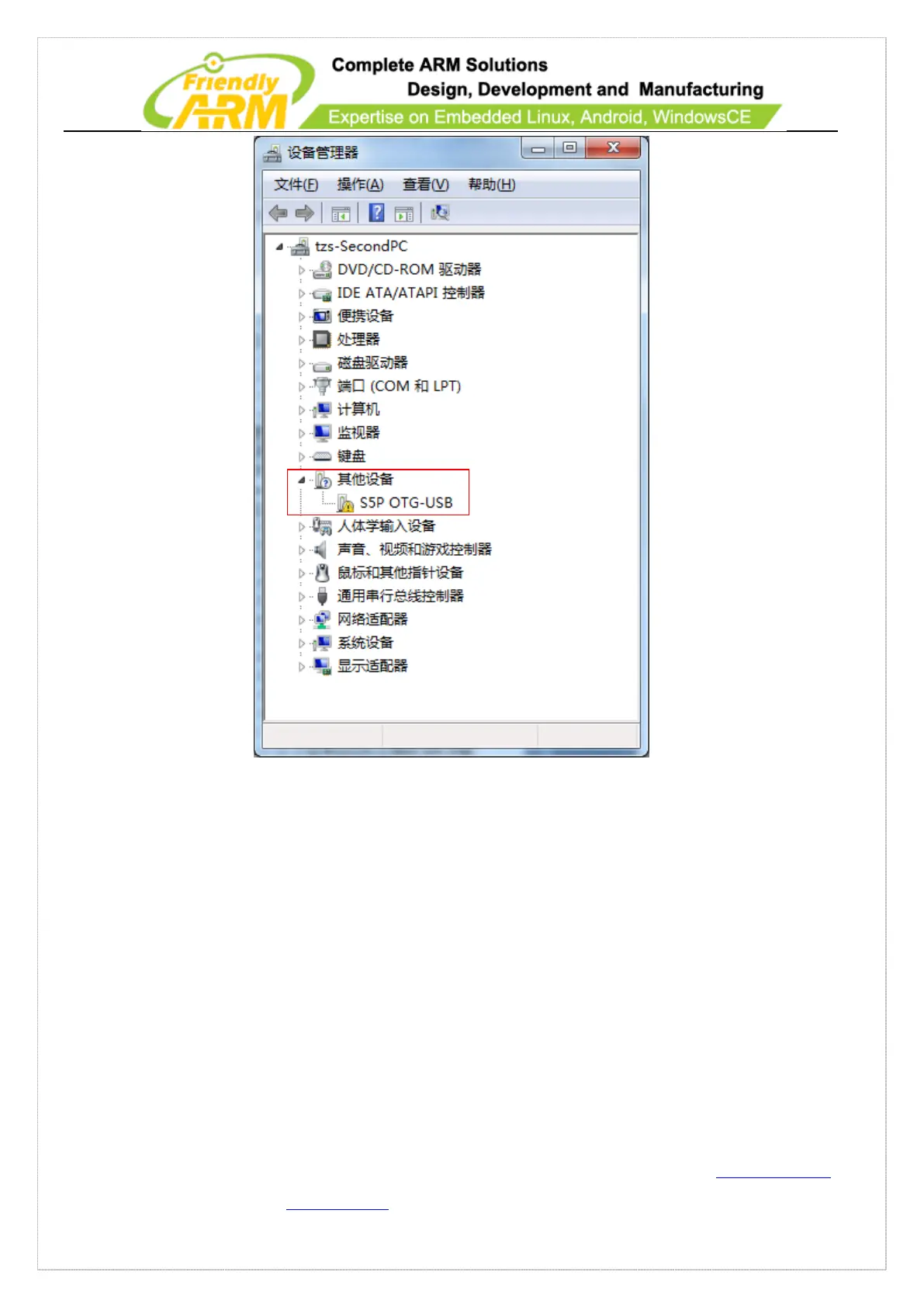
Right click on “S5P OTG-USB”, select “Update Driver Software”, click on “Browse
my computer for driver software” and “Browse”to select a USB driver. By default it is
“C:\Program Files\Android\android-sdk\extras\google\usb_driver”. Click on “Next” to
continue.



 To Next Page