Address: Room 1705,Block A1, Longyuan Plaza, Longkouxi Road, Guangzhou, China, 510640 Website: http://www.arm9.net
Sales: +86-20-85201025 Tech Support: +86-13719442657 Fax: +86-20-85261505
Email for Business and Cooperation: capbily@163.com Email for Tech Support: dev_friendlyarm@163.com
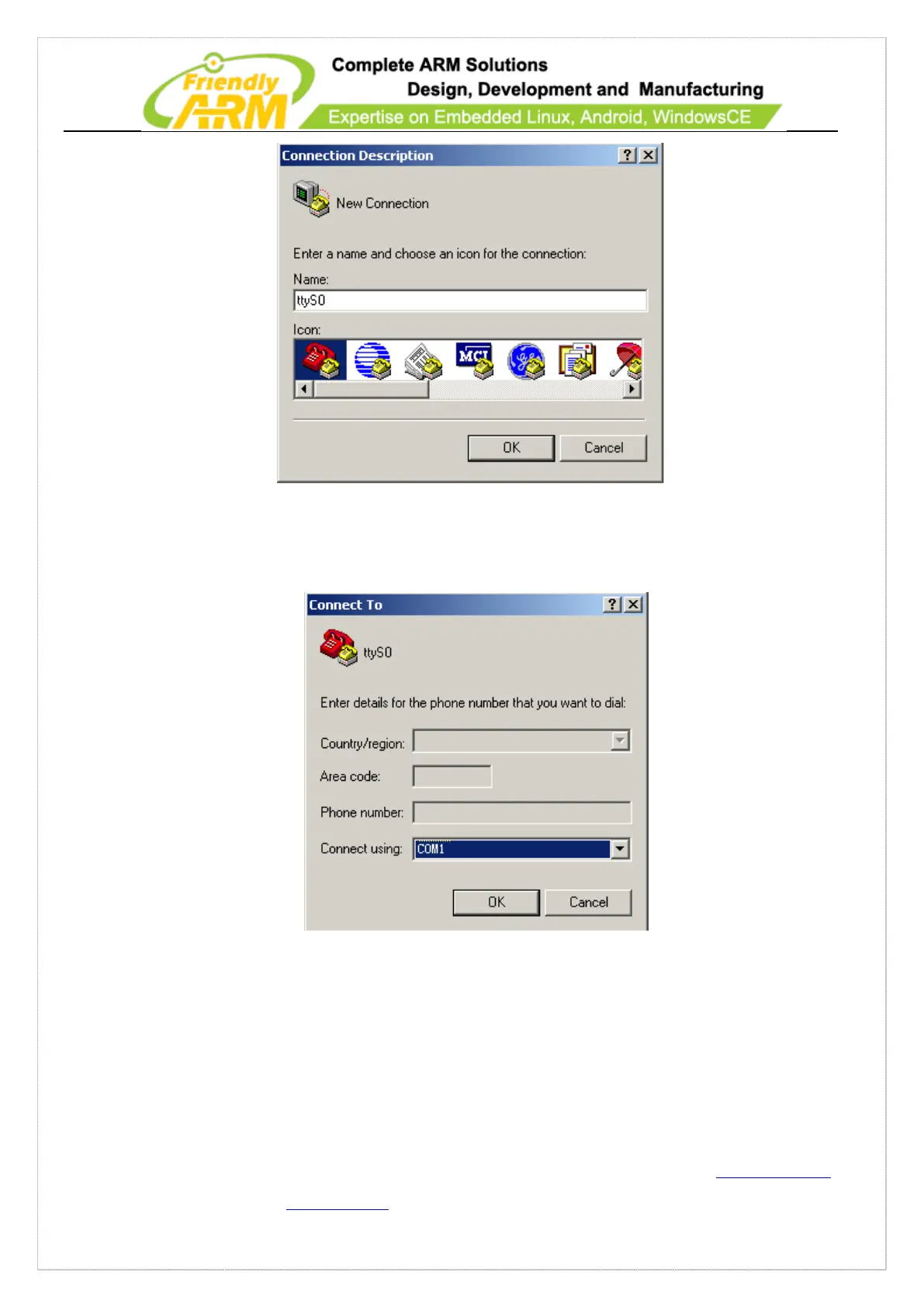
After naming this connection another window will require you to select a serial port
that will be used to connect the Tiny210 board. Here we selected COM1:
Lastly, also the most important step is to set up the port properties. Note: you
must select “No” in the data flow control field otherwise you will only be able to see
outputs. In addition the bits per second should be set to 115200.



 To Next Page