1 Before Using the Machine
22
Before Using the Machine
1
3
Select [Services].
4
Select [Stored Programming].
Note • The layout of buttons in this
screen is corresponding to the
layout of those on the [All
Services] screen when
pressing the <All Services> button.
• You cannot assign the same feature to more than one button.
Services
You can select a feature button. The feature buttons are the oval buttons in the [All
Services] screen.
If you select [Not Assigned], the selected button position will remain empty.
Additional Features
You can select an additional feature button. The auxiliary features appear in the [All
Services] screen as rectangular buttons.
If you select [Not Assigned], the selected button position will remain empty.
Assigning Features to <Custom> Buttons
Assign features to the <Custom> buttons on the control panel: Custom 1 to Custom 3.
By assigning features to the <Custom> buttons, you can switch to the features without
returning to the [All Services] screen. If you do not want to assign any feature to a
button, select [Not Assigned].
By factory defaults, [Copy] is assigned to the <Copy> button and no feature is assigned
to the <Custom 2> or <Custom 3> button. The features assigned to the buttons are
selected from the features displayed on the [All Services] screen and [Language].
Attach the labels included in this product when you have changed the assignment. If
you have used a feature for which no label is provided, use a blank label and write down
the feature using a permanent marker, and then attach the label to the appropriate
button.
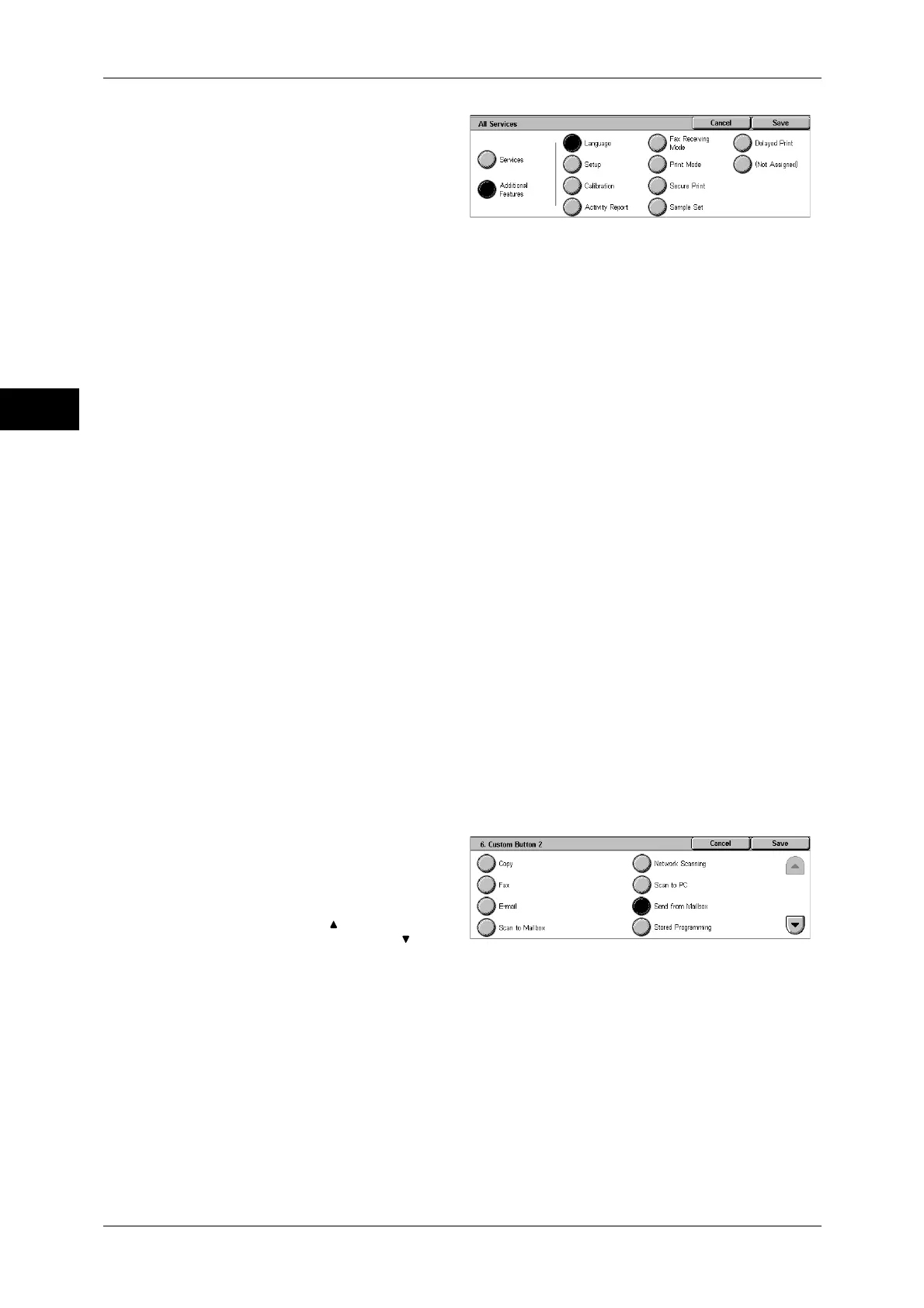
The following is the procedure to assign [Send from Mailbox] to the <Custom 2> button,
as an example. The same procedure can be used for the <Custom 3> button.
1
Select [Custom Button 2], and
select [Change Settings].
2
Select [Send from Mailbox].
Note • Select [ ] to return to the
previous screen or [ ] to
move to the next screen.
Changing the Feature Screen
You can customize the screen layouts for the following features listed on the [All
Services] screen.
z
Copy
z
Fax/Internet Fax
z
E-mail
z
Scan to Mailbox


 To Next Page
 Loading...