4 Machine Status
58
Machine Status
4
1
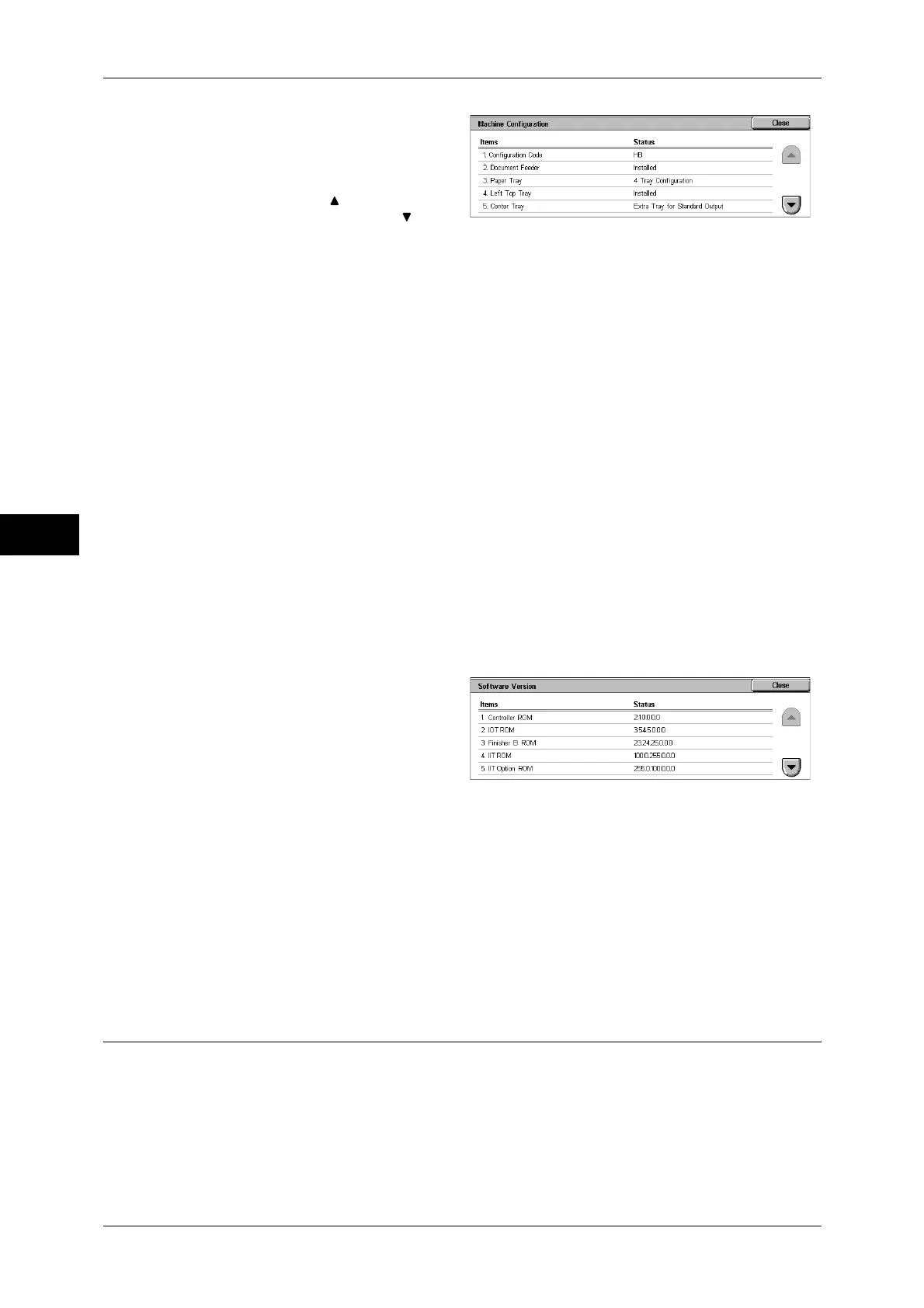
Select [Machine Configuration].
2
Check the machine configuration in
a screen displayed.
Note • Select [ ] to return to the
previous screen or [ ] to
move to the next screen.
On the [Machine Configuration] screen, you can check the following items.
Note • [Output Device] indicates whether or not a finisher (optional) is installed. If Finisher is
installed, it is displayed as "Finisher".
[Software Version] Screen
You can check the software version.
1
Select [Software Version].
2
Check the software version in a
screen displayed.
On the [Software Version] screen, you can check the following items.
Paper Tray Status
You can check the paper trays set on the machine. On the screen, you can check the
following items.
z
Status
z
% Full
z
Paper Size
z
Configuration Code
z
Duplex Module
z
PDF
z
Document Feeder
z
Hard Disk
z
XPS
z
Paper Tray
z
Page Memory Size
z
KS5843
z
Offset stacking module
z
System Memory Size
z
KSSM
z
Left Top Tray
z
PostScript
z
KS5895
z
Output Device
z
Side Output Tray
z
USB
z
Booklet Maker
z
ESC/P
z
Fax Main Board
z
Stamp
z
HP-GL/2
z
Fax Extended Board 1
z
PCL
z
Controller ROM
z
IIT Option ROM
z
IOT ROM
z
ADF ROM
z
Finisher A ROM
z
SJFI
z
Finisher B ROM
z
SSMI
z
IIT ROM


 To Next Page
 Loading...