16
Before printing
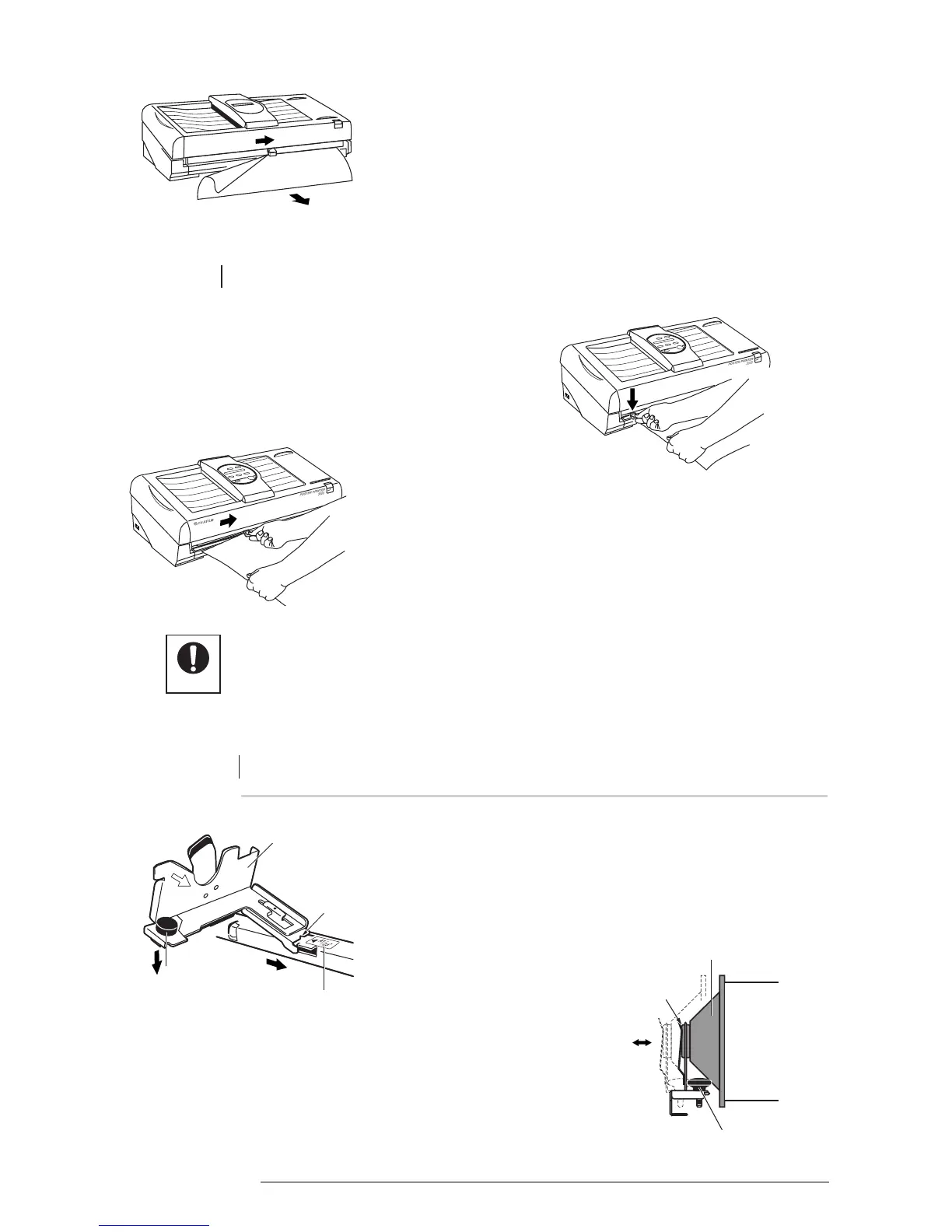
7 Cut the paper.
3.2 PROPER USE OF THE CUTTER
1 Lightly press down on the cutter lever while holding the edge
of the paper underneath it.
2 Move the cutter unit in a sliding motion towards the right
to cut the paper.
NOTE: Using force on the paper cutter has no advantageous
effect. Pressing down lightly is sufficient. The cutter may be
used from either direction.
Setting the left paper bracket
Setting the bracket in the printer
Install part “A” of the bracket according to the paper size label
marks, in order “1” > “2”.
Adjusting the left paper bracket
If the paper (with end caps attached) does not fit properly in the
paper bracket, loosen the adjustment knob and move the paper bracket
so that the paper can be installed properly.
Move the cutter in a downward horizontal sliding motion
while holding the paper out from the printer.
• When the printer cover is open, pressing down on the paper cutter lever will cause
the blade to protude.
• Exercise due care to avoid cutting yourself.














 To Next Page