24
Printing different poster sizes
5.3 PRINTING BANNERS FROM LONG INPUT DOCUMENTS
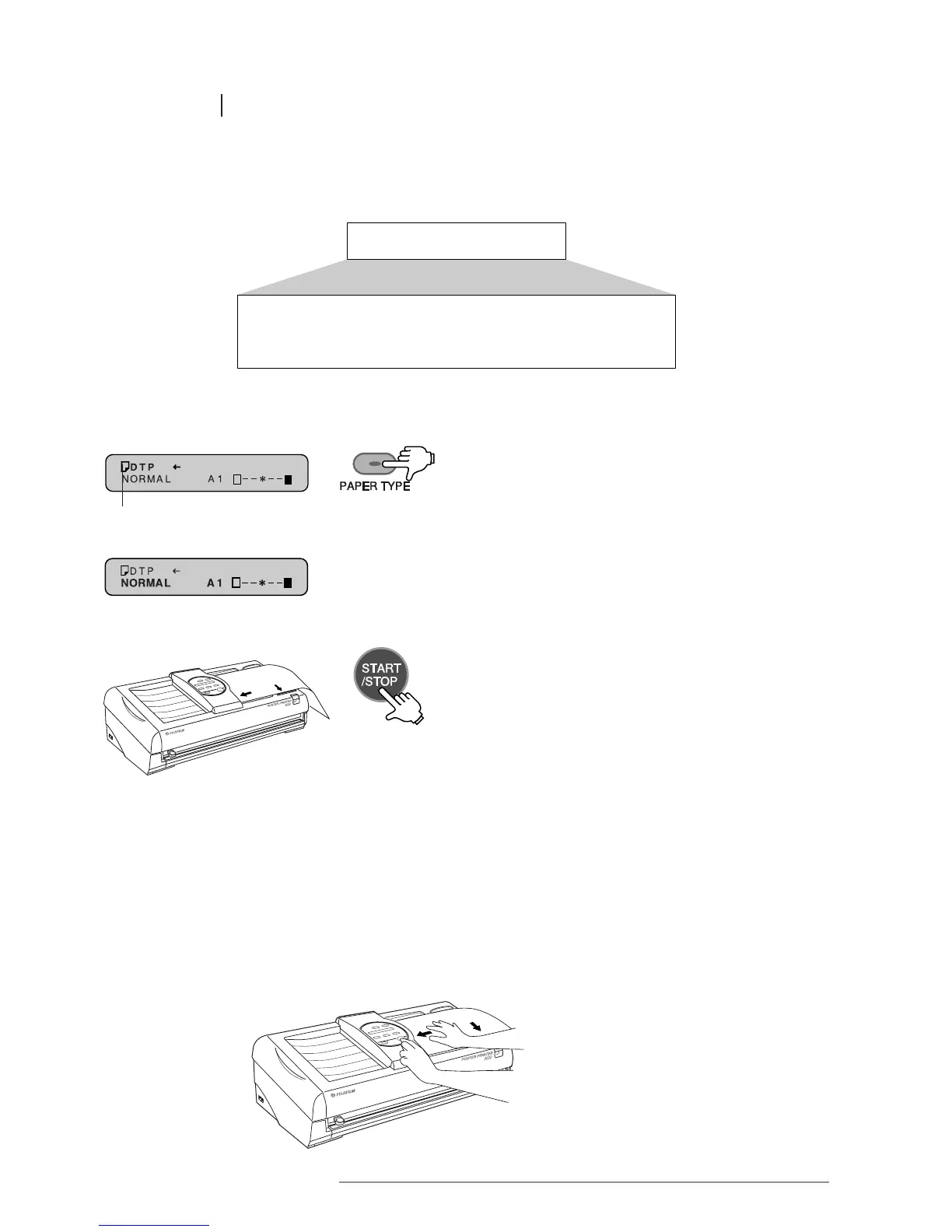
Both horizontal and vertical signs and banners can be easily created from long input documents.
1 Press the PAPER TYPE key to select the type
of paper being used.
Banner output
Long input document
The paper type is shown here
2 Select the desired mode, level of contrast and
output size.
3 Place the original into the document bay face down.
Press the START/STOP key to begin printing.
POINTS TO NOTE IN PRINTING BANNERS:
• Make sure the original is placed firmly along the document guide closest to you,
and into the scanner until it stops.
Failing to do so may result in an error.
• The banner will not be aligned properly if the original is not placed correctly
into the document bay.
• Always check the amount of remaining paper before printing banners.
Refer to “Checking the amount of remaining paper“, p 28.














 To Next Page