Input document
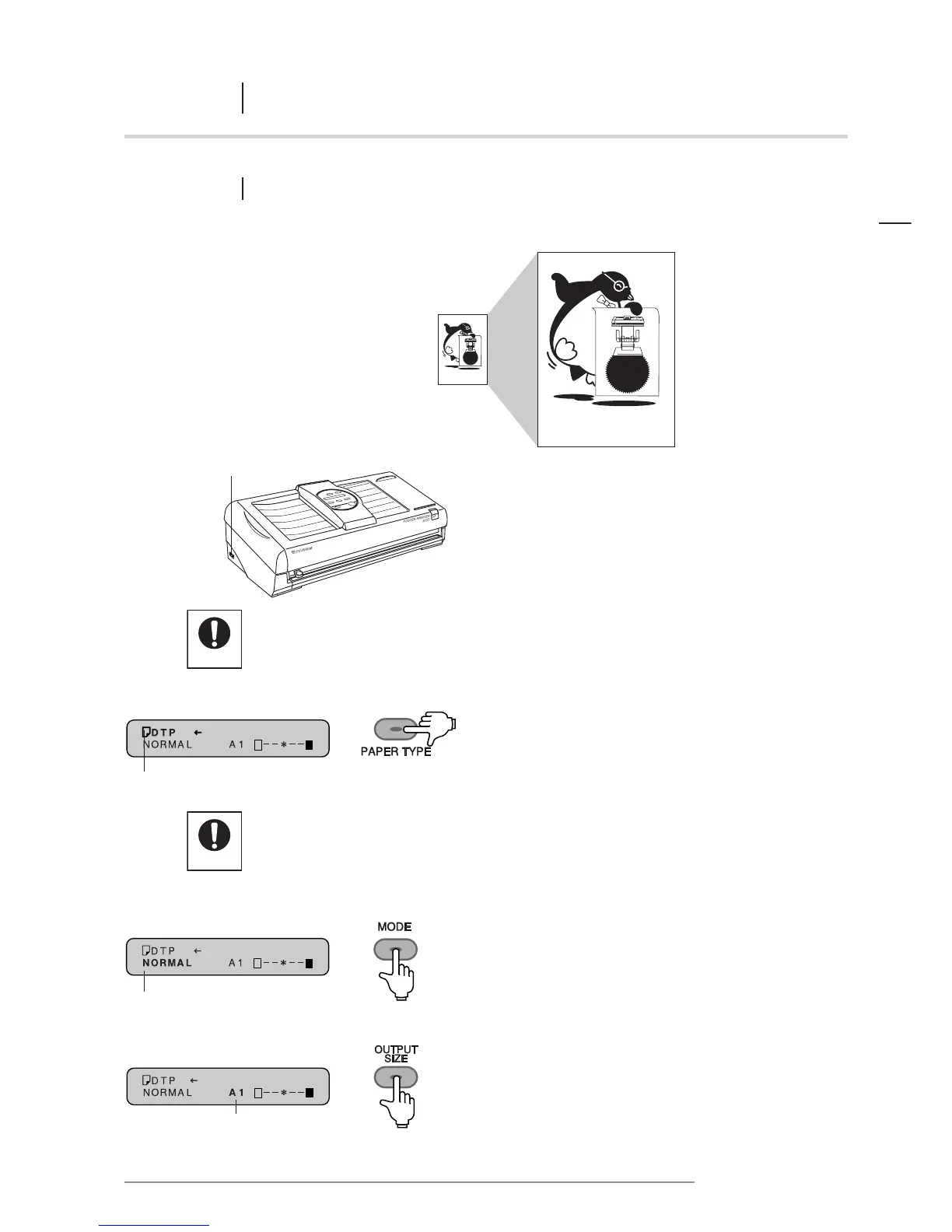
Note that it will be impossible to achieve normal print contrast if the paper type indicated
on the message display is not the same as the paper actually being used.
2 Press the PAPER TYPE key to select the type
of paper being used.
Press the PAPER TYPE key to match the paper
indicated on the display to the type of paper in use.
3 Press the MODE key to set the printer
in NORMAL mode.
4 Press the OUTPUT SIZE key to select the size
of print desired.
The paper type is shown here
“NORMAL” is shown here
The output size is shown here
NORMAL mode














 To Next Page