Supplies
31
ENGLISH
8.2.2 Direct Thermal Paper (DTP)
When displaying posters keep them away from direct sunlight. Failing to do so may
result in discoloration or fading.
Always use water-based markers to write on posters.
Never use plastic erasers, vinyl holders, and other writing and art equipment containing
solvents or fluorescents. They could cause the image to fade.
Never rub the surface of posters strongly with a hard object, as doing so may
cause discoloration.
8.2.3 Thermal Transfer Paper (TTP)/Heavy Duty Poly Paper (HDP)
Waterproof markers can be used to write on posters printed on Thermal Transfer Paper.
NOTE: The use of pens or markers with solvents may cause the ink on the printed face
of the poster to dissolve or smudge.
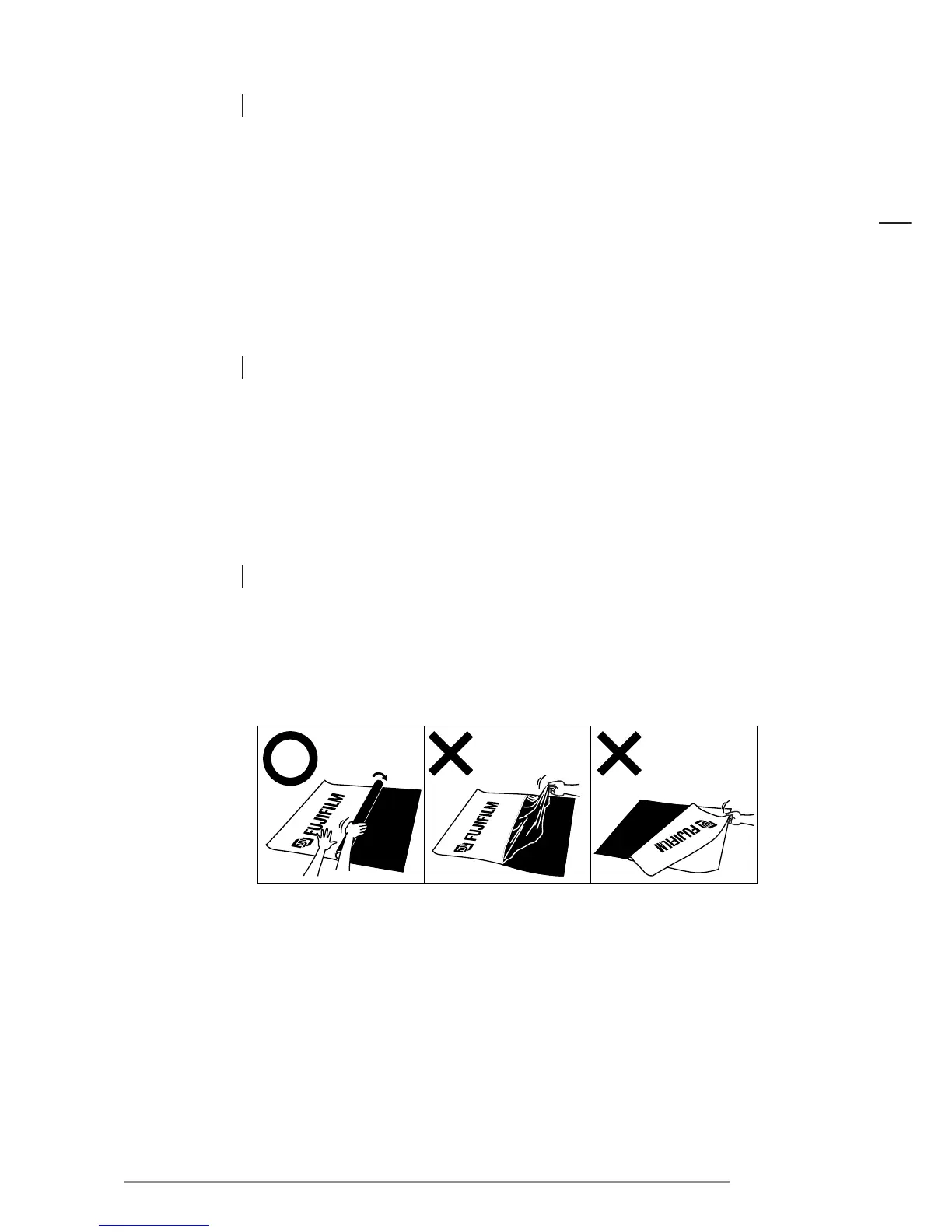
Be careful when removing ink film from Thermal Transfer Paper (see diagrams below).
8.3 REMOVING INK FILM FROM THERMAL TRANSFER
AND HDP PAPER
Place the paper on the top of a desk or other level surface and hold it down with one hand. Peel off the ink film
slowly from left to right using an empty paper core or similar object.














 To Next Page