EasyManua.ls Logo

FujiFilm 3000 - User Manual

FujiFilm 3000
42 pages
Print Icon
To Next Page IconTo Next Page
Loading...
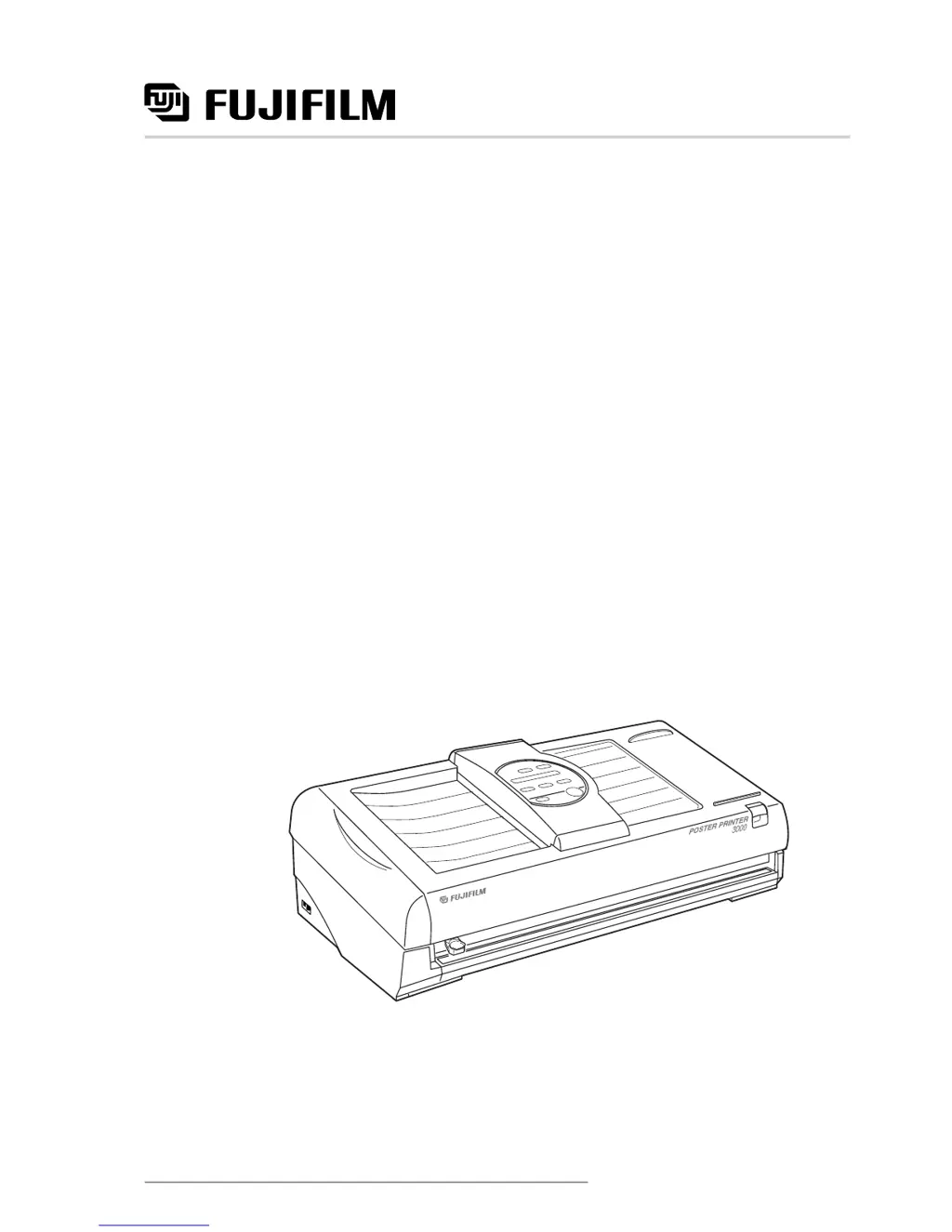
Poster Printer 3000
User’s Guide
Benutzerhandbuch
Manual del usuario
Manuel d’utilisation
Gebruikershandleiding
Second edition
FGS
SP541B

Questions and Answers

  • K
    Kristin PerezSep 18, 2025
    How to fix FujiFilm 3000 if tone of the images cannot be reproduced in darker areas?
    • A
      Alicia PenaSep 18, 2025
      If the tone of the images cannot be reproduced in darker areas by your FujiFilm printer, set the contrast level to a lighter position to reduce the density. If the images on the original are too dark, use a better copy if possible. Also, check that the type of paper indicated on the message display matches the type actually being used.
  • S
    Samantha TaylorAug 25, 2025
    What to do if printed image does not appear on FujiFilm Printer?
    • O
      Olivia JohnsonAug 25, 2025
      If your FujiFilm printer's printed image does not appear (resulting in a blank output), verify that the paper roll is correctly installed and ensure the original document is placed face down in the document bay.
  • R
    rosskennethAug 25, 2025
    How to remove jammed original from FujiFilm 3000 Printer scanning unit?
    • A
      Amanda BridgesAug 26, 2025
      If the original document jams in the scanning unit of your FujiFilm printer, open the scanner cover and carefully remove the jammed document.
  • C
    Carrie MartinezAug 26, 2025
    How to fix a document jam on a FujiFilm Printer?
    • T
      Tony HicksAug 27, 2025
      If a document jam occurs in your FujiFilm printer, follow these steps: * Open the scanner cover and remove the original document. * Ensure the scanner cover is properly closed. * If the jam persists, double-check that the original is correctly positioned.
  • J
    Jessica SparksSep 19, 2025
    Why FujiFilm 3000 Printer does not start to print even after the start/stop key has been pressed?
    • J
      James StaffordSep 22, 2025
      If your FujiFilm printer does not start to print even after pressing the start/stop key, place the original into the document bay until it stops. Note that the printer will not scan transparent documents; make a copy on plain paper and restart the process. Also, check the message display for any error messages.
  • J
    Jill AndersonSep 23, 2025
    What to do if the shuttle unit has not moved back into home position on FujiFilm 3000 Printer?
    • J
      jason15Sep 23, 2025
      If, when the power is turned on or after an error, the shuttle unit of your FujiFilm printer has not moved back into home position, turn the power off, clean the shuttle shaft, and gently move the shuttle unit into home position (on the right of the printer) with your hands. Then, turn the printer on again.
  • D
    David MercerSep 9, 2025
    Why the ink sheet has a lot of wrinkles in FujiFilm 3000 Printer?
    • T
      Tanya MitchellSep 10, 2025
      If the ink sheet (thermal transfer paper, HDP paper) has a lot of wrinkles in it when using your FujiFilm printer, check that the type of paper indicated on the message display matches the type actually being used.
  • D
    David RoweSep 12, 2025
    Why white bubbles appear on the printed surface of FujiFilm Printer?
    • B
      Brittney NguyenSep 12, 2025
      If white bubbles appear on the printed surface (thermal transfer paper, HDP paper) from your FujiFilm printer, check that the type of paper indicated on the message display matches the type actually being used.
  • P
    pattersonbarrySep 3, 2025
    What to do if FujiFilm Printer scanner does not detect the original?
    • M
      Mrs. Karen WilsonSep 3, 2025
      If the original is not detected by the scanner of your FujiFilm printer within the programmed time, press the start/stop key to revert to the initial screen. Then, reset the original and press the start/stop key again.
  • H
    Heather WilliamsSep 1, 2025
    How to fix horizontal lines that appear on FujiFilm Printer poster?
    • P
      preidSep 1, 2025
      If horizontal lines appear on posters from your FujiFilm printer, clean the thermal heads. This is recommended when using Thermal Transfer Paper and HDP Paper after using Direct Thermal Paper. If the lines appear at roughly 0.8 inches/20mm intervals, perform the 'Horizontal line adjustment' in function mode.

Summary

Before Using Your Poster Printer 3000

Checklist of Included Items

Lists all items that should be included in the printer package.

Connecting the Power Cord

Step-by-step guide for connecting the printer to a power source.

Safety Precautions and Warnings

Important safety warnings, cautions, and classifications to prevent injury and damage.

Individual Part Names

Before Printing

Installing Paper Rolls

Step-by-step instructions for loading paper rolls into the printer.

Basic Functions

Printing in Normal Mode

Instructions for printing standard documents in normal mode.

Printing in Photo Mode

Instructions for printing photographs with appropriate settings and notes.

Printing in Reverse Mode

Instructions for printing with reversed image orientation and notes on printer behavior.

Printing Different Poster Sizes

Additional Functions

Supplies

Troubleshooting

Error Messages and Responses

Lists common error messages and the recommended actions to resolve them.

Problem Description and Remedies

Addresses common printing problems and provides solutions and references.

Cleaning the Printer

Printer Component Cleaning Procedures

Instructions for cleaning printer parts like rollers, shafts, and thermal heads.

Scanner Component Cleaning Procedures

Instructions for cleaning scanner components such as the platen glass and rollers.

FujiFilm 3000 Specifications

General IconGeneral
BrandFujiFilm
Model3000
CategoryPrinter
LanguageEnglish

Related product manuals