Cleaning the printer
35
ENGLISH
CHAPTER
10 Cleaning the printer
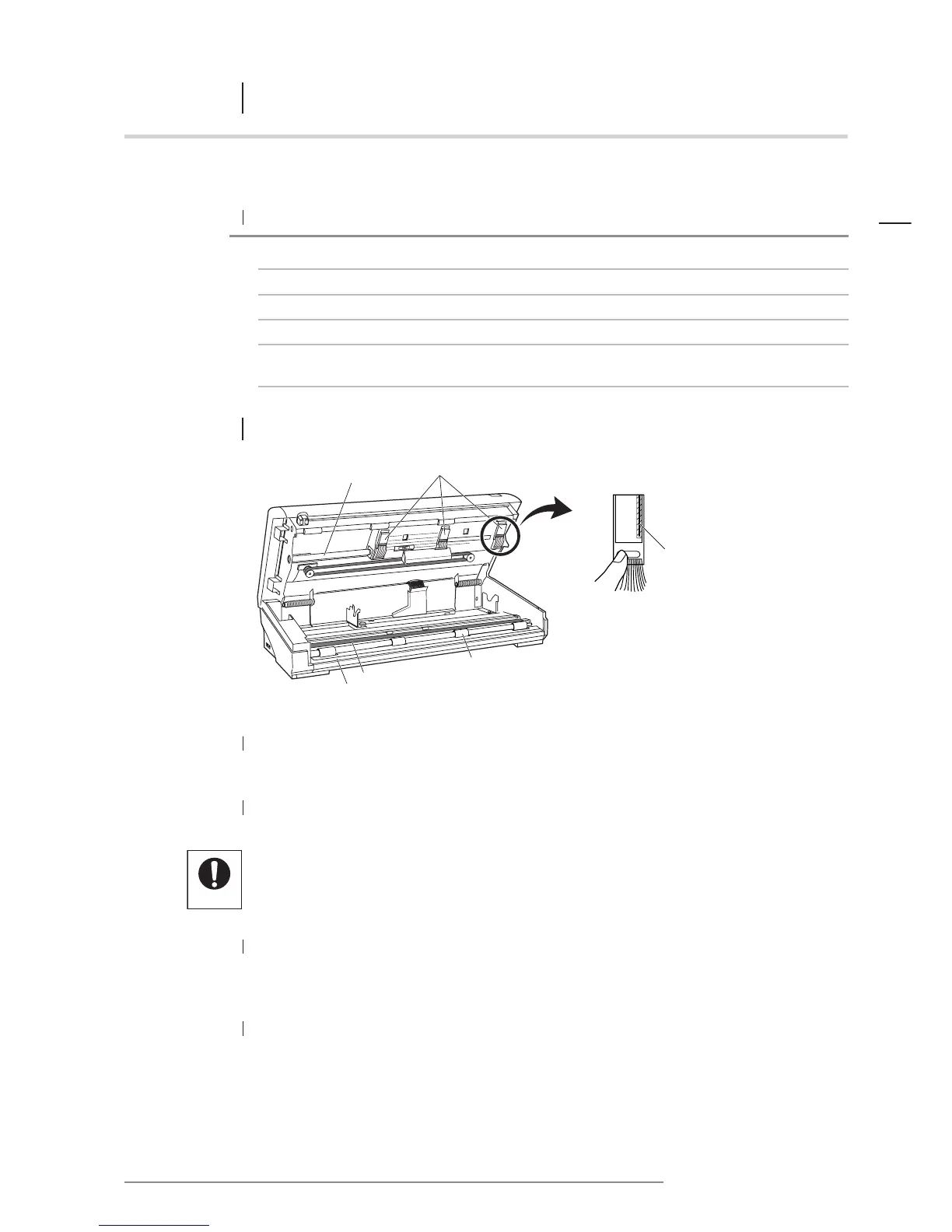
Shuttle shaft
Heater element
Thermal heads
10.1 PRINTER
3 SHUTTLE SHAFT
If the shaft becomes dirty, the printer will not function properly.
Wipe the shaft carefully with a soft cloth.
4 THERMAL HEADS
When the thermal heads have cooled (at least 2 minutes after the printer has been
switched off) wipe the heater element vertically with a soft, dry cloth.
NOTE: If the thermal heads are particularly dirty, apply a small amount of isopropyl
alcohol to the cloth. (Never touch the print heads directly with your hands.)
Problem Part to clean
1 The paper does not feed properly
Paper feed roller
2 The printer makes a rattling or grating noise during printing
Shuttle shaft
3 Horizontal lines appear periodically on the printed image
Thermal heads
4 Vertical lines appear on the printed image
Platen glass
5 The original is not scanned properly
Document feed rollers, platen
roller, document eject rollers
• Be careful not to damage the platen rubber.
•Avoid wiping the platen rubber with alcohol or other solvents.
Paper feed roller
Platen rubber
Cutter base
1 PAPER FEED ROLLERS
Wipe with a soft cloth moistened with water. Wipe again with a soft, dry cloth.
2 PLATEN RUBBER/CUTTER BASE
Wipe with a soft, dry cloth.
If one of the following problems occurs, clean the printer parts outlined below.














 To Next Page