32
Troubleshooting
CHAPTER
9Troubleshooting
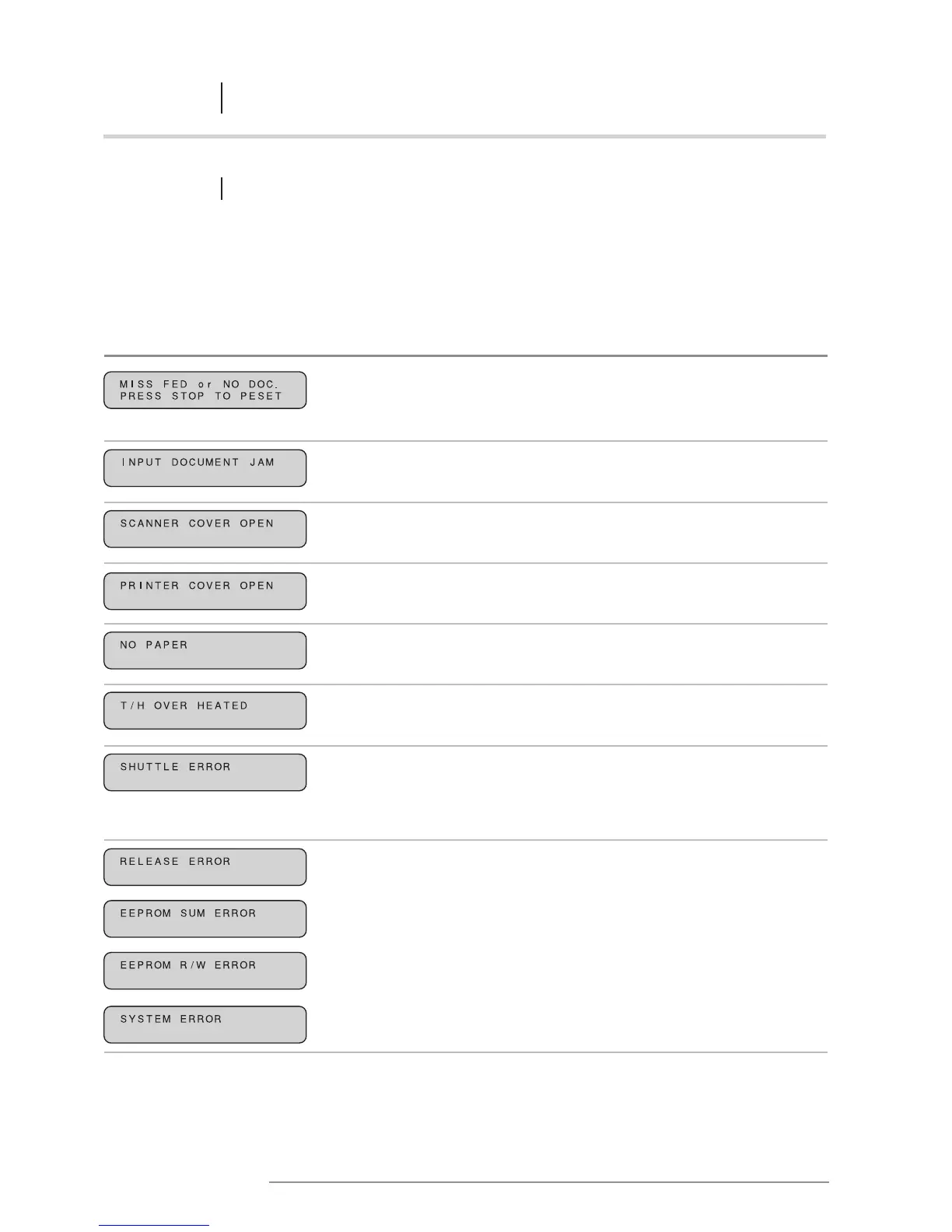
9.1 ERROR MESSAGES AND RESPONSES
If an error message appears on the display, follow the responses outlined below. If the printer fails to
function properly even after corrective action has been taken, contact the dealer from whom you purchased
your Poster Printer 3000.
Error message Description
The original has not been detected
by the scanner within the programmed
time period.
The original has jammed
in the scanning unit.
The scanner cover is open.
The printer cover is open.
The paper has not been installed.
The paper has not been loaded
correctly.
The thermal heads have overheated.
When the power is turned on,
or after an error has occurred, the
shuttle unit has not moved back
into home position.
There is some sort of failure
with the printer.
Response
Press the START/STOP key to revert
to the initial screen. Reset the original
and press the START/STOP key again.
Open the scanner cover and remove
the input document.
Firmly close the scanner cover.
Firmly close the printer cover.
Install a paper roll.
Reload the paper roll.
Turn the power off, wait for
at least 3 minutes, and then turn
the printer on again.
Turn the power off, clean the shuttle
shaft, and gently move the shuttle
unit into home position (on the
right of the printer) with your hands.
Turn the printer on again.
Turn the power off and then on again.
NOTE: If the printer fails to function
properly even after corrective action
has been taken, contact the dealer
from whom you purchased your
Poster Printer 3000. Be sure to tell
your dealer which of the error
messages was displayed.














 To Next Page