36
Cleaning the printer
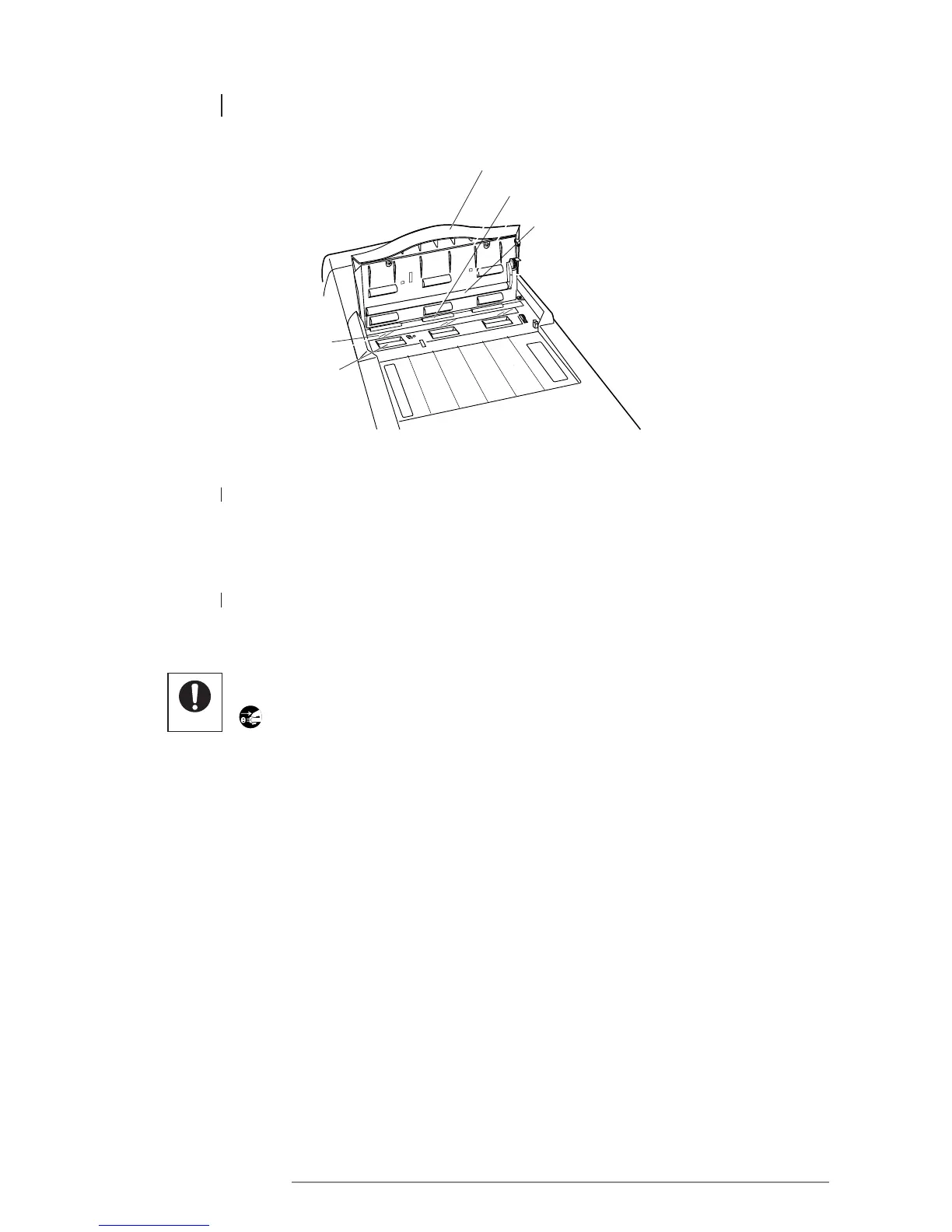
Platen roller
Document eject roller
10.2 SCANNER
1 PLATEN GLASS
Wipe with a soft, dry cloth. If particularly dirty, use a soft cloth moistened with water.
Wipe again with a soft, dry cloth.
2 DOCUMENT FEED ROLLERS/PLATEN ROLLERS/DOCUMENT EJECT ROLLERS
Wipe with a soft cloth moistened with water. Wipe again with a soft, dry cloth.
Always remove the printer power plug from the wall socket before cleaning the printer.
• Do not use organic solvents such as benzine, alcohol, thinners or cleaners in cleaning
the printer.
• Do not use detergent in cleaning the thermal heads.
• Be careful not to scratch the platen rubber as the quality of the print may be affected.
• The scanner cover opens to an angle of approximately 70 degrees. Do not attempt to open
the cover any further.
Platen glass
Document
feed roller
Scanner cover














 To Next Page