Additional functions
27
ENGLISH
6.2 REMAINING PAPER MODE
Use the remaining paper mode to check how much paper remains on the roll in use.
In addition, if the paper roll is changed midway, the amount of remaining paper can be printed on the roll
for future reference.
6.2.1 Setting the amount of remaining paper
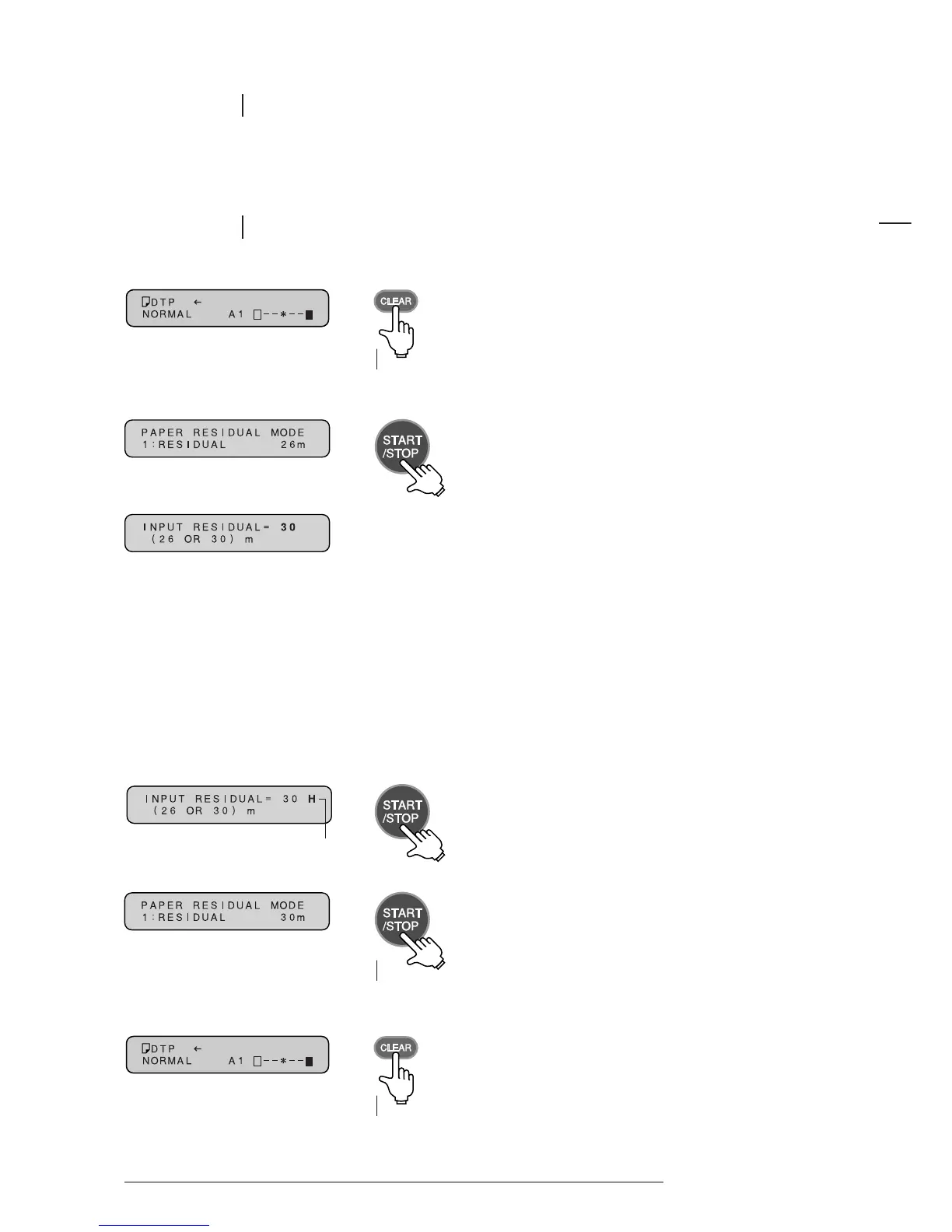
1 Press the CLEAR key for at least 3 seconds.
Press for at
least 3 seconds
6 Press the CLEAR key for at least 3 seconds to revert
to the original message display.
Press for at
least 3 seconds
2 The “RESIDUAL” screen in remaining paper mode
will be displayed. Press the START/STOP key.
5 Press the START/STOP key for at least 3 seconds
to revert to the “RESIDUAL” screen in remaining
paper mode.
4 Press the START/STOP key to store the input data.
3 The “INPUT RESIDUAL” screen will be displayed.
Input the amount of remaining paper.
“H” (Hold) will be displayed
NOTE:
• For new rolls of Direct Thermal Paper:
Each time the PAPER TYPE key is pressed, the display shows “26” or “30”. Input 30 m.
• For new rolls of Thermal Transfer Paper or HDP Paper:
Each time the PAPER TYPE key is pressed, the display shows “26” or “30”. Input 26 m.
• For rolls of paper that are already used:
Input the amount using the MODE key (-) and CONTRAST key (+).
Each time either key is pressed, the number advances 1 m further in that direction.
Press for at
least 3 seconds














 To Next Page