28
Additional functions
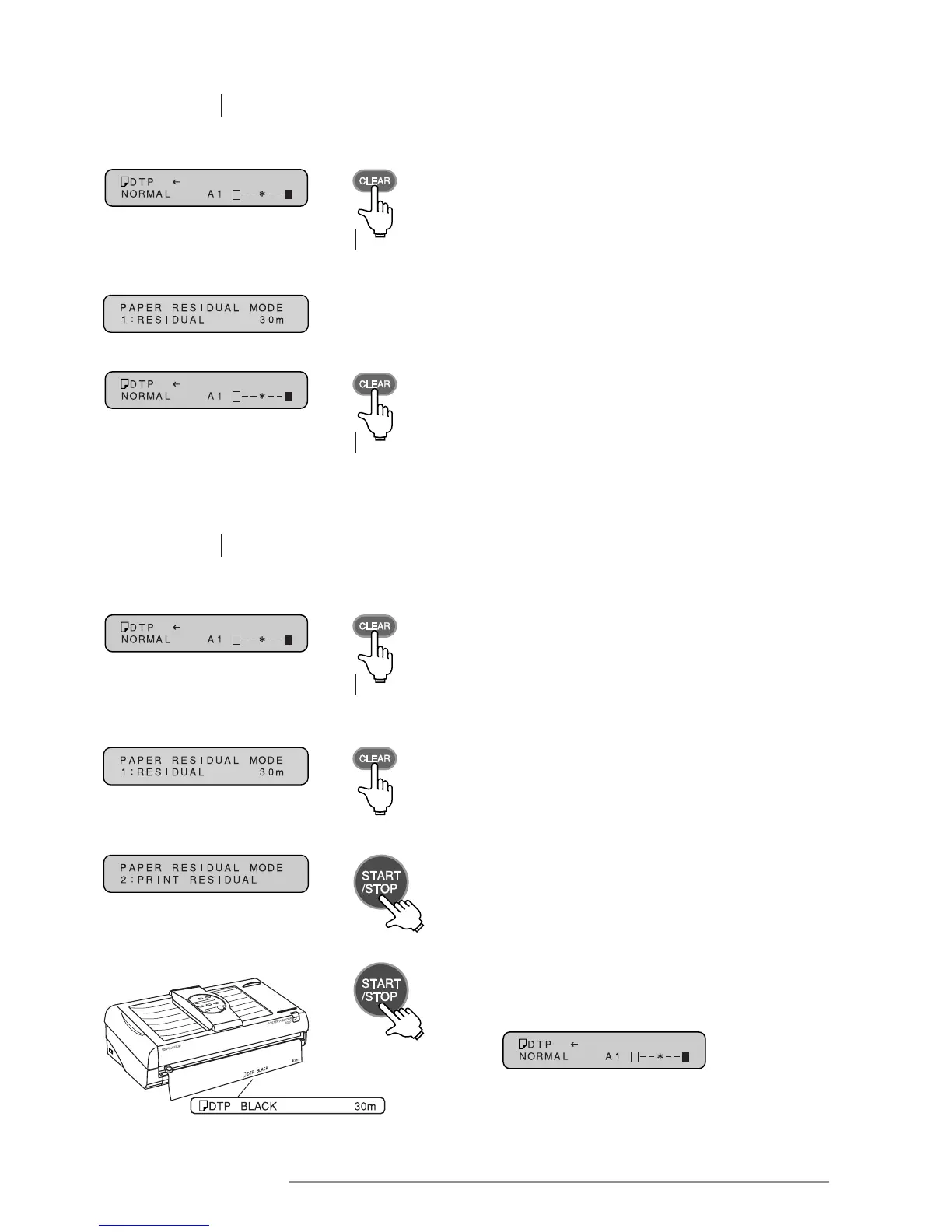
6.2.2 Checking the amount of remaining paper
1 Press the CLEAR key for at least 3 seconds.
Press for at
least 3 seconds
1 Press the CLEAR key for at least 3 seconds.
Press for at
least 3 seconds
3 Press the CLEAR key for at least 3 seconds to revert
to the original message display.
Press for at
least 3 seconds
2 The “RESIDUAL” screen in remaining paper mode
will be displayed. The amount of remaining paper
is displayed in meter units.
2 The “RESIDUAL” screen in remaining paper mode
will be displayed. Press the CLEAR key.
3 The “PRINT RESIDUAL” screen in paper remaining
mode will be displayed. Press the START/STOP key.
6.2.3 Printing the amount of remaining paper
4 When the printing process is complete, the message
display will revert to the original screen.














 To Next Page