EasyManua.ls Logo

FujiFilm 3000 - User Manual

FujiFilm 3000
42 pages
Print Icon
To Next Page IconTo Next Page
Loading...
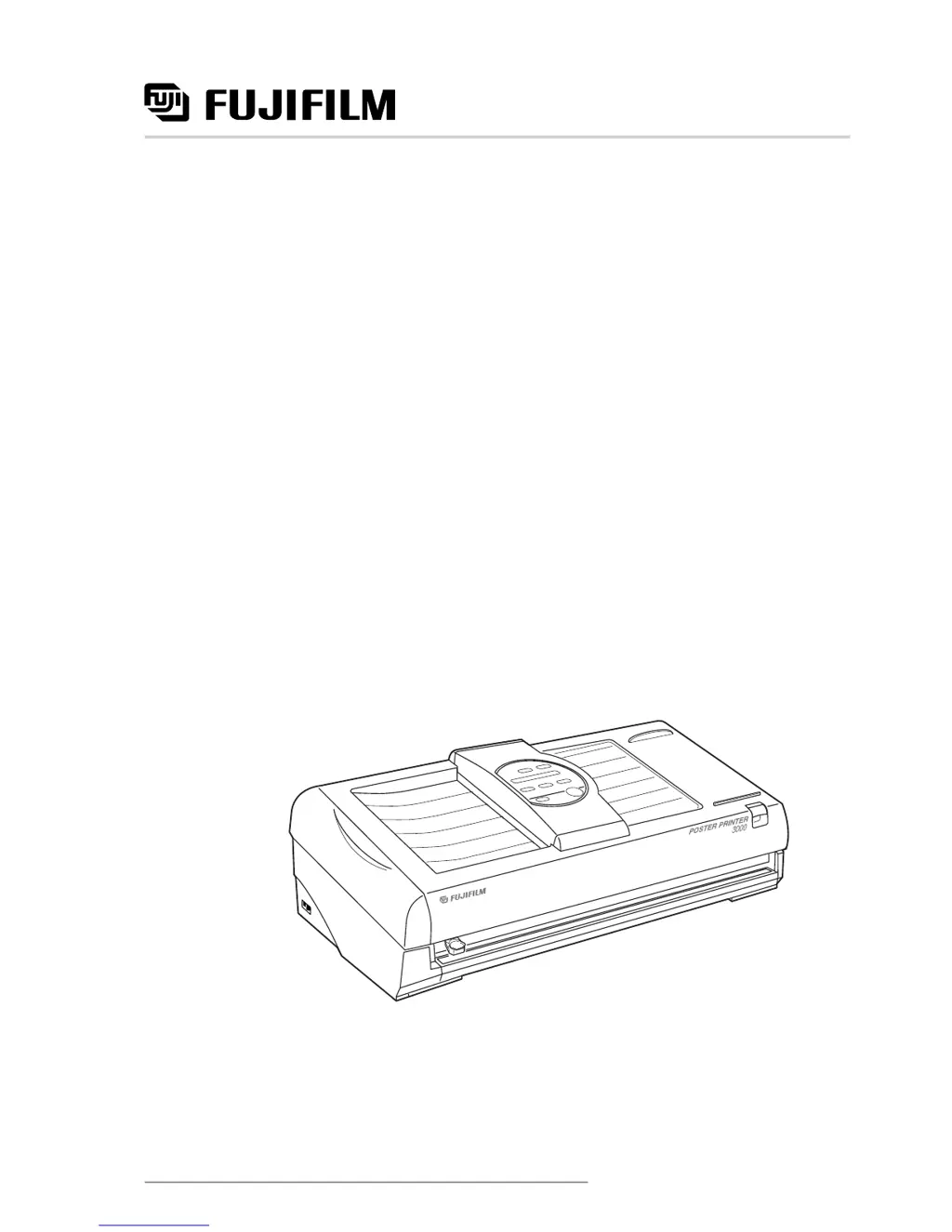
Poster Printer 3000
User’s Guide
Benutzerhandbuch
Manual del usuario
Manuel d’utilisation
Gebruikershandleiding
Second edition
FGS
SP541B

Questions and Answers

  • H
    Heather WilliamsSep 1, 2025
    How to fix horizontal lines that appear on FujiFilm Printer poster?
    • P
      preidSep 1, 2025
      If horizontal lines appear on posters from your FujiFilm printer, clean the thermal heads. This is recommended when using Thermal Transfer Paper and HDP Paper after using Direct Thermal Paper. If the lines appear at roughly 0.8 inches/20mm intervals, perform the 'Horizontal line adjustment' in function mode.
  • M
    Matthew LewisAug 31, 2025
    How to fix vertical lines that appear on FujiFilm 3000 posters?
    • H
      Hannah NelsonAug 31, 2025
      If vertical lines appear on posters printed by your FujiFilm printer, clean the platen glass in the scanner unit. If the lines appear at thermal head intervals, perform the 'Vertical line adjustment' in function mode.
  • M
    Mary WoodsAug 30, 2025
    What to do if thermal heads have overheated in FujiFilm 3000?
    • S
      Sandra MuellerAug 30, 2025
      If the thermal heads in your FujiFilm printer have overheated, turn the power off, wait at least three minutes, and then turn the printer back on.
  • J
    johnnyparksAug 29, 2025
    How to fix low contrast on the message display of FujiFilm 3000?
    • E
      Erika LeeAug 29, 2025
      If your FujiFilm printer displays low contrast on the message display, remove the protective covering on the control panel.
  • N
    Nicole RileyAug 28, 2025
    What to do if the paper roll loaded is too tight or too loose in the brackets of FujiFilm 3000 Printer?
    • V
      Victor JonesAug 28, 2025
      If your FujiFilm printer's paper roll is either too tight or too loose in the brackets, this may be due to humidity changes causing the paper to expand or shrink. Loosen the adjustment knob, move the left paper bracket until the paper fits properly, or install a new paper roll.
  • C
    chandlercameronAug 27, 2025
    Why the printed poster does not appear from FujiFilm 3000 Printer?
    • M
      Morgan BallAug 27, 2025
      If the printed poster from your FujiFilm printer does not appear, open the printer cover and check if the paper is caught in the paper feed rollers. Also, ensure that the printer cover is closed properly.
  • C
    Carrie MartinezAug 26, 2025
    How to fix a document jam on a FujiFilm Printer?
    • T
      Tony HicksAug 27, 2025
      If a document jam occurs in your FujiFilm printer, follow these steps: * Open the scanner cover and remove the original document. * Ensure the scanner cover is properly closed. * If the jam persists, double-check that the original is correctly positioned.
  • R
    rosskennethAug 25, 2025
    How to remove jammed original from FujiFilm 3000 Printer scanning unit?
    • A
      Amanda BridgesAug 26, 2025
      If the original document jams in the scanning unit of your FujiFilm printer, open the scanner cover and carefully remove the jammed document.
  • S
    Samantha TaylorAug 25, 2025
    What to do if printed image does not appear on FujiFilm Printer?
    • O
      Olivia JohnsonAug 25, 2025
      If your FujiFilm printer's printed image does not appear (resulting in a blank output), verify that the paper roll is correctly installed and ensure the original document is placed face down in the document bay.

Summary

Before Using Your Poster Printer 3000

Checklist of Included Items

Lists all items that should be included in the printer package.

Connecting the Power Cord

Step-by-step guide for connecting the printer to a power source.

Safety Precautions and Warnings

Important safety warnings, cautions, and classifications to prevent injury and damage.

Individual Part Names

Before Printing

Installing Paper Rolls

Step-by-step instructions for loading paper rolls into the printer.

Basic Functions

Printing in Normal Mode

Instructions for printing standard documents in normal mode.

Printing in Photo Mode

Instructions for printing photographs with appropriate settings and notes.

Printing in Reverse Mode

Instructions for printing with reversed image orientation and notes on printer behavior.

Printing Different Poster Sizes

Additional Functions

Supplies

Troubleshooting

Error Messages and Responses

Lists common error messages and the recommended actions to resolve them.

Problem Description and Remedies

Addresses common printing problems and provides solutions and references.

Cleaning the Printer

Printer Component Cleaning Procedures

Instructions for cleaning printer parts like rollers, shafts, and thermal heads.

Scanner Component Cleaning Procedures

Instructions for cleaning scanner components such as the platen glass and rollers.

FujiFilm 3000 Specifications

General IconGeneral
BrandFujiFilm
Model3000
CategoryPrinter
LanguageEnglish

Related product manuals