56
5.2 INSTALLATION ON A Mac OS 9.2
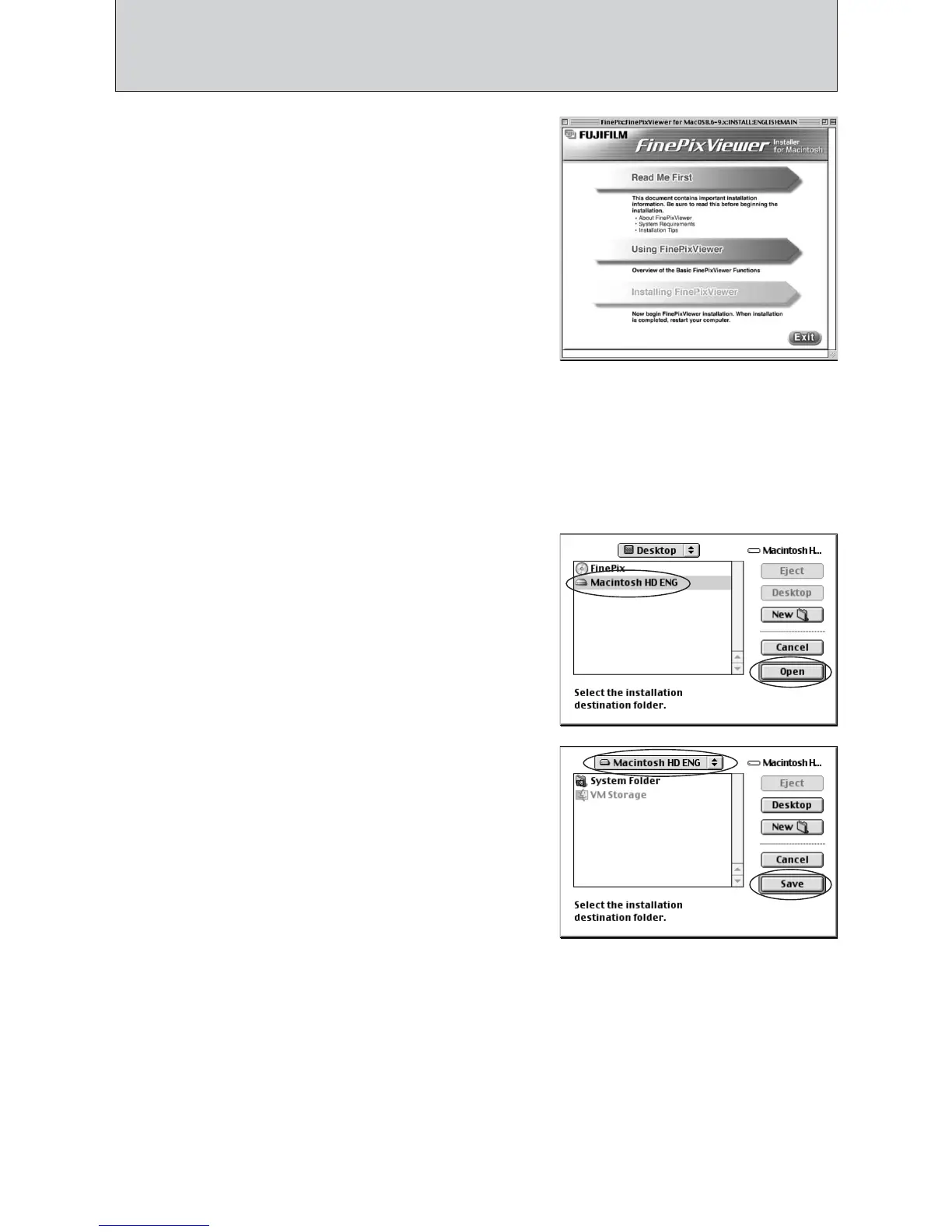
2Click the [Save] button.
4
The Installer setup screen appears. Click the
[Installing FinePixViewer] button.
●
!
For more information on what is installed, click the [Read Me
First] button and [Using FinePixViewer] button.
7
Select the installation destination for FinePixViewer.
1Click the [Open] button to open the installation
destination folder.
5
A confirmation message appears asking whether you want to continue with the installation.
Click the [OK] button.
6
The User License Agreement for this software appears. Read the agreement carefully and
then, if you agree to the terms of the Agreement, click the [Agree] button. If you click the
[Disagree] button, the software is not installed.
8
Install ImageMixer VCD2 for FinePix as directed by the on-screen instructions.













 To Next Page