64
6.2 CONNECTING THE CAMERA DIRECTLY TO THE PRINTER FOR
PRINTING IMAGES
(
PictBridge FUNCTION
)
●
!
“PRINT WITH DATE” is not available when the camera is
connected to a printer that does not support date printing.
●
!
Press the “DISP/BACK” button to cancel the printing.
Depending on the printer, the printing may not be canceled
immediately or printing may stop mid way through. When
printing stops mid-way, briefly turn the camera off and then
on again.
6
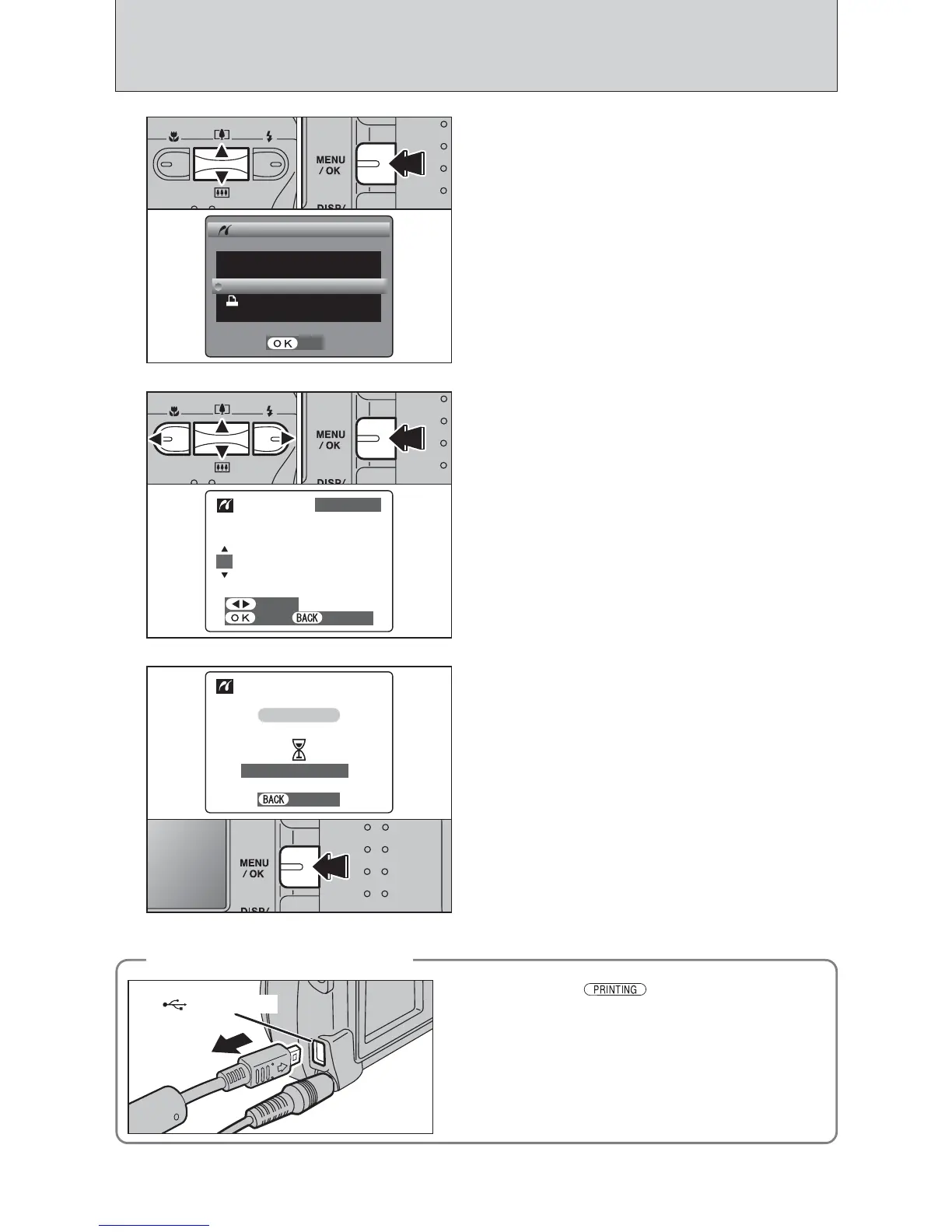
Press the “MENU/OK” button to download the data
to the printer and start printing the specified
number of prints.
To end printing, press the “DISP/BACK” button.
4
1Press “a” or “b” to select “PRINT WITH DATE”
or “PRINT WITHOUT DATE”. If “PRINT WITH
DATE” is selected, the date is imprinted on your
prints.
2Press the “MENU/OK” button.
01 02
●
!
Movie images cannot be printed.
5
1Press “d” or “c” to display the frame (file) for
which you want to specify PRINT settings.
2Press “a” or “b” to set a value up to 99 as the
number of copies of the frame (file) to be printed.
For frames (files) that you do not want printed,
set the number of prints to 0 (zero).
To specify more PRINT settings, repeat steps 1
and 2.
3Always press the “MENU/OK” button to complete
the settings.
01 03
1Check that “ ” is not displayed on the
camera’s screen.
2Turn the camera off. Unplug the USB cable.
◆
Disconnecting the printer
◆













 To Next Page