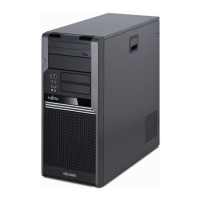
Getting started
Switchingonforthefirst time: installing the software
Installing,Software,Installing,
Once the installation has been started the d e vice m ust no t be switched
off, unless the insta llation has been completed.
During installation, the device may only be rebooted when you are requested to do so!
The installation will otherwise not be carried out correctly and the contents
of the hard disk m ust be completely restored.
If the device is integrat
ed into a network, the user and server details as well a s
the network protocol ar
e required during the software installation.
Contact your network ad
ministrator if you have any questions about these settings.
When you switch on the d
evice for the first time, the supplied software
is installed and con fig
ured. Plan a reasonable amount of time for this,
as this process must n
ot be interrupted.
You m ay need the lic
ence number for Windows during the installation. The licence
number is located o
n a sticker on your device.
Switching on monitor and device
Device,Monitor,
In order to avoid overheating, do not cover the ventilation areas of the monitor
or the d evice, see "
Setting up the device", Page 13.
► Switch the mon
itor on (see the operating m anual for the monitor).
► Switch the device on. To do this, follow the instructions below.
Switching o
n the device
► Press the ON/ OF F switch on the front of the device.
The ON/OFF switch and the illumination strip light up white and the device s tarts up.
Fujitsu Technology Solutions 19


 To Next Page