Actions (for Windows users)
160
3. Change settings for the [Scan to Rack2-Filer] (If you do not want to
change any settings, go to step
4.).
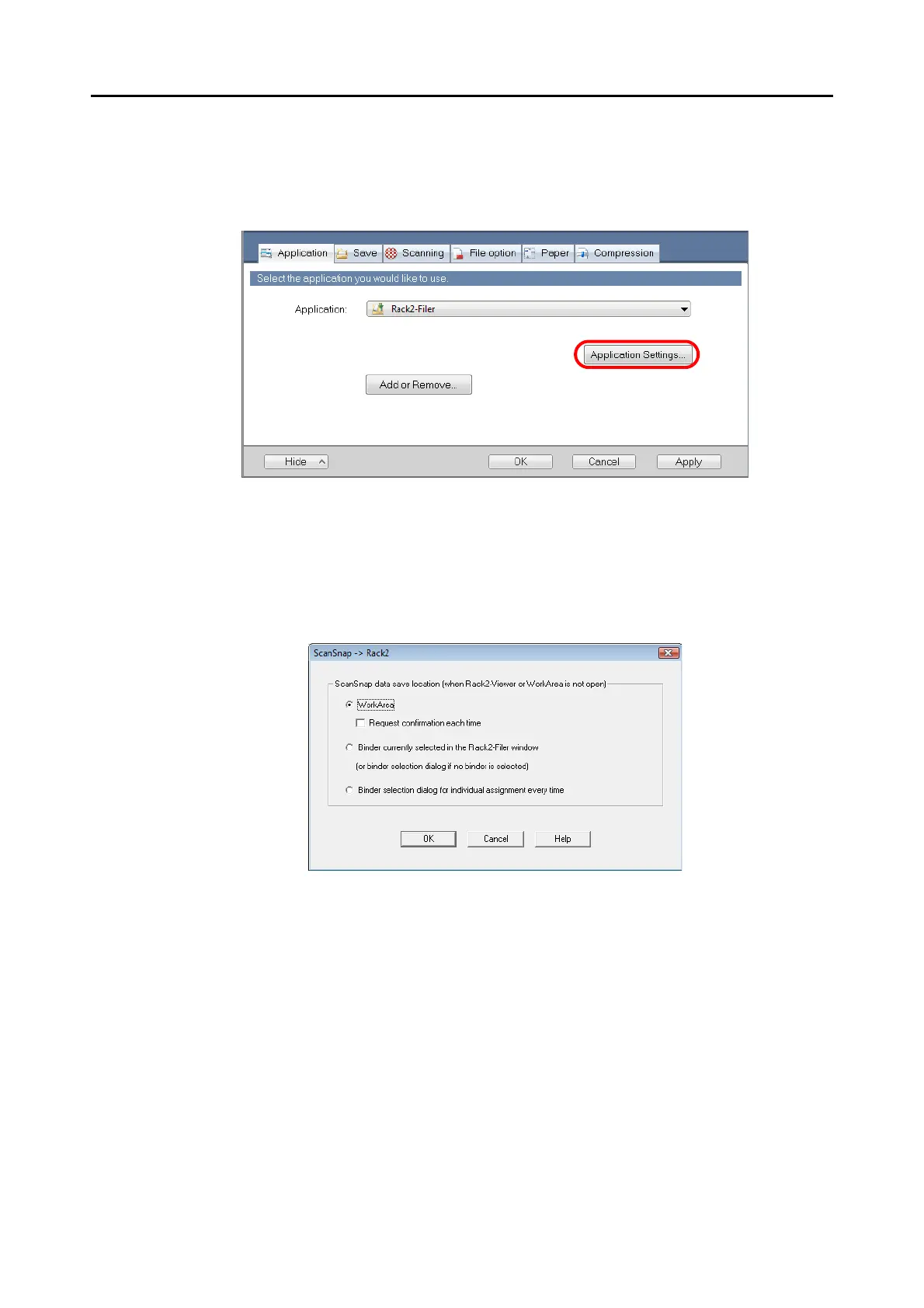
1. Click the [Application Setting] button.
The [ScanSnap - > Rack2] dialog box appears.
2. Change the settings.
In this dialog box, specify the destination to save the scanned image.
For details about the [ScanSnap -> Rack2] dialog box, refer to Rack2-Filer Help.Click
the [Help] button in the [ScanSnap -> Rack2] dialog box to display Rack2-Filer Help.
3. Click the [OK] button to close the [ScanSnap -> Rack2] dialog box.
4. Click the [OK] button to close the ScanSnap setup dialog box.
5. Load the document in the ScanSnap.
For details about how to load documents, refer to
"How to Load Documents" (page 30).



 To Next Page
 Loading...













