Actions (for Mac OS users)
325
3. Change settings for the [Scan to Google Docs(TM)] (If you do not want to
change any settings, go to step
4.).
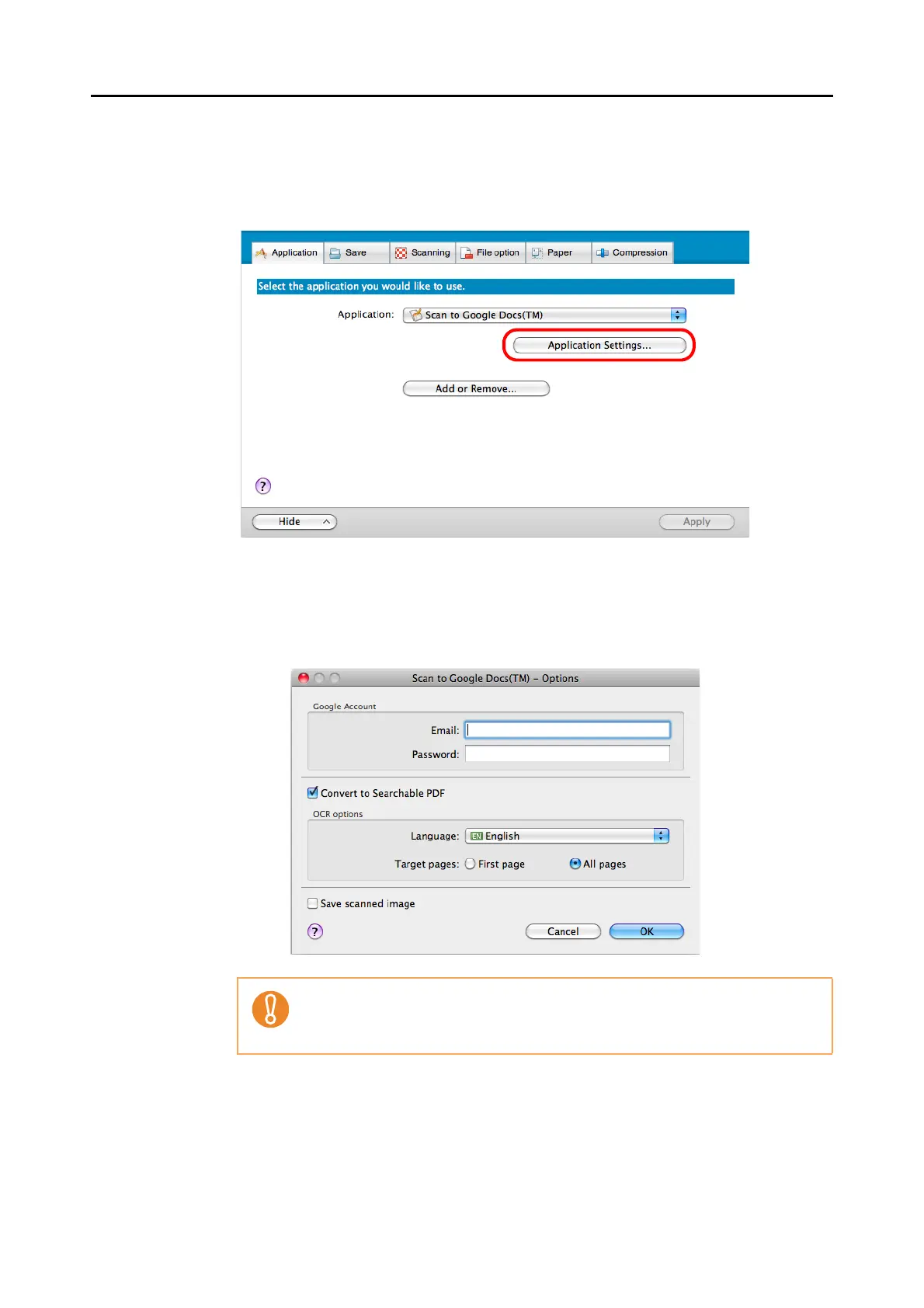
1. Click the [Application Settings] button.
The [Scan to Google Docs(TM) - Options] window appears.
2. Change the settings.
For details about the [Scan to Google Docs(TM) - Options] window, refer to the
ScanSnap Manager Help.
3. Click the [OK] button to close the [Scan to Google Docs(TM) - Options] window.
4. Click the [Apply] button.
If the computer is shared with other users, do not enter your information in [Email]
and [Password] in this window.
Otherwise, other users will be able to log into Google Docs automatically.



 To Next Page
 Loading...













