31
You can check the defined profile lists on the main page, and add, copy, modify or remove a
profile.
Event Mapping Lists: Lists the defined event profiles.
Add: Click this button to add a profile.
Copy: Select the desired profile to copy and click this button to copy an existing profile.
Copying an event profile allows you to easily create multiple profiles with the same
configuration.
Modify: Select the desired profile to modify and click this button to modify the current
setting of the profile. When the pop up window appears, modify the profile
information. You can change all the information you have input while adding the
profile list.
Remove: To remove a profile, select the desired profile and click this button.
Information: Displays the detailed information of the selected profile.
Check the checkbox to activate rules.
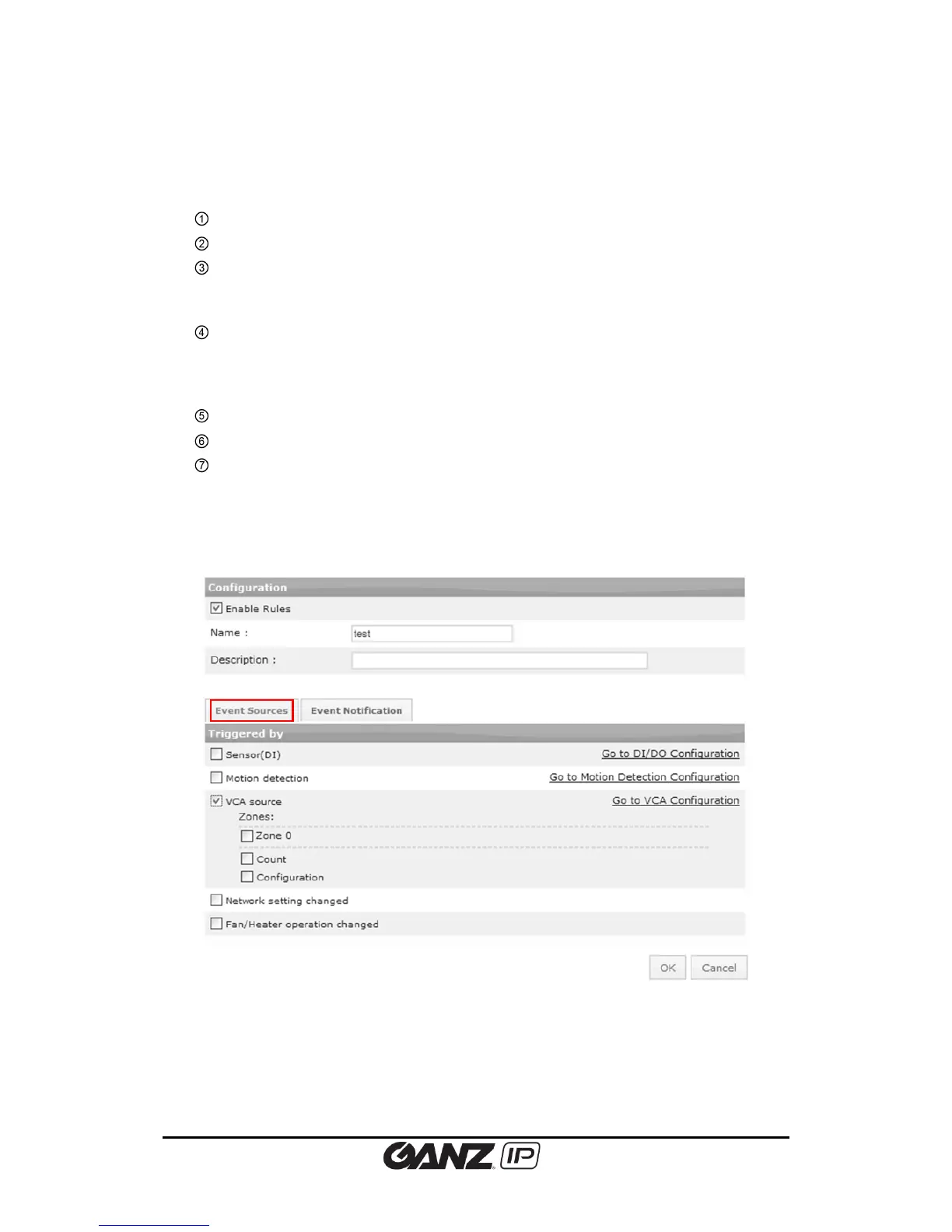
If you click the Add, Copy, or Modify button, then the profile configuration page appears as
shown below. On this page, you can configure the settings for event source and event
notification.
Basic Configuration
Check the ‘Enable rules’ to activate the profile. Specify the profile name for easier
identification of the functions and enter a brief description of the profile.



 To Next Page