4-8. PAPER ROLL REPLACEMENT
4-8.1. General
The Printer Module is a thermal printer and uses thermal printer paper only. The Printer is
equipped with two sensors for paper usage alerts as follows:
• Low paper sensor - warns when there is approximately 25% of the paper roll left
• End paper sensor - warns when printer paper runs out completely
4-8.2. Paper Roll Replacement
This procedure applies when the printer is on-line and connected to a power source. In that state the
printer pulls the paper automatically and cuts it when paper feeding is completed.
Perform the following procedures to replace the printer paper roll:
1. Open the Islander PLUS front panel with the key
2. Lift the printer door and hold
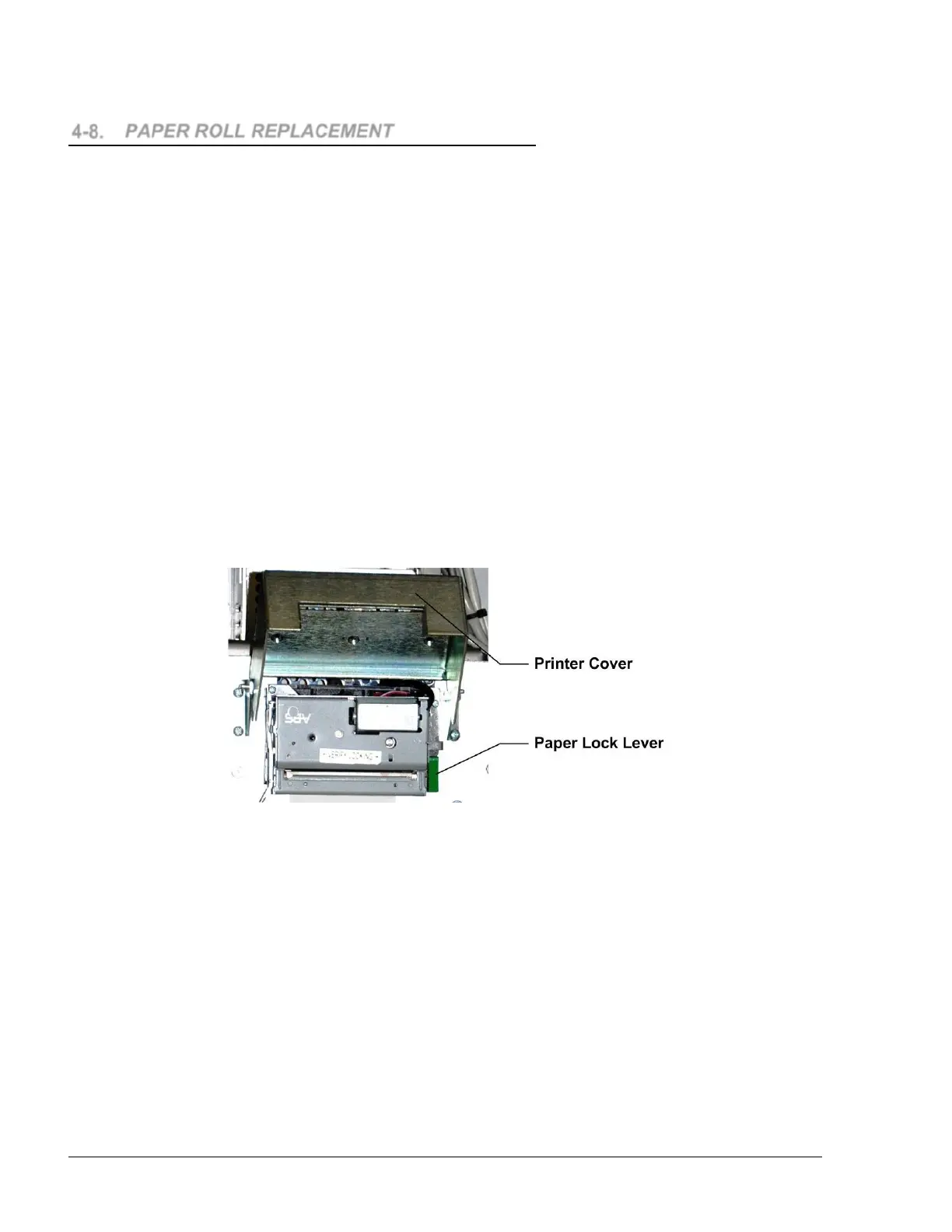
3. Release the green paper-lock lever
4. Release the attached paper.
Figure 4-8. Door Handle and Paper Lock Lever
Islander PLUS Manual
88


 To Next Page