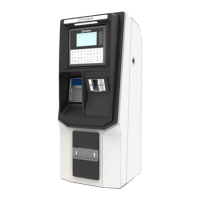
5-2.2. OrPT Troubleshooting
The OrPT troubleshooting procedure and consequent corrective actions are described in Table 5-2.
Table 5-2. OrPT Troubleshooting
Fault Probable Cause Checks Corrective Action
OrPT display is not lit
OrPT display is
blank
Internal fuse blown Check the mini fuse at the
bottom of the power
supply using an ohmmeter
Replace the fuse if it is
blown
Power supply
failure
Verify that green LED on
power supply is lit
Replace power supply
Faulty OrPT Replace OrPT
OrPT does not accept card
OrPT display
does not respond
correctly to cards
Bad card Present several cards to
see if problem is
consistent
Replace card and test again
Dirty card reader Verify that the card reader
is clean
Clean the card reader using
a cleaner card and try again
OrPT is busy
performing another
task
Verify that the display
presents the idle message
2. Present the card while
the idle message is
displayed
Faulty card reader Replace OrPT
OrPT does not accept RFID tag
OrPT display
does not respond
correctly to tags
Bad tag Replace tag and test again
Tag is not close to
the OrPT antenna
Bring the key close to the
antenna located on the red
circle
Islander PLUS Manual
102


 To Next Page