12
www.gateway.com
Chapter 2: Checking Out Your Gateway Notebook
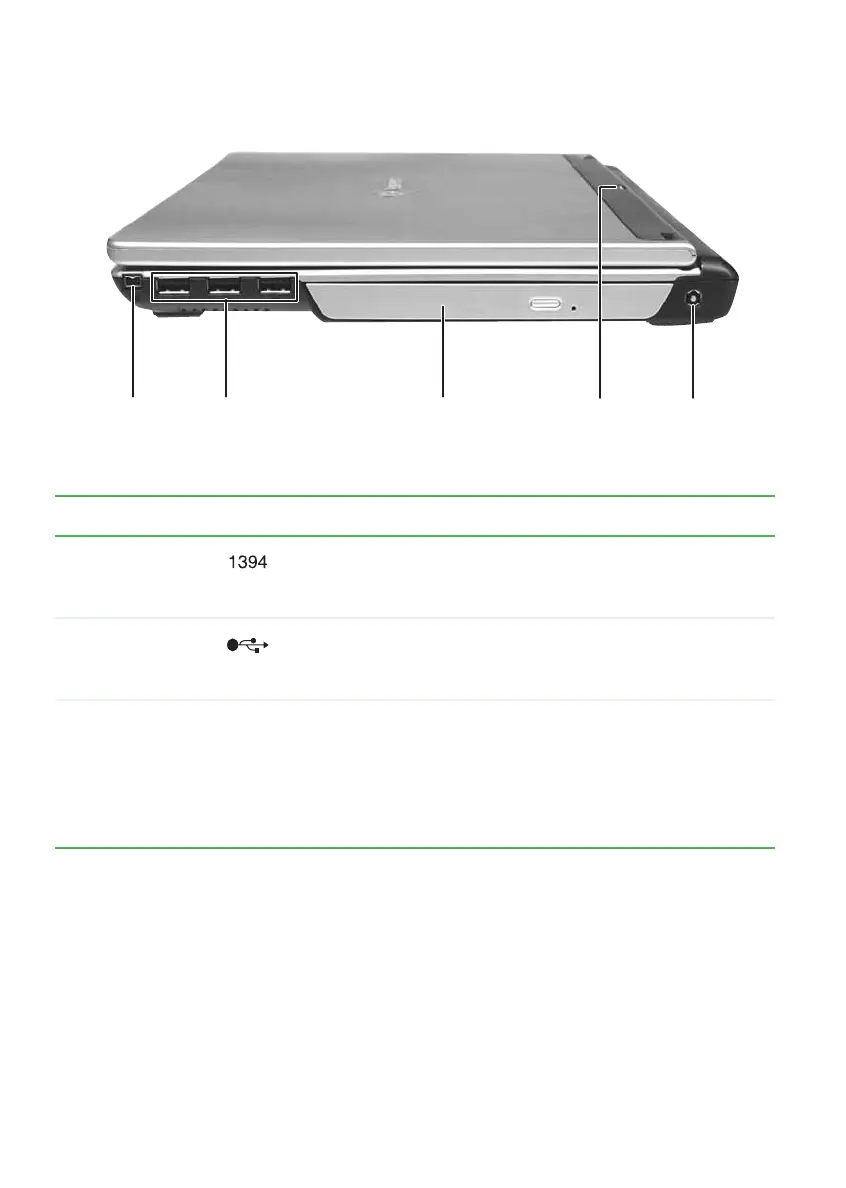
Right side
Component Icon Description
IEEE 1394 port Plug an IEEE 1394 (also known as Firewire
®
or i.Link
®
)
device (such as a digital camcorder) into this 4-pin
IEEE 1394 port.
USB ports Plug USB devices (such as a diskette drive, flash drive,
printer, scanner, camera, keyboard, or mouse) into these
ports.
DVD/CD-RW or
recordable DVD
drive
Insert CDs or DVDs into this drive. For more information,
see “Using the DVD drive” on page 40. This drive may be
a combination DVD/CD-RW or recordable DVD drive. To
determine the type of drive in the notebook, examine the
drive tray’s plastic cover and compare the logo to those
listed in “Identifying drive types” on page 40.
DVD/CD-RW or
recordable DVD
drive
Power
connector
USB
ports
IEEE 1394
port
Power/battery
charge indicator













 To Next Page