Instructions for SL500DC/SL800DC
www.gatexpertstore.com
should install the limit switch stops on the stop brackets first. After fitting, please set on the control
board to enable the gate into manual control mode(refer to page 19 “Manual Control Mode”), then
operate the motor to run to its open or closed limit switch position to check if the limit switch can be
well contacted.
It is extremely dangerous that bad contact between the limit switch and limit switch stops can cause
crash of gate, damage of internal structure of the motor, moreover, the gate may slide off the guide
rail.
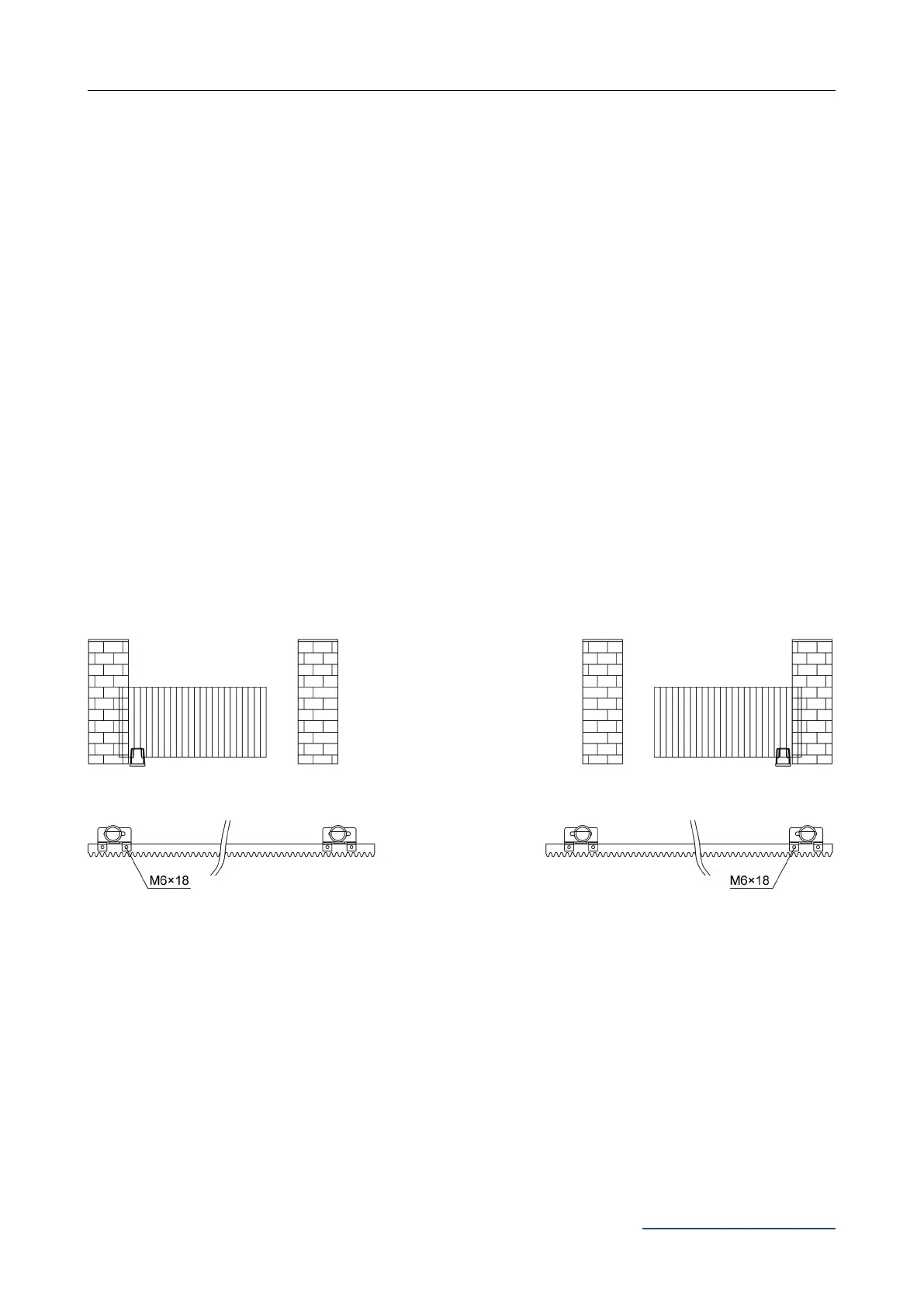
The magnet limit switch stop is designed to recognize the gate running direction and it’s current
position. During gate moving, the magnetic limit switch which is installed inside the motor will detect
the magnet limit switch stops when it passes, after detecting, the control board will record the gate
running direction and the limit switch stop position to enable the gate run to the setting limit switch
position.
To change the gate opener from right-hand installed to left-hand installed, you should only set it on
the control board, no need to switch over the two magnet limit switch stops. So it’s extremely
important to decide the limit switch stops position and make sure the polarities are 100% correct.
Installation drawing of limit switch stop polarities for right-hand and left-hand:
Figure 16
Note:
1. Default setting on control board is right-hand installed, if you need to change it to
left-hand, please enter into advanced menu “opening direction setting” to change.
2. If you are not sure about the polarities of the two magnet limit switch stops are correct,
please operate it on the control board to enter into manual control mode, and check if the
gate will stop when it arrives at limit switch position.



 To Next Page