Instructions for SL500DC/SL800DC
www.gatexpertstore.com
5. Press “+” or “-” button to set the emergency stop distance. Indicator lights L1-L5 will
indicate different distance, the more the indicator lights are on, the longer the distance
will be, the better the buffering will be before gate stopped.
6. Press “SET” button once to save and system will automatically exit. The indicator
lights L1-L5 will be on in sequence, then all will flicker once and off.
B. Operation Graphic Illustration
Buzzer Setting(L2)
This setting is to enable or disable the buzzer, users can set to their required.
There are four types of buzzer this motor will make for different conditions:
1. Motor works normally under mains power: the buzzer sounds short but
long lasting.
2. Motor works normally under battery power: the buzzer sounds strident but
long lasting, and will stop after 6 sec.
3. Motor works abnormal due to low battery power: the buzzer sounds
strident but long lasting, and will stop after 3 sec.
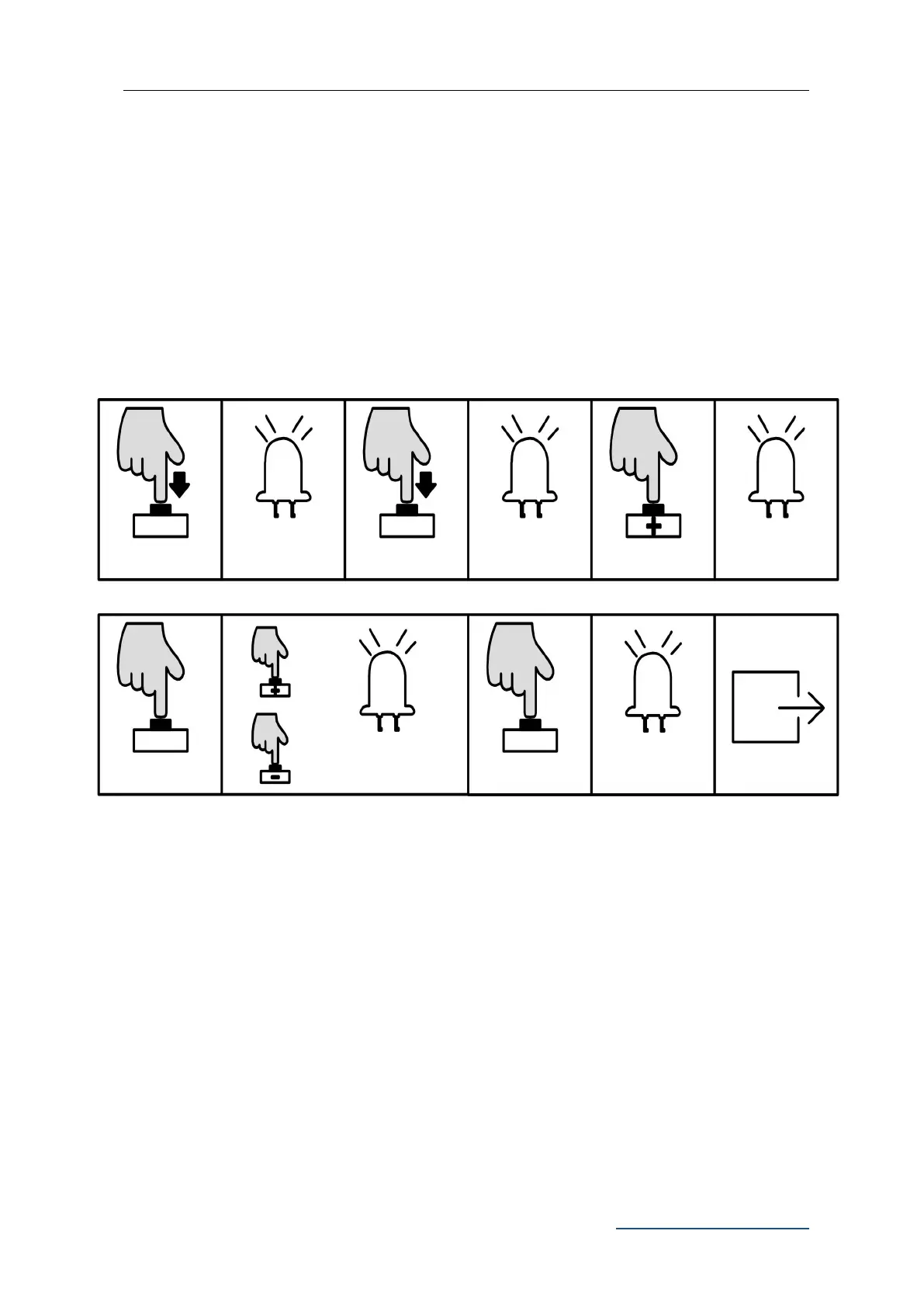
L0 flicker 3 times,
L1 will be steady
on
L0 flicker once, L1
will be steady on
Press “PROG”
again for 3 sec.
L0 flicker twice, L1
will be steady on
Press “+” or “-” to set, LED
will show the setting value
L1-L5 will be on in
sequence then all
flicker once and off.



 To Next Page